TL;DR: In UI vs UX design, UI (user interface) is what you see and touch: buttons, layouts, type, color and icons. UX (user experience) is the whole journey: whether the product solves the right problem, how easy it is to finish a task, and how you feel during and after it. Nielsen Norman Group puts it this way: UX “encompasses all aspects of the end-user’s interaction with the company, its services, and its products,” and the UI is one important part of that. A beautiful app can still have poor UX, and a plain one can have great UX. Most good products need both, and on small teams one person often does both jobs.
The UI vs UX design debate confuses beginners, job seekers and even the people hiring designers. Part of the problem is that the two terms are often glued together as “UI/UX,” as if they were one job. They overlap, but they answer different questions. This guide explains the difference in plain English, with everyday examples, a side-by-side table, and what each role actually does day to day.
What is UX design?
User experience design is about the whole interaction between a person and a product or service, not just the screen. In their classic definition, Don Norman and Jakob Nielsen of Nielsen Norman Group write that “the first requirement for an exemplary user experience is to meet the exact needs of the customer, without fuss or bother.” They add that real UX needs “a seamless merging of the services of multiple disciplines, including engineering, marketing, graphical and industrial design, and interface design.”
UX designers usually ask questions like:
- Who is this for, and what are they trying to get done?
- What steps do they take, and where do they get stuck or give up?
- Does the information architecture (menus, categories, labels) match how people think?
- Is the product useful, usable and accessible to everyone who needs it?
What is UI design?
User interface design is the visual and interactive layer people actually see and operate. UI designers decide how a screen looks and responds: the grid, spacing, typography, color, icons, buttons, form fields, animations, and states such as hover, error and loading. They also usually build and maintain the design system, the reusable library of components and rules that keeps an app consistent.
UI designers ask questions like:
- Is the most important action on this screen visually obvious?
- Is the text readable, and do the colors meet contrast guidelines?
- Do the components look and behave the same everywhere?
- Does the interface give clear feedback when you tap, type or make a mistake?
UI vs UX design: side-by-side comparison
| UX design | UI design | |
|---|---|---|
| Core question | Does this solve the problem smoothly? | Is this clear, consistent and pleasant to use? |
| Scope | Whole journey, across screens, channels and even offline | Individual screens, components and interactions |
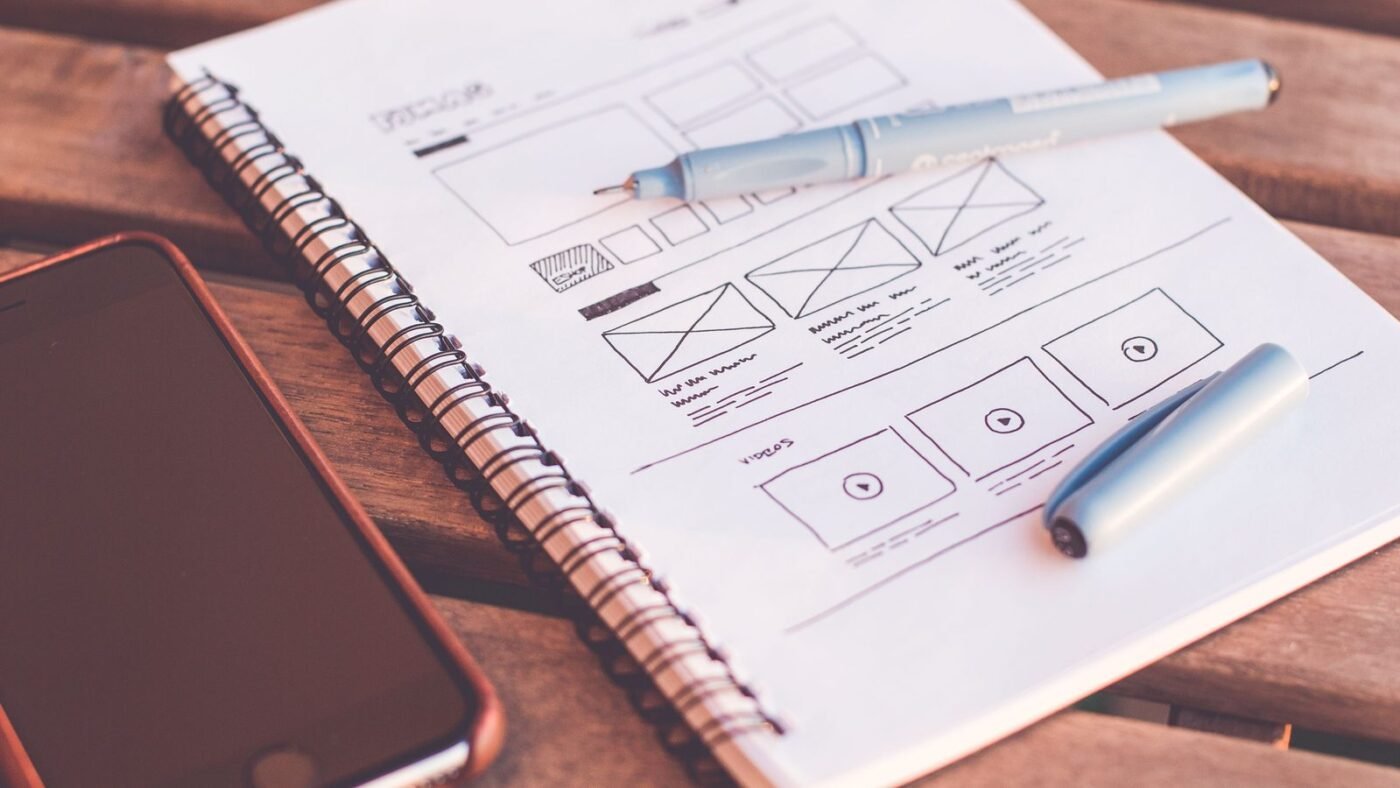
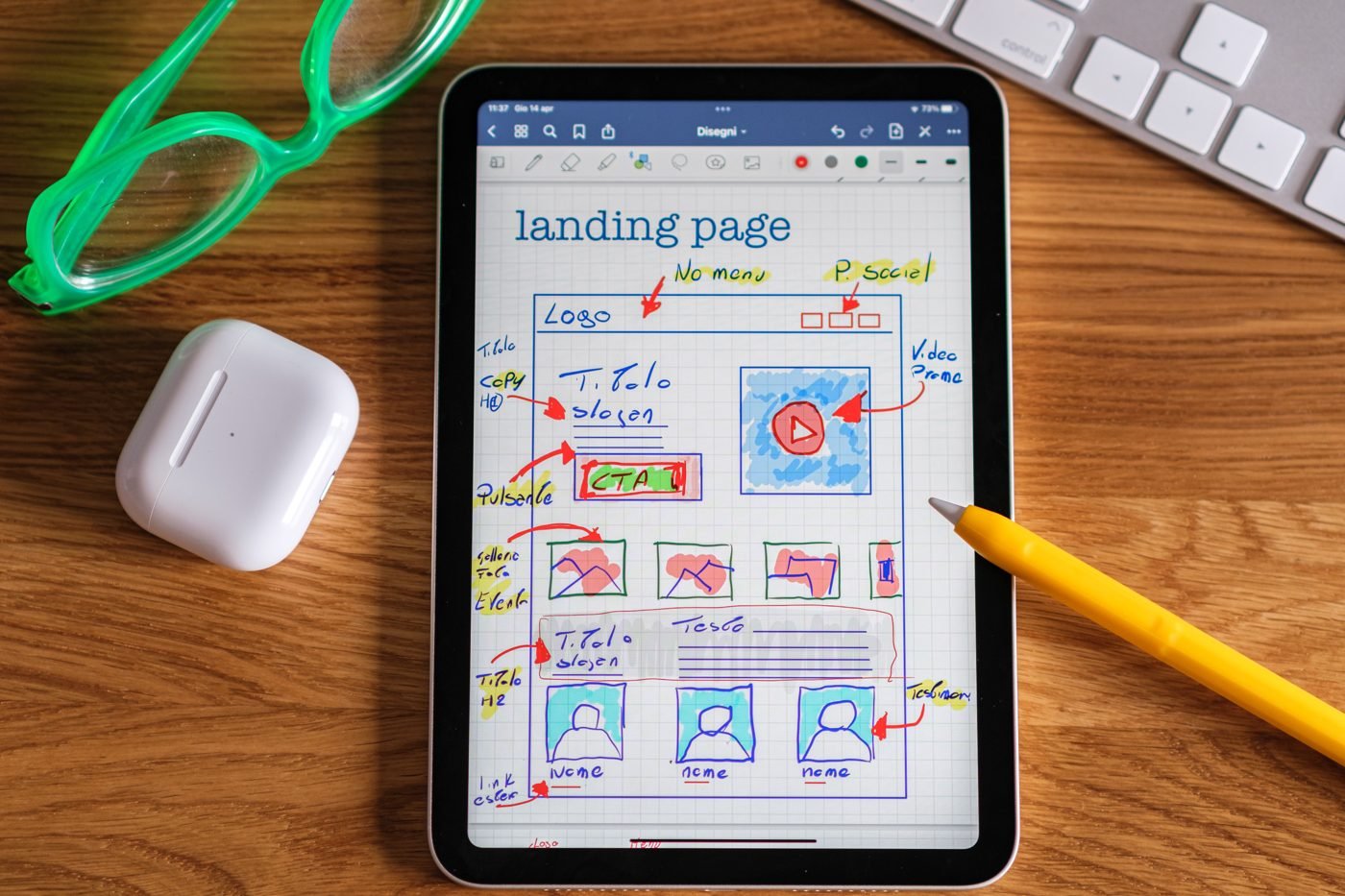
| Typical outputs | Research findings, personas, user flows, journey maps, wireframes, prototypes, usability test reports | Visual mockups, style guides, design systems, icons, interaction specs, high-fidelity prototypes |
| Key skills | User research, information architecture, interaction design, testing, analytics | Visual design, typography, color, layout, motion, accessibility details |
| Success measured by | Task completion, time on task, error rates, retention, satisfaction | Visual consistency, readability, clarity of actions, brand fit |
| Common tools | Survey and testing tools, whiteboards, Figma or FigJam for flows | Figma, Sketch, Adobe tools, prototyping and animation tools |
Examples that make the difference obvious
The movie review website
Norman and Nielsen’s own example is the clearest. Picture a movie review site where the search interface is perfect. If you want information about a small independent film and the database only covers major studio releases, “the UX will be poor” even though the UI is excellent. The problem isn’t the buttons. It’s that the product doesn’t meet the need.
A food delivery checkout
- UI problem: the “Place order” button is light grey on white and looks disabled, so people hesitate.
- UX problem: the app only reveals delivery fees on the final screen, so people abandon the order when they see the total.
Fixing the button color is UI work. Moving fee information earlier in the journey is UX work. Both improve sales, in different ways.
A banking app login
A clean, well-branded login screen is good UI. Making people re-enter a long password every time, with no option for biometric login, is poor UX, however nice the screen looks.
Where UI and UX overlap
The line blurs in a few places, which is why “UI/UX designer” is such a common job title:
- Interaction design: how a menu opens or a swipe works is both a usability decision (UX) and a visual or motion decision (UI).
- Accessibility: UX decides who must be able to complete a task. UI makes it possible with contrast, focus states and readable type. Our WCAG 2.2 color contrast guide covers the UI side.
- Typography: choosing a typeface is UI, but readability affects comprehension, which is UX. See our guide to variable fonts.
- Prototyping: both roles build prototypes. UX tests whether the flow works, and UI refines how it looks and feels.
The typical design process, step by step
- Research (UX): interviews, analytics and competitor reviews.
- Define (UX): problem statements, personas and success metrics.
- Structure (UX): information architecture, user flows and low-fidelity wireframes.
- Test early (UX): quick usability tests on rough prototypes.
- Visual design (UI): high-fidelity screens, components and design system updates.
- Handoff (UI and UX): specs and prototypes for developers.
- Measure and iterate (UX): watch real usage and fix friction points.
Which career should you choose?
Choose UX if you enjoy talking to people, finding patterns in messy problems, writing, and testing ideas. Choose UI if you love visual craft, typography, color and pixel-level detail. Many people start in one and learn the other, and small companies often hire a single product designer to cover both. Whichever you choose, a portfolio that shows your process, not just pretty final screens, is what most hiring managers ask for.
Tools to get started
You don’t need expensive software. Figma’s free tier is enough to practice wireframes, components and prototypes. If you’re deciding between tools, read our comparisons of Figma vs Canva and Figma vs Framer. AI tools are changing the workflow too. Our look at Figma vs Claude Design explains where AI helps with UI drafts and where human UX judgment still matters.
The bottom line
UX is whether the product works for people. UI is how that experience looks and feels on screen. Think of UX as the route and UI as the road signs: you need both to get anywhere. Next time someone says “UI/UX,” you’ll know which half of the job they mean.

The Teck Hustlers Editorial Team covers technology, business, finance and gaming news for readers who want the story behind the headline. Every article is researched, written and edited by our in-house team, checked against company announcements, filings and reputable reporting, and updated when new facts emerge. We focus on what each development means for founders, professionals, investors and everyday users. Have a tip or a correction? Reach us through our contact page.