An AI prompt generator is a tool that turns a rough request into a detailed prompt for ChatGPT, Claude, Gemini or an image model, usually by adding a role, the task, background context, rules and an output format. It helps only when it fills in details the model actually needs. A good reusable template, plus a few facts that only you know, does the same job and often does it better.
This guide explains what prompt generators do, when they help and when they just add fluff, and gives you a free fill-in-the-blanks template you can use as your own prompt generator in any chatbot. No sign-ups or paid tools needed.
What does an AI prompt generator actually do?
Most prompt generators follow the same pattern. You type a short idea such as “write a cold email for my bakery,” and the tool sends it to an AI model with hidden instructions that say, in effect, “rewrite this into a better prompt.” What comes back is longer and more structured: a role for the AI to play, a clear task, some assumed context, constraints like length and tone, and a format for the answer.
For example, Feedough’s free generator describes its process as adding a role, audience, constraints and an output format to what you type, and offers a picker of named frameworks. Others, such as QuillBot’s prompt generator, work the same way: enter an idea, get a tailored prompt, then refine it.
In other words, a prompt generator is a prompt that writes prompts. That’s useful to know, because it means you can do exactly the same thing yourself with the chatbot you already use.
Why longer, structured prompts work better
The reason these tools exist is real. Short, vague prompts give the model too little to work with, so it fills the gaps with generic guesses. Google’s Workspace team reported that the most successful prompts in its Workspace Labs program averaged around 21 words, while the prompts people tried on their own were usually less than nine words.
Anthropic’s prompting guidance for Claude puts it a different way: treat the model like a brilliant new employee who doesn’t know your norms. Its suggested test is to show your prompt to a colleague with little context on the task. If they would be confused, the model will be too.
So the goal isn’t a long prompt for its own sake. It’s a prompt that answers the questions a smart stranger would ask before starting the job. For the basics behind this, see our plain-English guide to what prompt engineering is.
The five parts every good prompt needs
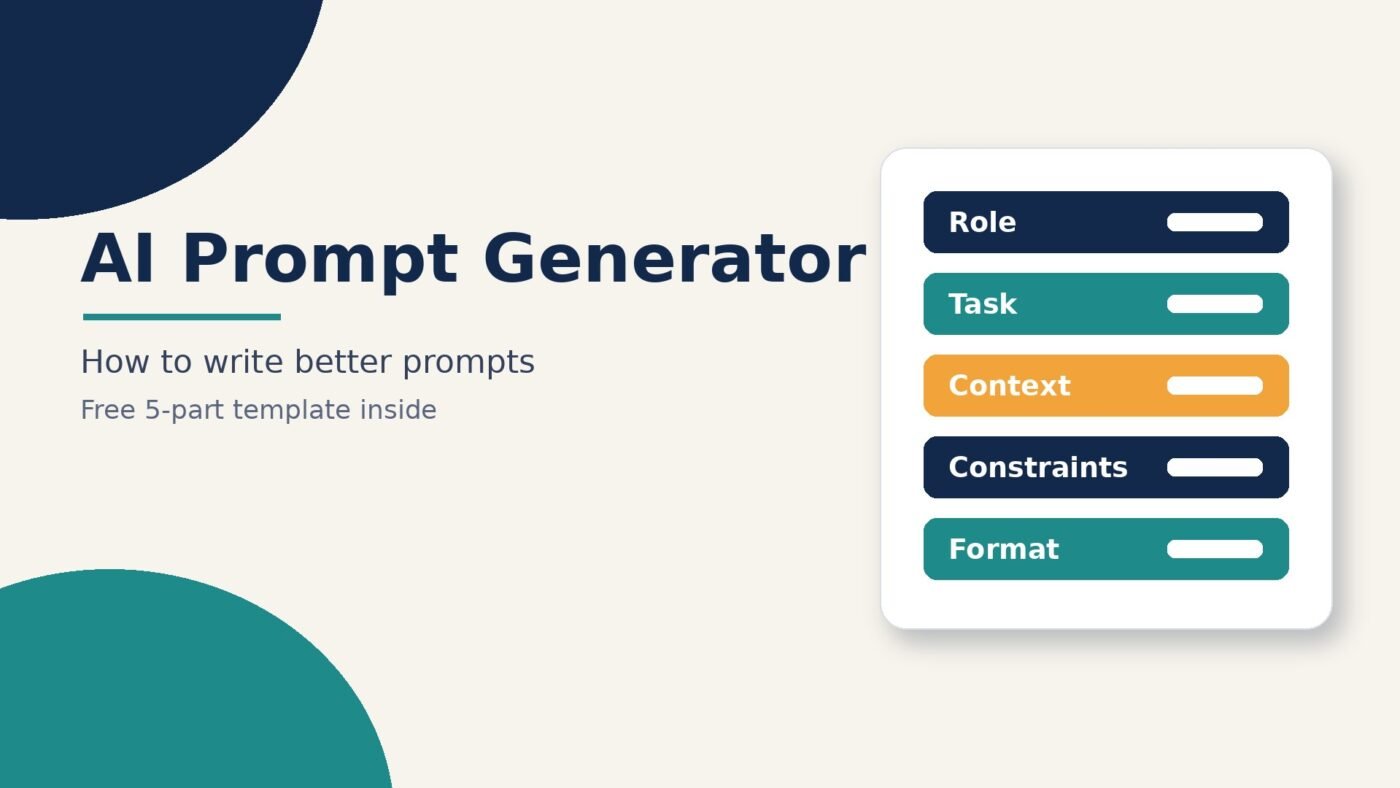
Whether a generator builds your prompt or you write it yourself, the strong ones cover the same ground. Google’s Prompting guide 101 names four main areas: persona, task, context and format. It also says you don’t need all four every time, and that the task, with a clear verb, is the most important part. We add a fifth, constraints, because that’s where most “why did it do that?” problems come from.
| Part | What it answers | Weak version | Strong version |
|---|---|---|---|
| Role (persona) | Who should the AI act as? | (none) | You are an experienced small-business copywriter. |
| Task | What exactly should it do? | Write about my bakery. | Write a 120-word cold email inviting local offices to order Friday pastry boxes. |
| Context | What does it need to know? | (none) | We’re a two-person bakery in a business district. Boxes serve 10 people and can be delivered before 9am. |
| Constraints | What are the rules and limits? | (none) | Friendly but not pushy. No discounts. Don’t invent prices or reviews. |
| Format | What should the answer look like? | (none) | Give a subject line, then the email body, then two alternative subject lines. |
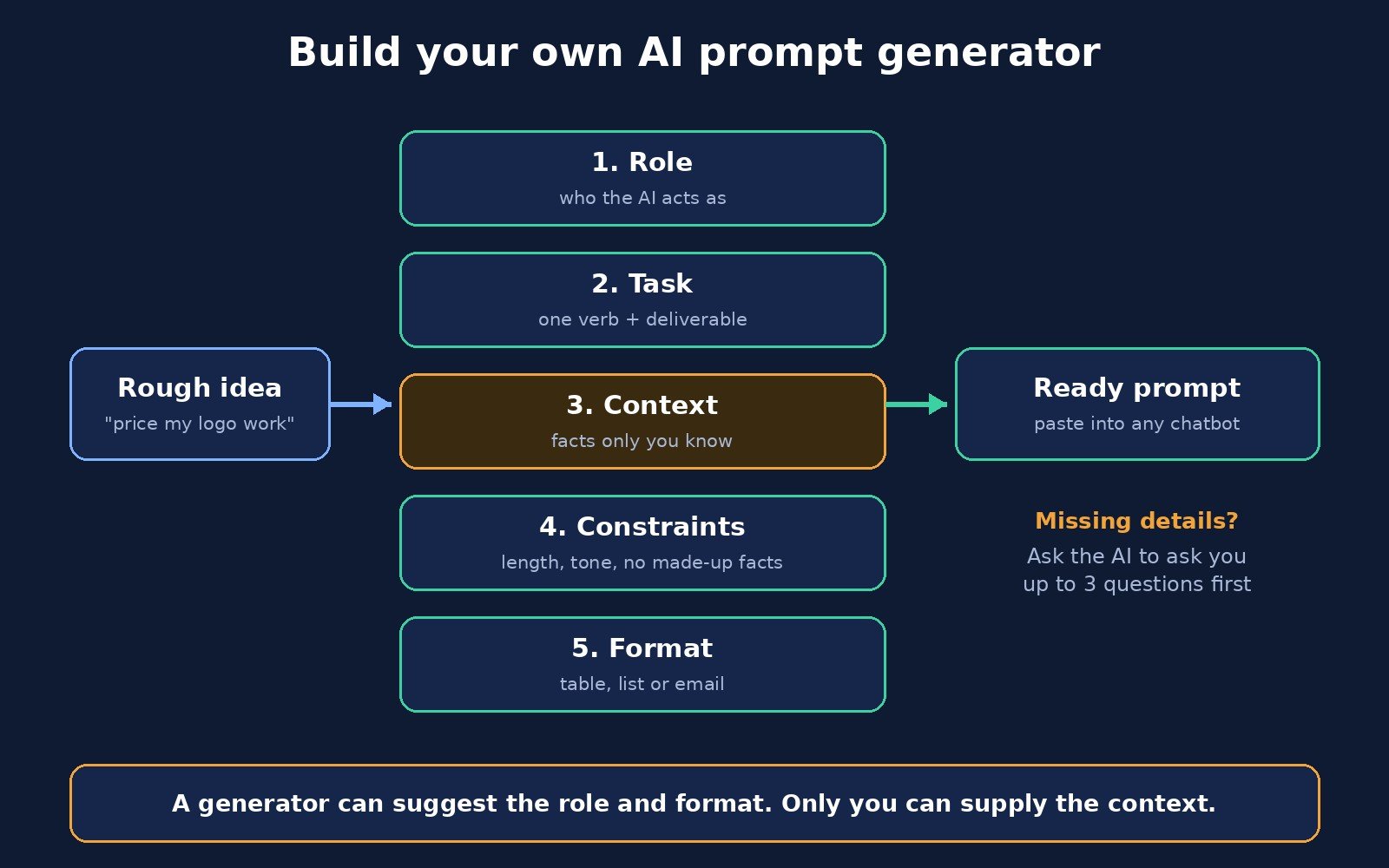
Notice that a generator can invent the role and the format for you, but it can’t know the context. It doesn’t know your bakery has two people, what your boxes contain or that you never discount. Any generator that fills in those details is guessing, and guessed details are how you end up with confident nonsense. Our guide to AI hallucination explains why models do that.
A free prompt generator template you can use anywhere
Here’s the template we use. Copy it into ChatGPT, Claude, Gemini or any other chatbot, fill in the brackets, and send. It works as a one-off prompt or as a saved instruction.
You are [role, e.g. an experienced bookkeeper who explains things simply].

Task: [one clear verb + deliverable, e.g. "Write a checklist for..."]

Context:
- Who this is for: [audience]
- Background: [facts only you know: your business, numbers, past attempts]
- Goal: [what a good result lets you do next]

Constraints:
- Length: [e.g. under 200 words]
- Tone: [e.g. plain, friendly, no jargon]
- Do not: [e.g. invent statistics, prices or quotes; if unsure, say so]

Format: [e.g. a numbered list, a table with columns X and Y, or an email with a subject line]

Before you answer, ask me up to 3 questions if anything important is missing.
That last line is the most useful thing a good generator adds, and it’s the easiest to copy. Instead of guessing, the model asks you for the missing details first. Some generators have an “improve” step that does the same thing by asking follow-up questions before rewriting.
Turn any chatbot into your own prompt generator
If you’d rather not fill in a template by hand, let the chatbot do the expanding. Google’s guide even suggests this for Gemini: start with “Make this a power prompt:” followed by your original prompt, then check the suggestion says what you need before you use it. This “meta-prompt” works in other chatbots too:
Act as a prompt editor. I'll give you a rough request.
Rewrite it as a clear prompt with these sections: Role, Task, Context, Constraints, Format.
Where context is missing, do NOT invent it. Instead, list the questions I need to answer.
Keep the final prompt under 200 words.

My rough request: [paste it here]
Answer its questions, paste the finished prompt into a new chat and run it. If you use the same kind of prompt every week, save the finished version as a custom instruction or system prompt so you don’t have to rebuild it. If you’re unsure which instructions belong in which place, our explainer on system prompts vs user prompts covers it.
Worked example: from rough idea to ready prompt
Here’s how the same request changes as it goes through the five parts.
Rough idea: “Help me price my logo design work.”
Generator-style rewrite (no context added): “You are an expert freelance consultant. Provide a comprehensive guide to pricing logo design services, including factors to consider and pricing strategies.” This is longer, but the answer will be the same generic guide anyone would get.
Finished prompt (with your context):
You are a pricing coach for freelance designers.

Task: Suggest three logo design packages I can offer.

Context:
- I'm a part-time designer with about 2 years of experience.
- Most clients are local cafes and salons.
- A logo usually takes me [X] hours including two rounds of revisions.
- I want to earn at least [your target hourly figure] per hour.

Constraints: Use only the numbers I gave you. Show your math.
If something else matters for pricing, ask me instead of assuming.

Format: A table with package name, what's included, revision rounds,
estimated hours and suggested price.
The difference isn’t word count. It’s that the finished prompt contains facts the model couldn’t know, a rule against making numbers up, and a format you can actually use. That’s the part no generator can do for you.
When a prompt generator helps, and when it doesn’t
| Situation | Use a generator or meta-prompt? | Why |
|---|---|---|
| You’re new to AI and staring at a blank box | Yes | It shows you what a structured prompt looks like |
| Image prompts for tools like Midjourney or other image models | Often yes | Style, lighting and camera terms are hard to remember |
| A repeat task you do every week | Once, then save it | Build a template and reuse it instead of regenerating |
| Anything with your own numbers, clients or facts | Only for structure | The tool can’t know your context, so it guesses |
| A quick, simple question | No | A clear one-line question is fine; extra padding adds nothing |
| Sensitive business or personal data | Be careful | You’re pasting it into another company’s tool as well as your chatbot |
A common trap is generator output that’s long but empty: phrases like “comprehensive,” “expert-level” and “think step by step” stacked on top of a request that still has no real context. Longer isn’t better if the extra words don’t add information.
How to choose an AI prompt generator
There are dozens of these tools, and many are free. Jotform says it tested 18 AI prompt generators for its 2026 roundup. Rather than chase a “best” list, check any tool against these questions:
- Does it ask you questions? Tools that ask for missing details beat tools that silently invent them.
- Can you see and edit the whole prompt? You should be able to read every line before you use it.
- Does it fit the model you use? Some tools have separate styles for different chatbots or image models.
- What does it do with your input? Read the privacy policy before pasting client names, figures or anything confidential.
- Does it let you save templates? Saving and reusing good prompts matters more than generating new ones every time.
If a tool fails most of these, the template above will serve you better. For more AI tools worth trying, see our roundup of the best free AI tools for small business.
Prompt techniques worth adding to your template
Once the five parts are in place, a few well-known techniques can lift results further. Each has its own explainer if you want the details:
- Give examples. Showing the model one to a few examples of what “good” looks like is called few-shot prompting. Anthropic’s guidance suggests 3 to 5 relevant, varied examples for best results. No examples at all is zero-shot prompting, and it’s fine for simple tasks.
- Separate instructions from material. When you paste in a document, wrap it in clear labels or tags so the model can tell your instructions apart from the text it’s working on. Anthropic’s guide recommends XML-style tags for this.
- Break big jobs into steps. Instead of one giant prompt, run a short chain: outline first, then draft, then edit. That’s prompt chaining.
- Ask for reasoning on tricky problems. For math or multi-step logic, asking the model to work through the problem helps. Our guide to chain of thought prompting explains when it’s worth it.
- Explain why a rule exists. Anthropic notes that giving the reason behind an instruction, not just the instruction, helps the model apply it sensibly.
Want ready-made starting points? Our list of AI prompt examples has copy-ready prompts for work, study and side projects that already follow this structure.
Frequently asked questions
What is an AI prompt generator?
An AI prompt generator is a tool that takes a short idea and rewrites it into a detailed prompt for an AI chatbot or image model. It usually adds a role, a clear task, context, rules and an output format. Most work by sending your idea to an AI model with instructions to improve it.
Are AI prompt generators worth using?
They’re worth it for beginners and for image prompts, where they teach you useful structure and vocabulary. They’re less useful for tasks that depend on your own facts, because a generator can’t know your business, numbers or audience. A reusable template plus your context usually works as well or better.
Can ChatGPT generate prompts for itself?
Yes. Ask it to act as a prompt editor, give it your rough request, and tell it to rewrite the request with a role, task, context, constraints and format. Tell it to ask you questions instead of inventing missing details, then use the finished prompt in a new chat.
What makes a good AI prompt?
A good prompt tells the model who to be, exactly what to do, the background it needs, the rules to follow and what the answer should look like. Google found its most successful prompts averaged around 21 words, compared with under nine for typical first attempts. Clarity matters more than length.
Is there a free AI prompt generator?
Yes. Many prompt generator websites offer free versions, and any free chatbot can act as one if you give it a meta-prompt. The template in this article is also free to copy and works in ChatGPT, Claude, Gemini and other chatbots.
Is it safe to paste business information into a prompt generator?
Be careful. A prompt generator is usually a separate website, so your text goes to that company as well as to the AI model. Check its privacy policy, leave out client names and sensitive figures, or use the meta-prompt method inside the chatbot you already trust.
The bottom line
An AI prompt generator is a shortcut to structure, not a substitute for knowing what you want. The useful part of any generator is the checklist it follows: role, task, context, constraints and format. Learn that checklist, keep the template above handy, and let the AI ask you questions when something’s missing. You’ll get better answers than any one-click tool can give you, because only you can supply the context that makes a prompt work.

The Teck Hustlers Editorial Team covers technology, business, finance and gaming news for readers who want the story behind the headline. Every article is researched, written and edited by our in-house team, checked against company announcements, filings and reputable reporting, and updated when new facts emerge. We focus on what each development means for founders, professionals, investors and everyday users. Have a tip or a correction? Reach us through our contact page.