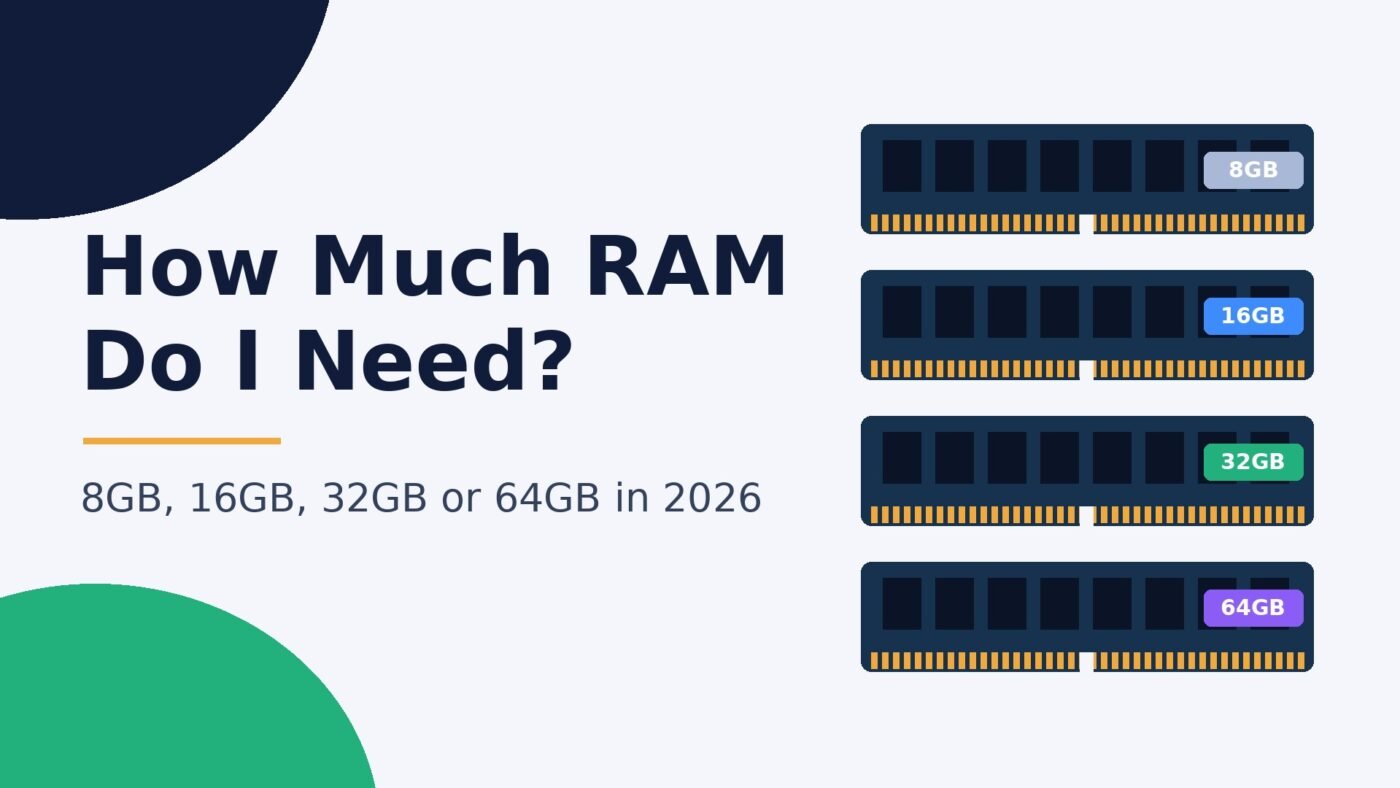
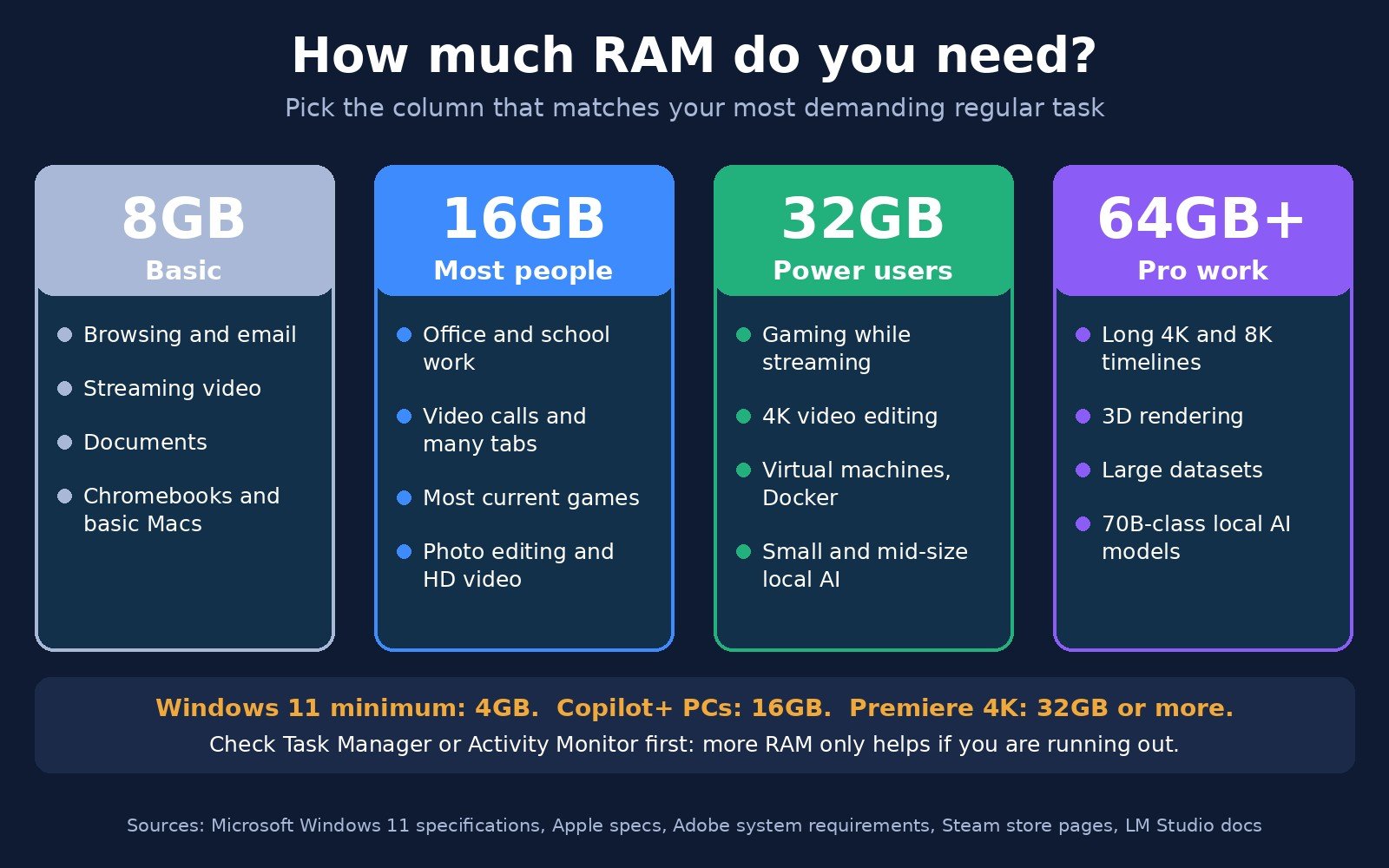
For most people in 2026, 16GB of RAM is the right amount: it handles browsing with lots of tabs, Office, video calls and most current games. Choose 8GB only for light use on a Chromebook or a basic Mac. Get 32GB if you game while streaming or multitasking, edit 4K video, run virtual machines or want to try local AI models. 64GB or more is for professional video work, 3D and large local AI models.
That short answer covers most buyers, but the right number for you depends on what you actually run. This guide breaks it down by use case, shows what games, Adobe apps and local AI tools officially ask for, and explains how to check your own memory use before you spend money. Every specific figure links to its original source.
Quick answer: how much RAM you need by use case
| What you do | Minimum that works | Sweet spot | When to go higher |
|---|---|---|---|
| Browsing, email, streaming, school work | 8GB | 16GB | Dozens of tabs plus video calls all day |
| Office and remote work | 8GB | 16GB | Big spreadsheets, many apps open, virtual machines |
| Gaming | 16GB | 16GB to 32GB | Streaming, Discord and a browser open while playing; simulators |
| Photo editing | 8GB | 16GB to 32GB | Large RAW files, many layers, AI tools |
| Video editing | 16GB (HD) | 32GB (4K) | Long 4K or 8K timelines, effects, colour grading: 64GB |
| Programming | 16GB | 32GB | Docker, emulators and VMs at the same time |
| Local AI models | 16GB (small models) | 32GB | Models above about 14B parameters: 64GB or more |
These tiers line up with what major buyer guides say. HP’s 2026 guide calls 16GB the recommended standard and 32GB the better fit for creative work, heavy gaming and local AI, and PCMag describes 16GB as the new agreed baseline for most PCs. The rest of this article explains the reasoning so you can place yourself.
What RAM does (and what happens when you run out)
RAM (random access memory) is your computer’s short-term workspace. Every open app, browser tab and game keeps the data it needs right now in RAM because it is far faster than your SSD. When RAM fills up, the operating system starts moving data out to storage (the page file on Windows, swap on a Mac). Your computer keeps working, but switching apps gets slow, tabs reload, and games can stutter.
More RAM does not make a computer faster on its own. If you never fill what you have, adding more changes nothing you will notice. It only helps when you are running out. That is why the best first step is to check how much you use today (steps further down).
RAM is also different from graphics memory. A graphics card has its own VRAM for textures and many AI workloads; our RAM vs VRAM guide explains how the two work together. Macs with Apple silicon use one shared pool instead, covered in unified memory vs RAM.
Is 8GB of RAM enough?
8GB is enough for light use: web browsing, email, documents, streaming video and video calls, as long as you don’t keep dozens of tabs and apps open together. It is technically well above what Windows needs to install, since Microsoft lists 4GB of RAM as the Windows 11 minimum. But a minimum is the amount needed to boot and run Windows, not to use a modern browser comfortably.
8GB machines are still sold. Apple’s MacBook Neo comes with 8GB of unified memory, and Adobe even lists 8GB as the minimum for Premiere. But 8GB leaves little headroom. On a Windows laptop you plan to keep for four or five years, 8GB is the option most likely to feel slow first. Few gamers use it: only 7.52% of Steam users had 8GB in the October 2026 survey.
Verdict: fine for a Chromebook, a basic Mac or a second computer for browsing. For a main Windows PC, skip it if you can.
Is 16GB of RAM enough?
Yes, for most people. 16GB runs Windows 11 or macOS, a busy browser, Microsoft 365, Zoom or Teams and music in the background without constant slowdowns. It also matches the floor that Microsoft and Apple now set for their AI features:
- Microsoft will only call a laptop a Copilot+ PC if it has at least 16GB of DDR5 or LPDDR5 memory; devices with less are not Copilot+ PCs even if they have a fast NPU.
- Apple’s M5 MacBook Air starts at 16GB of unified memory, configurable to 24GB or 32GB.
16GB also covers most games. It is the most common amount among Steam users, at 41.42% in October 2026, and many big releases list 16GB as both their minimum and recommended amount (see the gaming table below).
Verdict: the default choice for everyday computers, students, office work and mainstream gaming.
16GB vs 32GB RAM: when is 32GB worth it?
32GB is worth it if you regularly do one of these:
- Game while doing other things. Streaming with OBS, a browser full of guides and Discord on top of a modern game can push past 16GB.
- Edit 4K video. Adobe recommends 32GB or more for 4K and higher in Premiere.
- Run virtual machines, Docker or Android emulators. Each one reserves its own block of memory.
- Use local AI models. The model has to fit in memory alongside everything else (details below).
- Play memory-hungry games. A few titles now recommend 32GB, such as Microsoft Flight Simulator 2024.
Is 32GB overkill? For browsing, office work and casual gaming, yes: you will rarely use it. For the workloads above, no. Gamers are moving that way too: 37.06% of Steam users had 32GB in October 2026, close behind 16GB. If you are building a desktop and can afford it, 32GB is the safer choice for the next few years. Memory prices have risen sharply this year (see our report on the RAM price hike), so compare the real cost gap before deciding.
How much RAM do I need for gaming?
16GB is the minimum for most current PC games, and 32GB gives headroom for streaming and future releases. Here is what some popular games officially list on their Steam store pages:
| Game | Minimum RAM | Recommended RAM |
|---|---|---|
| Cyberpunk 2077 | 12GB | 16GB |
| Battlefield 6 | 16GB | 16GB |
| Black Myth: Wukong | 16GB | 16GB |
| Kingdom Come: Deliverance II | 16GB | 32GB |
| Microsoft Flight Simulator 2024 | 16GB | 32GB |
Two things matter as much as capacity. First, your graphics card: if its VRAM fills up, the game leans harder on system RAM, which is one reason 16GB can run out with an 8GB card at high settings. Second, on a desktop, use two matching sticks (2 x 8GB or 2 x 16GB) rather than one, so the memory runs in dual-channel mode. If you are choosing a new platform, our DDR4 vs DDR5 and Intel vs AMD guides cover the rest of the build.
How much RAM for video editing and photo work?
Adobe’s own numbers are the clearest guide. For Premiere version 27.0 on Windows, Adobe lists 8GB minimum, 16GB recommended for HD media and 32GB or more for 4K and higher. On Apple silicon Macs, the same page lists 8GB of unified memory as the minimum and 16GB as recommended. For Photoshop, Adobe lists 8GB minimum and 16GB or more recommended.
In practice:
- Photo editing and YouTube-style 1080p video: 16GB.
- 4K video, Lightroom catalogues with AI masking, After Effects: 32GB.
- Long 4K/8K timelines, heavy effects, 3D rendering: 64GB or more.
How much RAM do I need for local AI?
Running AI chatbots on your own computer with tools like Ollama or LM Studio is the main reason people now buy more memory. The whole model file has to fit in memory (VRAM on a graphics card, unified memory on a Mac, or system RAM when running on the CPU), plus extra room for the conversation and your other apps.
Model file sizes from the Ollama library give a sense of scale:
- Llama 3.1 8B (the default 4-bit download): 4.9GB.
- OpenAI’s gpt-oss default download: 14GB.
- Llama 3.1 70B: 43GB.
- gpt-oss 120b: 65GB.
LM Studio recommends at least 16GB of RAM on Windows and 16GB or more on a Mac, noting that 8GB Macs should stick to smaller models. A reasonable rule: 16GB for small models (around 8B parameters or less), 32GB to run mid-size models comfortably while you keep working, and 64GB or more for 70B-class models. On a PC with a graphics card, VRAM usually decides how fast a model runs; see RAM vs VRAM.
How much RAM do I need in a laptop or Mac?
Laptops deserve extra thought because many can’t be upgraded later. Thin laptops and all Apple silicon Macs have memory soldered to the board, so the amount you buy is the amount you keep. Buy for where you will be in three to five years, not just today.
- Windows laptop: 16GB as the baseline. It is also required for Copilot+ features. Choose 32GB for creative work, development or local AI.
- Mac: Apple silicon shares one memory pool between the CPU and GPU, which uses memory efficiently, but it is still a hard limit. 8GB (MacBook Neo) suits browsing and documents; 16GB (base MacBook Air) suits most people; 24GB to 32GB or more suits video, development and local AI. Our iMac M6 review covers a desktop option.
- Chromebook: ChromeOS is built around the web, and HP rates 8GB as sufficient for cloud-based Chromebook work.
How to check how much RAM you use now
Before buying more, spend a normal day with your usual apps open, then check.
On Windows 11
- Press Ctrl + Shift + Esc to open Task Manager.
- Click Performance, then Memory.
- Look at In use and the total installed. The Slots used line shows whether there is a free slot for an upgrade on a desktop.
On a Mac
- Open Activity Monitor (Applications > Utilities).
- Click the Memory tab.
- Check the Memory Pressure graph at the bottom. Green is fine; yellow or red means you are running short.
How to read it: if you usually sit around half to two-thirds full, you have enough. If you are close to full and things stutter when you switch apps, more RAM will help. If usage stays low, more RAM won’t fix slowness; the cause is probably elsewhere, such as a full drive (see how to free up space on Windows 11), overheating (check your CPU temperature) or other problems covered in how to fix Windows 11 freezing.
Tips before you buy or upgrade RAM
- Capacity first, speed second. Running out of memory hurts far more than slightly slower memory.
- Use matched pairs on desktops. Two identical sticks run in dual-channel mode; mixing sizes and brands can cause problems.
- Check compatibility. DDR4 and DDR5 are not interchangeable; your motherboard decides which you can use.
- Check whether your laptop is upgradeable before buying a small configuration. If the memory is soldered, pay for more up front.
- Don’t over-buy. If 16GB covers what you do, the money is usually better spent on a bigger SSD or a better graphics card.
FAQ
How much RAM do I need for Windows 11?
Windows 11 needs at least 4GB of RAM to install, but that is a bare minimum. 8GB works for light use, and 16GB is the comfortable amount for everyday multitasking. Copilot+ PCs require 16GB.
Is 16GB of RAM enough for gaming in 2026?
Yes, for most games. Titles such as Battlefield 6 and Black Myth: Wukong list 16GB as their recommended amount on Steam. Choose 32GB if you stream, keep many apps open while playing, or play simulators like Microsoft Flight Simulator 2024, which recommends 32GB.
Is 32GB of RAM overkill?
For browsing, office work and casual gaming, 32GB is more than you will use. It is not overkill for 4K video editing, game streaming, virtual machines, programming with containers or local AI models, where 32GB is the practical sweet spot.
Is 8GB of RAM enough for a laptop?
8GB is enough for browsing, documents and streaming on a Chromebook or a basic Mac such as the MacBook Neo. For a Windows laptop you plan to keep for several years, 16GB is the safer choice, especially because many laptops can’t be upgraded later.
How much RAM do I need to run AI models locally?
Plan on 16GB for small models of about 8B parameters (a 4-bit Llama 3.1 8B file is 4.9GB), 32GB for mid-size models alongside your other apps, and 64GB or more for 70B-class models, whose files are over 40GB.
Does more RAM make a computer faster?
Only if you are running out. Extra RAM stops slowdowns caused by swapping data to storage, but if your current memory is never full, adding more won’t make your computer feel any quicker.
Bottom line
Buy 16GB if you browse, work, study and play mainstream games. Buy 32GB if you game and stream, edit 4K video, write code with containers or want to run local AI. Consider 64GB or more only for professional video, 3D work or large AI models. And before upgrading an existing PC, open Task Manager or Activity Monitor: your own usage is the most reliable answer to “how much RAM do I need?”

The Teck Hustlers Editorial Team covers technology, business, finance and gaming news for readers who want the story behind the headline. Every article is researched, written and edited by our in-house team, checked against company announcements, filings and reputable reporting, and updated when new facts emerge. We focus on what each development means for founders, professionals, investors and everyday users. Have a tip or a correction? Reach us through our contact page.