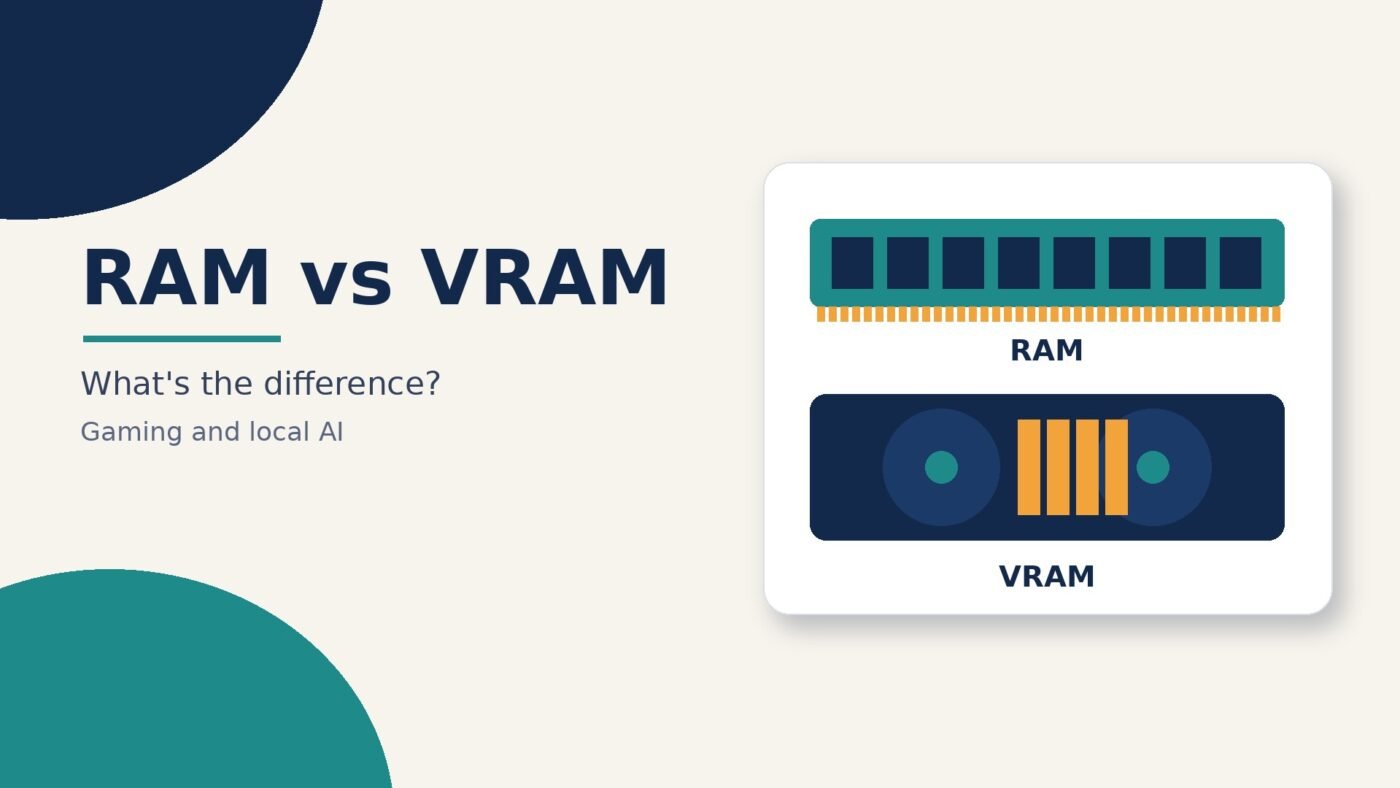
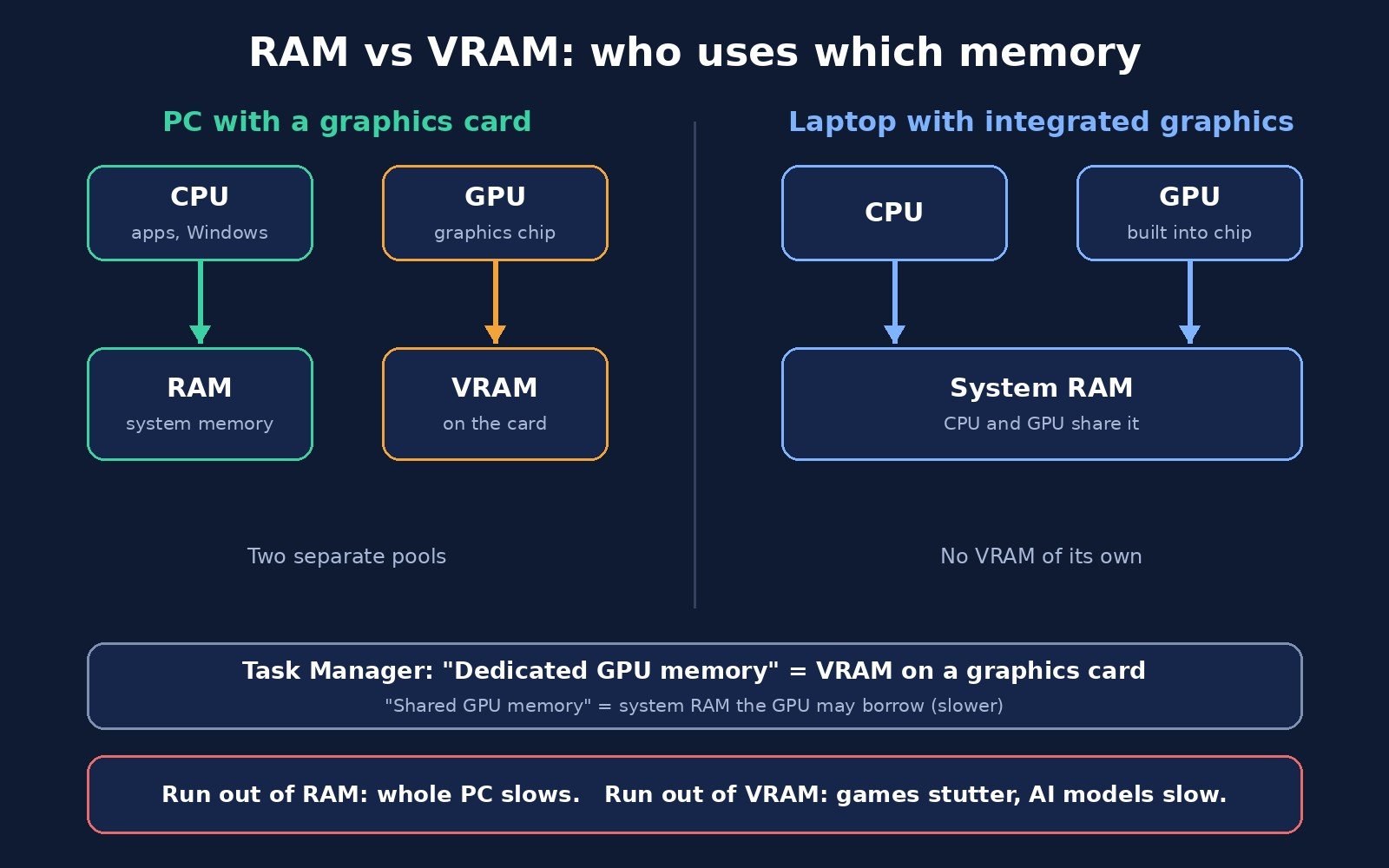
RAM is your computer’s main working memory, used by the processor (CPU) and every app you have open. VRAM is separate memory that sits on the graphics card and is used only by the graphics chip (GPU) for things like game textures, the image being drawn on your screen and, more and more, AI models. They do a similar job for different chips, and you can’t swap one for the other. When a game stutters at high settings or a local AI model won’t load, VRAM is usually the limit. When you have too many browser tabs and apps open, RAM is.
This guide explains how the two differ, what “dedicated” and “shared” GPU memory mean in Windows, how much each matters for gaming and local AI, and how to check what your own PC has.
RAM vs VRAM at a glance
| RAM (system memory) | VRAM (video memory) | |
|---|---|---|
| Used by | The CPU, Windows or macOS, and all your apps | The GPU |
| Where it lives | Memory sticks on the motherboard, or chips soldered to it in many laptops | Chips soldered onto the graphics card itself |
| Typical type | DDR memory (DDR4, DDR5) | GDDR graphics memory (such as GDDR6) |
| Built for | Low delay on many small, varied tasks | Moving huge blocks of data at once (wide memory bus) |
| Holds | Open apps, browser tabs, files you’re working on | Textures, frame buffers, shaders, AI model weights |
| When it runs out | Windows pages data to the SSD and everything slows down | Data spills into slower system RAM; games stutter, AI models slow down or fail to load |
| Upgradable? | Often on desktops, sometimes on laptops | No. You replace the graphics card |
What is RAM?
RAM (random-access memory) is the short-term workspace your processor reads from and writes to while it works. Storage drives are far too slow for the CPU to work from directly, so programs and files are loaded into RAM first. As How-To Geek explains, when there’s more data than fits in RAM, the system has to swap some of it out to a file on your drive, and that causes a serious slowdown.
RAM is shared by everything on your computer: the operating system, your browser, Office apps, chat apps, and the game itself (the game logic, physics and sound all run on the CPU). Microsoft’s Windows 11 specifications list 4 GB as the minimum, but that’s the floor to install Windows, not a comfortable amount for real work.
Having more RAM doesn’t make a computer faster on its own. It stops it from slowing down when you ask it to juggle a lot at once.
What is VRAM?
VRAM (video random-access memory) is RAM reserved for the GPU. Anything the graphics chip needs to draw the next frame has to be in VRAM: the textures wrapped around 3D models, the frame being built, lighting data and more. How-To Geek describes it simply as being “in principle, the same thing as CPU system RAM but for the use of the GPU.”
The main difference is design. Graphics work means moving enormous amounts of data in parallel, so graphics cards use GDDR memory with a much wider bus (the connection between the memory and the chip) than ordinary DDR system RAM. That’s why a GPU can’t simply use your system RAM at full speed. Even when it can borrow some, that memory is slower for graphics work.
VRAM is also the memory that matters most for running AI models on your own computer. The model’s weights (the billions of numbers that make up the model) need to sit in VRAM for the GPU to process them quickly. If you want to understand what happens when a model runs, see our explainer on what AI inference is.
Dedicated vs shared GPU memory in Task Manager
Open Task Manager in Windows, go to the Performance tab and click your GPU, and you’ll see two memory numbers. This is where most of the RAM vs VRAM confusion starts.
- Dedicated GPU memory is memory reserved only for the GPU. According to Microsoft’s DirectX team, on a separate graphics card this is your VRAM, the memory on the card. On integrated graphics, it’s a small slice of system RAM set aside for graphics, and some integrated chips reserve almost none.
- Shared GPU memory is normal system RAM that either the CPU or the GPU can use, switching back and forth as needed. Both integrated and dedicated GPUs can use it.
The shared number often looks large, sometimes around half your RAM. That’s a ceiling, not memory that’s being used up. Windows works out that limit with a formula Microsoft publishes in its graphics memory documentation, and the GPU only takes what it needs.
So when a spec sheet or game asks how much VRAM you have, look at dedicated GPU memory on a gaming PC with a graphics card. Don’t add the shared figure to it. Shared memory is a slow fallback, not extra VRAM.
Integrated graphics, graphics cards and unified memory
How RAM and VRAM relate depends on what kind of graphics your computer has.
Dedicated (discrete) graphics card
A separate NVIDIA, AMD or Intel Arc card has its own VRAM chips on board. Your system RAM and VRAM are two separate pools. The amount of VRAM is fixed by the card you bought. Not sure which card you have? Our guide on how to check what GPU you have covers Windows, Mac and Linux.
Integrated graphics
Graphics built into the processor (common in thin laptops and budget desktops) have no VRAM of their own. They use system RAM, so a laptop with integrated graphics is effectively using its RAM as VRAM too. That’s one reason more RAM helps these machines with light gaming and photo editing: the graphics chip is drawing from the same pool.
Unified memory (Apple Silicon and consoles)
Macs with Apple Silicon use one pool of unified memory that the CPU and GPU share directly, with no separate VRAM. How-To Geek notes that game consoles like the PlayStation 5 also use unified memory. It works differently from a Windows PC with integrated graphics, and we break it down in unified memory vs RAM.
What happens when you run out of RAM or VRAM?
Running out of RAM: Windows starts moving data to the page file on your drive. Apps take longer to switch between, tabs reload, and the whole system can feel sluggish. A fast SSD softens this, but it’s still far slower than RAM (see our SSD vs HDD comparison for why drive speed matters).
Running out of VRAM: the GPU has to spill data into slower shared system memory. How-To Geek describes the result as “a dramatic drop in performance.” In games that shows up as stutters, hitching when you turn the camera, blurry textures that pop in late, or crashes. In AI tools it can mean a model that runs painfully slowly or refuses to load at all.
The two problems feel different. Low RAM tends to slow down the whole computer. Low VRAM mostly hurts the game or AI app that’s using the GPU, while the rest of the system feels fine.
RAM vs VRAM for gaming
Games use both, but for different things. RAM holds the game’s code, world data and everything else running in the background. VRAM holds what you see.
The biggest drivers of VRAM use are texture quality and resolution. How-To Geek points out that you generally need much more VRAM to render at 4K than at 1080p. That gives you two practical levers:
- If you’re short on VRAM, lower texture quality first, then resolution or resolution scale. Many modern games show an estimated VRAM usage bar in their graphics settings, so you can see the effect before you apply it.
- If you’re short on RAM, close browsers, launchers and chat apps you don’t need while you play, and check the game’s listed system requirements.
When you’re buying, look at a game’s published minimum and recommended specs. They usually list RAM and VRAM separately, and a powerful GPU with too little VRAM for your resolution can still struggle. Keeping your graphics driver current also helps games manage memory well; here’s how to update graphics drivers safely.
RAM vs VRAM for local AI
If you want to run chatbots or image generators on your own PC, VRAM usually decides what you can run. The model has to fit in memory, and it runs fastest when it fits entirely in the GPU’s VRAM.
There’s a simple rule of thumb for how much memory a model’s weights need. Hugging Face’s documentation says loading a model with X billion parameters takes roughly 2 × X GB of VRAM in 16-bit precision (bfloat16 or float16), and about 4 × X GB in full 32-bit precision. Their evaluation guidebook adds that 8-bit models need about 1 byte per parameter and 4-bit models about half a byte, and suggests allowing roughly 10% extra for running the model.
| Precision | Memory per billion parameters (weights only) | Example: a 7-billion-parameter model |
|---|---|---|
| 32-bit (float32) | About 4 GB | About 28 GB |
| 16-bit (float16 / bfloat16) | About 2 GB | About 14 GB |
| 8-bit | About 1 GB | About 7 GB |
| 4-bit | About 0.5 GB | About 3.5 GB |
The 7-billion-parameter column is just the rule of thumb multiplied out, before that extra headroom. Real usage also grows with longer conversations, because the model keeps working data for the text in its context window.
This is why quantization (storing the model’s numbers in fewer bits) is so popular for local AI: it can shrink a model enough to fit on a consumer graphics card. It’s also why small language models are a good fit for laptops.
What about system RAM? Many local AI tools can split a model, keeping part on the GPU and the rest in system RAM, or run it entirely on the CPU. That lets you load models bigger than your VRAM, but they generate text much more slowly. More RAM lets you load bigger models; more VRAM lets you run them fast.
How to check how much RAM and VRAM you have
On Windows 11 or 10
- Press Ctrl + Shift + Esc to open Task Manager and select the Performance tab.
- Click Memory to see your total installed RAM and how much is in use.
- Click GPU (choose the right one if you have two) and read Dedicated GPU memory. That’s your VRAM on a graphics card.
How-To Geek also points to Settings > System > Display > Advanced display > Display adapter properties, where the “Dedicated Video Memory” line shows the same thing.
On a Mac
Open the Apple menu and choose About This Mac. On Apple Silicon you’ll see one memory figure, because the CPU and GPU share it.
Other ways
Your graphics card’s box or the manufacturer’s product page lists its VRAM, and many games show your VRAM in their graphics settings.
Can you upgrade RAM or VRAM?
RAM: on most desktops, yes. You add or replace memory sticks, as long as they match what your motherboard supports. On laptops it depends on the model. Many thin laptops have RAM soldered to the board, so check the manufacturer’s specs before buying.
VRAM: no. VRAM is soldered onto the graphics card, so the only way to get more is a different card. How-To Geek notes that on laptops with dedicated graphics that usually means a new laptop. With integrated graphics, some computers let you change how much RAM is set aside for graphics in the BIOS, but that just takes memory away from the rest of the system.
If you’re choosing between spending on more RAM or a card with more VRAM, decide based on what’s actually running out. Check Task Manager while you do the thing that feels slow, and see which number is close to full.
Frequently asked questions
Is VRAM the same as RAM?
No. Both are fast short-term memory, but RAM serves the CPU and the whole system, while VRAM sits on the graphics card and serves only the GPU. VRAM uses graphics memory (GDDR) built to move large amounts of data in parallel.
Does more RAM increase VRAM?
Not on a PC with a graphics card. Its VRAM is fixed. More RAM does give the GPU more shared memory to fall back on, but that’s much slower. On integrated graphics, which use system RAM for graphics, more RAM can help.
Is shared GPU memory the same as VRAM?
No. Shared GPU memory is ordinary system RAM the GPU is allowed to borrow. Microsoft describes dedicated GPU memory as the real VRAM on a graphics card. Count only the dedicated figure when a game or app asks for VRAM.
Which matters more for gaming, RAM or VRAM?
Both need to be enough, but VRAM limits how high you can push textures and resolution. If a game stutters only at high graphics settings, VRAM is the likely cause. If the whole PC slows down, look at RAM.
How much VRAM do I need for local AI?
Roughly 2 GB per billion parameters for a 16-bit model, or about half a gigabyte per billion for a 4-bit quantized one, based on Hugging Face’s rule of thumb, plus some headroom. Check the model’s file size as a quick guide too.
Can I use system RAM as VRAM?
Partly. Integrated graphics always do, and dedicated GPUs can spill into shared memory when VRAM runs out. Many local AI tools can also keep part of a model in RAM. It works, but it’s slower than real VRAM.
The bottom line
RAM is the shared workspace for your whole computer; VRAM is the graphics card’s private workspace. Running low on RAM slows everything down, while running low on VRAM mostly hurts games at high settings and local AI models. Check both in Task Manager, upgrade RAM if you can and it’s what’s running out, and if VRAM is the bottleneck, lower your texture settings, use a smaller or quantized AI model, or plan on a graphics card with more memory next time.

The Teck Hustlers Editorial Team covers technology, business, finance and gaming news for readers who want the story behind the headline. Every article is researched, written and edited by our in-house team, checked against company announcements, filings and reputable reporting, and updated when new facts emerge. We focus on what each development means for founders, professionals, investors and everyday users. Have a tip or a correction? Reach us through our contact page.