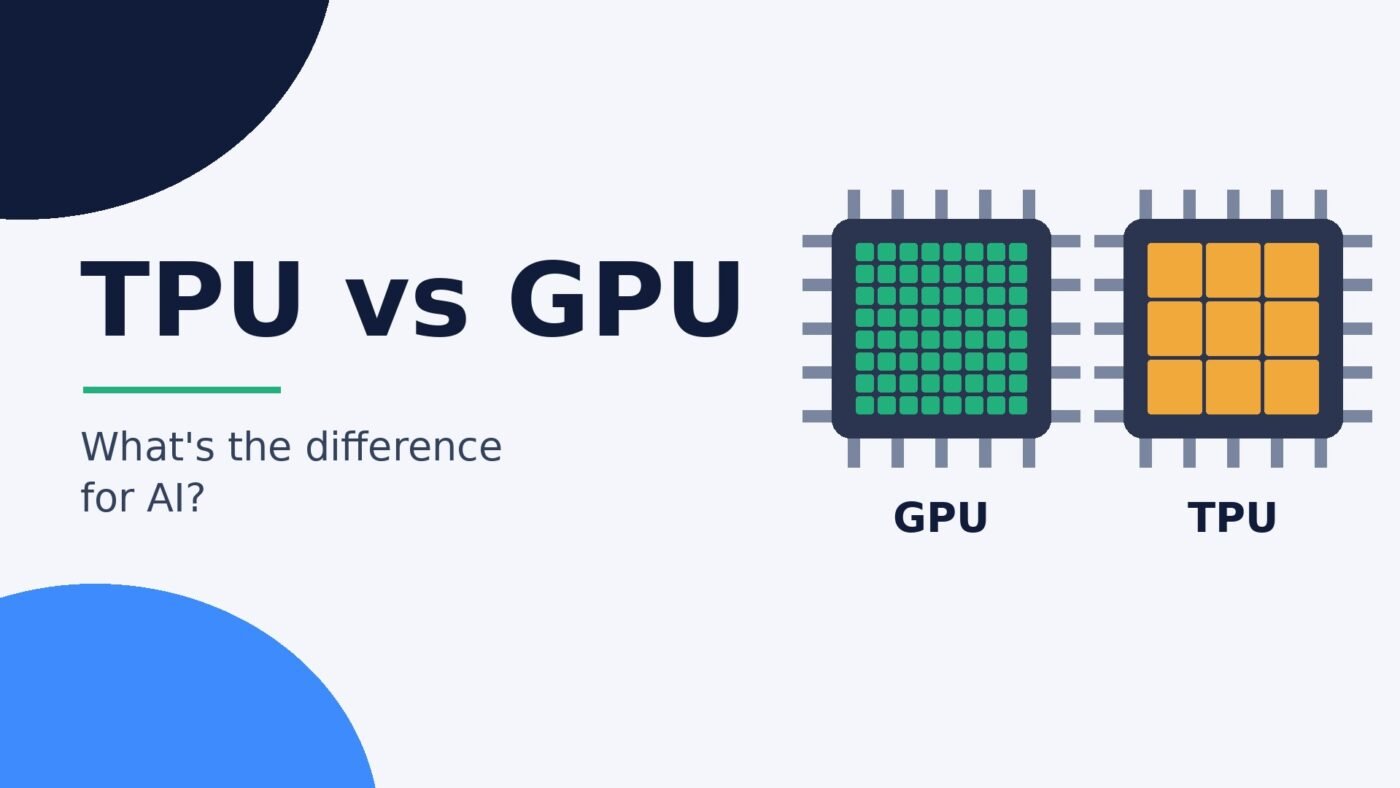
A GPU (graphics processing unit) is a general-purpose parallel processor that handles graphics, games and most AI work, and you can buy one for your own PC. A TPU (tensor processing unit) is Google’s custom chip built only for the matrix math inside neural networks, and you can only use one by renting it through Google Cloud. GPUs win on flexibility and availability; TPUs are aimed at large, steady AI training and inference jobs where efficiency at scale matters most.
The two names come up constantly in AI news, usually in stories about which company is buying whose chips. Both speed up the same core job, multiplying huge grids of numbers, but they come from very different places and suit different people. This guide explains how each one works, what software runs on it, where you can actually get one, and which makes sense for what you want to do. It also covers NPUs, the small AI chips now inside laptops and phones, because they often get mixed up with TPUs. Specific figures link to the original source, mostly Google’s and Nvidia’s own documentation.
TPU vs GPU at a glance
| Feature | GPU | TPU |
|---|---|---|
| What it is | General-purpose parallel processor, originally for graphics | Google’s custom ASIC built for machine learning |
| Who makes it | Nvidia, AMD, Intel and others | Google only |
| Good at | Graphics, gaming, video, simulation and most AI workloads | Large matrix-heavy neural network training and inference |
| Core design | Thousands of small arithmetic units, plus AI-focused Tensor Cores on Nvidia chips | Large matrix multiply units built as a systolic array |
| Software | Almost every AI framework, plus games and creative apps | JAX and PyTorch via Google’s XLA compiler |
| Can you buy one? | Yes, as a graphics card or in a laptop | No, rented through Google Cloud (free trial access in Colab) |
| Best for | Gamers, creators, local AI, research and most developers | Teams running big, long AI jobs on Google Cloud |
What is a GPU?
A GPU was originally designed to draw graphics: working out the colour of millions of pixels many times a second. That job breaks into lots of small, identical calculations that can run at the same time, so GPUs are built with a huge number of simple arithmetic units instead of a few powerful cores like a CPU. Google’s own TPU architecture guide describes a modern GPU as containing roughly 2,500 to 5,000 arithmetic logic units and says that on a typical deep learning training workload a GPU can deliver an order of magnitude more throughput than a CPU.
The same strength makes GPUs good at AI, because neural networks are mostly giant matrix multiplications. Nvidia added dedicated AI hardware called Tensor Cores to its chips, which the company says enable mixed-precision computing to speed up training and inference. Consumer graphics cards have them too: Nvidia’s DLSS upscaling and frame generation on GeForce RTX 50 Series cards run on fifth-generation Tensor Cores. That is why one gaming GPU can play games, edit video and run a local chatbot with a tool such as Ollama. How much AI work it can handle depends heavily on its video memory; our guide to RAM vs VRAM explains why.
What is a TPU?
Google describes Tensor Processing Units as its custom-developed application-specific integrated circuits (ASICs) used to accelerate machine learning workloads. A “tensor” is simply the multi-dimensional grid of numbers that machine learning models work with. Google announced the TPU in May 2016 and said it had already been running TPUs inside its data centers for more than a year, finding an order of magnitude better performance per watt for machine learning. According to Google’s Ask a Techspert explainer, the project started because the company worked out that if every user talked to Google’s speech recognition for three minutes a day, it would need to double its data centers using off-the-shelf hardware.
A TPU is much less flexible than a GPU on purpose. Google’s architecture page is blunt about it: TPUs can’t run word processors or execute bank transactions, but they handle the massive matrix operations used in neural networks at high speed. Each TPU chip has one or more TensorCores, and the heavy lifting happens in matrix multiply units (MXUs). On TPU v5p and earlier each MXU is a 128 x 128 grid of multiply-accumulators; on TPU v6e (Trillium) and TPU7x (Ironwood) it is 256 x 256.
TPUs are also designed to be linked together in large numbers. Chips connect over high-speed links into “slices” and “Pods”, and Google’s TPU7x documentation says a single Ironwood Pod scales to 9,216 chips.
How TPUs and GPUs work differently
Memory trips vs a systolic array
The biggest technical difference is how often each chip goes back to memory. Google’s architecture guide explains that a GPU, like a CPU, has to read operands from registers or shared memory and store intermediate results for every calculation across its thousands of units. A TPU’s matrix unit instead passes each multiplication result straight to the next multiply-accumulator in the grid, a design called a systolic array, so no memory access is needed during the matrix multiplication itself. Less data shuffling means more of the chip’s time and power goes into actual math.
Flexibility vs specialization
GPUs are built from many independent blocks. Google DeepMind’s scaling book compares an Nvidia H100, with 132 streaming multiprocessors, to a TPU v5p chip with just two large TensorCores. Many small, independent blocks let a GPU juggle lots of different programs and “just work” on new tasks. A TPU’s few big units leave more of the planning to the compiler, which rewards workloads that are predictable and dominated by matrix math.
That trade-off shows up in Google’s own advice. Its Cloud TPU introduction says TPUs are not suited to programs with frequent branching or many element-wise operations, workloads that need high-precision arithmetic, or neural networks with custom operations in the main training loop. It also notes that models with tensors whose shapes change from batch to batch are a poor fit, because the compiler builds the program for one fixed shape.
Number formats
Both chips get speed by using lower-precision numbers where accuracy allows. Google’s documentation says TPU matrix units take bfloat16 inputs, plus 8-bit integer on v5e and v6e and FP8 on v5p and TPU7x, while adding up results in 32-bit floating point. Nvidia’s newest Tensor Cores support a 4-bit format called NVFP4.
Software and frameworks
Software support is often the deciding factor, and it is where many older comparisons are out of date.
- GPUs run practically everything: PyTorch, JAX, TensorFlow, local AI apps, games, video editors and 3D tools. On Nvidia hardware most of that software is built on Nvidia’s CUDA platform.
- TPUs need code compiled by Google’s XLA compiler. The Cloud TPU introduction explains that XLA turns the model graph from a machine learning framework into TPU machine code, while the rest of the program runs on the TPU’s host machine. Google’s architecture page lists PyTorch and JAX as the frameworks to use.
A lot of articles still say TPUs are “optimized for TensorFlow”. That was true of the first TPU, which Google said was tailored for TensorFlow, but the TPU7x documentation now says JAX and PyTorch can be used on Ironwood and TensorFlow is not supported. Google has also been pushing native PyTorch on TPUs, including TorchTPU, which we covered in Google TorchTPU goes open source.
Where you can actually use each one
This is the practical difference most people care about. You can walk into a shop or open a retailer’s site and buy a GPU, either as a graphics card for a desktop or built into a laptop. Not sure what you already have? See how to check what GPU you have.
You can’t buy a TPU for your PC. Google’s explainer says TPUs are found only in Google data centers, where they run Google’s services and its cloud customers’ AI. To use one, you rent it through Google Cloud services such as Compute Engine and Google Kubernetes Engine, as the Cloud TPU introduction lists. Google’s TPU pricing page bills per chip-hour, with rates that vary by TPU version, region and commitment length. GPUs are rented the same way on Google Cloud and most other cloud providers.
For learning and experimenting, Google Colab is the easy route. The Colab FAQ says the hosted notebook service offers free access to computing resources, including GPUs and TPUs, though resources are not guaranteed and usage limits fluctuate.
Big AI companies use both. Google’s explainer says TPUs power services such as Search, YouTube and DeepMind’s models, and Anthropic announced in October 2025 that it plans to use up to one million Google TPUs, alongside Amazon’s Trainium chips and Nvidia GPUs. TPU demand is also behind recent industry news such as reports that OpenAI plans to buy Google TPUs.
TPU vs GPU: which should you use?
Google’s own guidance recommends GPUs for models with many custom PyTorch or JAX operations, models using operations TPUs don’t support, and medium-to-large models with larger batch sizes. It recommends TPUs for models dominated by matrix computations, models with no custom operations in the main training loop, models that train for weeks or months, large models with large batch sizes, and recommendation models with very large embeddings. Here is how that translates to common situations:
| Your situation | Better fit | Why |
|---|---|---|
| Gaming, video editing, 3D work | GPU | TPUs can’t do graphics at all |
| Running chatbots or image models on your own PC | GPU | TPUs aren’t sold for home use; local AI tools target GPUs |
| Learning machine learning for free | Either, in Colab | Colab offers free (non-guaranteed) GPU and TPU runtimes |
| Research code with lots of custom operations | GPU | Google says custom ops in the training loop suit GPUs better |
| Training a large model for weeks on Google Cloud | TPU (test both) | Matrix-heavy, long-running jobs are what TPUs target |
| Serving a large model to many users on Google Cloud | TPU or GPU | Compare cost per result for your model; both are offered |
| Need to run on several clouds or your own servers | GPU | TPUs are tied to Google’s infrastructure |
The honest rule of thumb: if you have to ask, you want a GPU. TPUs become worth evaluating when you are already on Google Cloud, your model is a standard architecture such as a transformer, and the job is big enough that efficiency gains add up to real money. Even then, the only reliable way to choose is to run your own model on both and compare cost per training run or per thousand responses.
Where NPUs fit: NPU vs GPU vs TPU
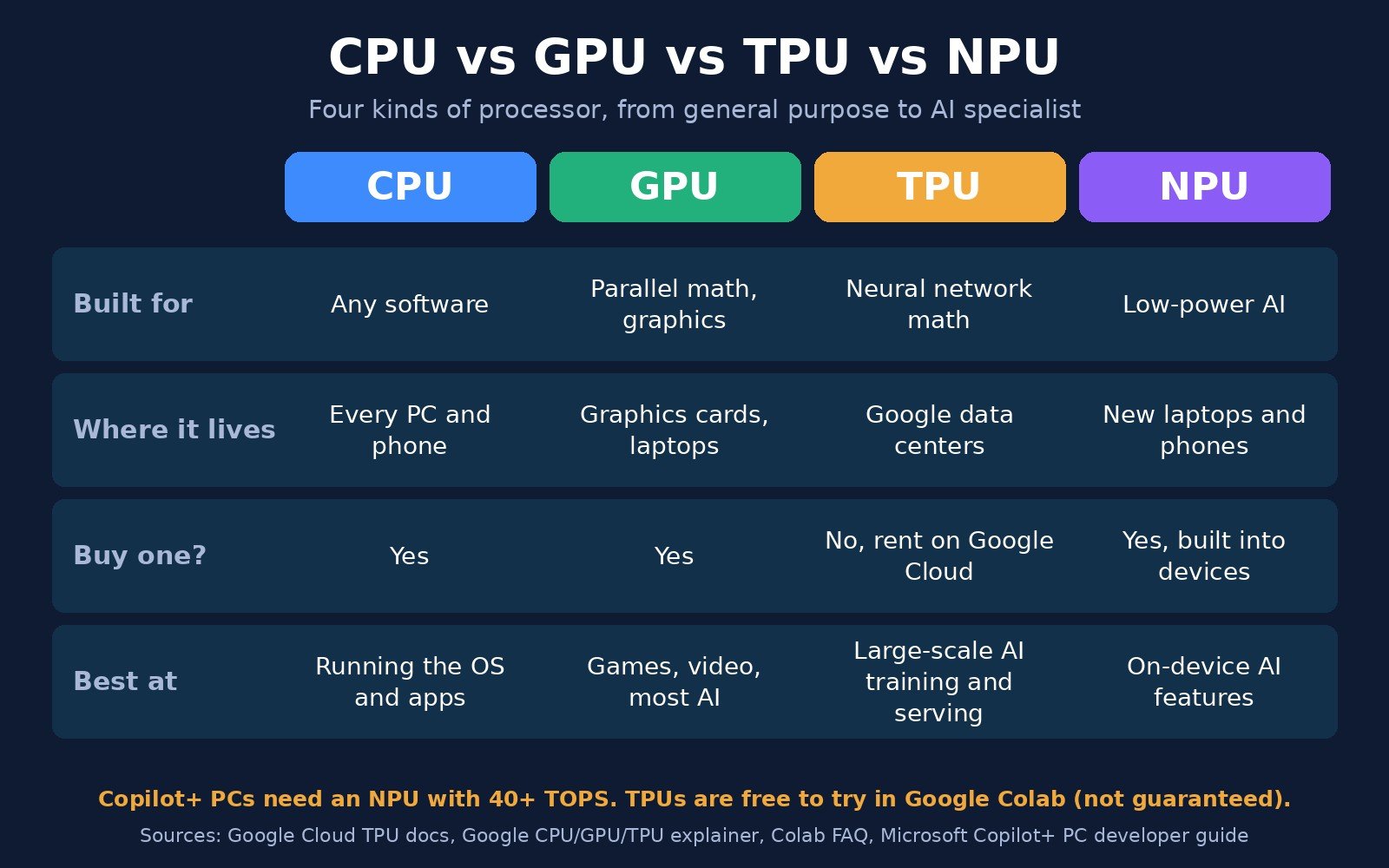
An NPU (neural processing unit) is a third kind of AI chip, and it is the one most likely to be in your next laptop or phone. Microsoft describes the NPU as a specialized computer chip for AI-intensive processes like real-time translations and image generation, and its Copilot+ PCs need an NPU that can perform more than 40 trillion operations per second (TOPS). Microsoft says the NPU uses energy on AI tasks more efficiently than a CPU or GPU, which helps battery life, and that Windows hands work to whichever chip suits it best.
The catch is that NPUs are small and picky. Microsoft’s guide notes that many NPUs only support lower-precision integer math such as INT8, so models usually have to be converted (“quantized”) before they can run on one. In practice:
- NPU: low-power, always-on AI features on your device, such as real-time translation and camera effects.
- GPU: heavier AI on your device or in the cloud, plus graphics. Better for running bigger local models such as small language models at speed.
- TPU: data-center scale training and serving, rented from Google.
So “NPU vs TPU” is less a contest than a difference in scale: one sips power inside a laptop, the other works in Pods of thousands of chips.
Current TPU generations
Google’s TPU7x (Ironwood) documentation lists these per-chip specifications against two earlier generations:
| Specification | TPU v5p | TPU v6e (Trillium) | TPU7x (Ironwood) |
|---|---|---|---|
| Peak compute per chip (BF16) | 459 TFLOPs | 918 TFLOPs | 2,307 TFLOPs |
| Peak compute per chip (FP8) | 459 TFLOPs | 918 TFLOPs | 4,614 TFLOPs |
| High-bandwidth memory per chip | 95 GiB | 32 GiB | 192 GiB |
| Memory bandwidth per chip | 2,765 GBps | 1,638 GBps | 7,380 GBps |
| Chips per Pod | 8,960 | 256 | 9,216 |
Google has already moved on to an eighth generation. It introduced TPU 8t for training and TPU 8i for inference in April 2026, and on November 9, 2026 added TPU 8tx for confidential inference and TPU 8i Max for very large context windows. Google says TPU 8t and 8i offer up to 2.7 times better training performance and 80% better inference price-performance respectively than the previous generation. At its April launch, Google said TPU 8i triples on-chip SRAM to 384 MB with 288 GB of high-bandwidth memory, aimed at the memory-hungry way mixture-of-experts models and AI agents run. These are Google’s own claims; independent benchmarks for the new chips are still limited.
FAQ
Is a TPU faster than a GPU?
Not in general. A TPU can be faster and more power-efficient on large, matrix-heavy neural network jobs it was designed for, but a GPU is faster or simply the only option for graphics, custom code and many other tasks. The fair comparison is cost and speed for your specific model, measured on both.
Can I buy a TPU for my PC?
No. Google’s data-center TPUs are only available to rent through Google Cloud, and Google says TPUs are found only in its data centers. For AI on your own computer, a GPU (or the NPU in a newer laptop) is what you use.
What does TPU stand for?
Tensor Processing Unit. A tensor is the multi-dimensional array of numbers that machine learning models process, and the TPU is Google’s chip built specifically to do math on them.
Are TPUs only for TensorFlow?
No. The original TPU was tailored for TensorFlow, but Google’s current Ironwood (TPU7x) documentation lists JAX and PyTorch as supported and says TensorFlow is not supported on that generation.
What is the difference between an NPU and a GPU?
An NPU is a small, low-power chip built only for running AI models on a device, such as the 40+ TOPS NPU required for Copilot+ PCs. A GPU is larger and more power-hungry but far more flexible: it renders graphics and runs bigger AI models faster.
Who uses TPUs?
Google uses TPUs for its own services, including Search, YouTube and its Gemini models, and rents them to cloud customers. Anthropic announced plans to use up to one million Google TPUs, alongside Amazon Trainium chips and Nvidia GPUs.
The bottom line
GPUs and TPUs both speed up AI by doing enormous amounts of matrix math in parallel, but they are built for different worlds. A GPU is the flexible, widely available option that also runs games and creative software, and it is what you want for anything on your own machine. A TPU is Google’s specialist, rented in the cloud, and worth testing when you run large, standard models at scale. NPUs cover the low-power AI features on laptops and phones. To understand what these chips are actually doing when a chatbot answers you, read our explainer on AI inference.

The Teck Hustlers Editorial Team covers technology, business, finance and gaming news for readers who want the story behind the headline. Every article is researched, written and edited by our in-house team, checked against company announcements, filings and reputable reporting, and updated when new facts emerge. We focus on what each development means for founders, professionals, investors and everyday users. Have a tip or a correction? Reach us through our contact page.