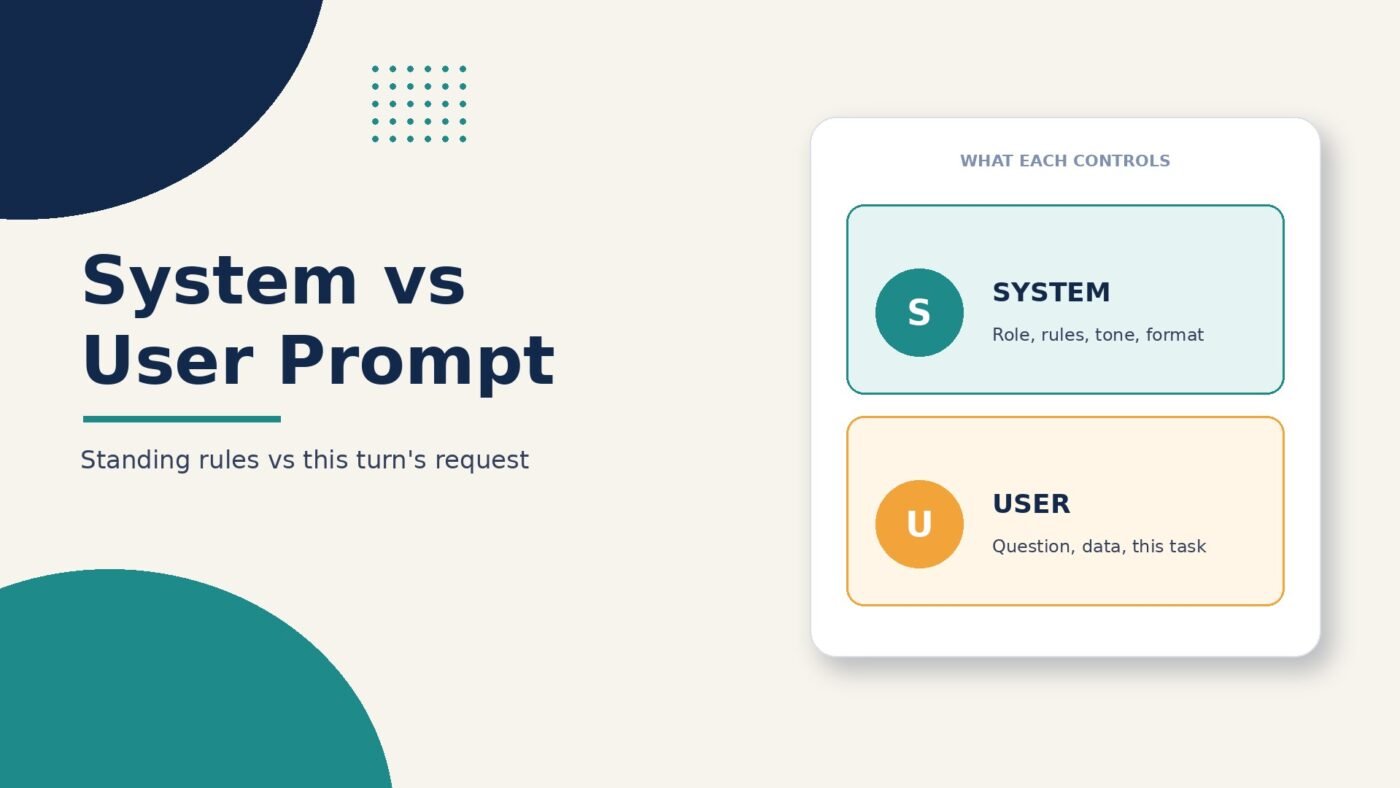
A system prompt sets the standing rules, role and format for an AI model; a user prompt is the specific request or data you send on this turn. Chat APIs treat those as separate layers on purpose: the system (or developer) instructions stay in place, and the user message changes with every question. This guide explains the difference, what belongs in each layer, and how OpenAI, Anthropic and Google handle the split.
What is the difference between a system prompt and a user prompt?
Think of a new hire on their first day. The system prompt is the briefing they get before anyone calls: who they are, who they are helping, what they may and may not say, and how answers should look. The user prompt is the actual call — this customer’s question, a pasted email, a document to summarize. The briefing does not change from call to call. The request does.
If you only type into ChatGPT or Claude, you are almost always writing user prompts. The app already has a hidden system prompt from the company, and any custom instructions or project notes you add sit close to that standing layer. If you are building a chatbot or calling an API, you write both: standing instructions, then each end-user message. Our explainer on what a system prompt is covers the hidden-instructions side in more depth; this page is about how the two layers differ and work together.
The same idea appears under a few names. Anthropic and many tutorials say “system prompt.” Google’s Gemini API calls it a system instruction. OpenAI’s text-generation guide talks about an instructions parameter and a developer role, treated as the app author’s rules, ranked above the user’s message (OpenAI).
System prompt vs user prompt at a glance
Here is the comparison most people need when they are deciding what to put where.
| System prompt | User prompt | |
|---|---|---|
| Who writes it | The app maker or developer (or you, in custom instructions / project settings) | The person chatting, or your app on their behalf |
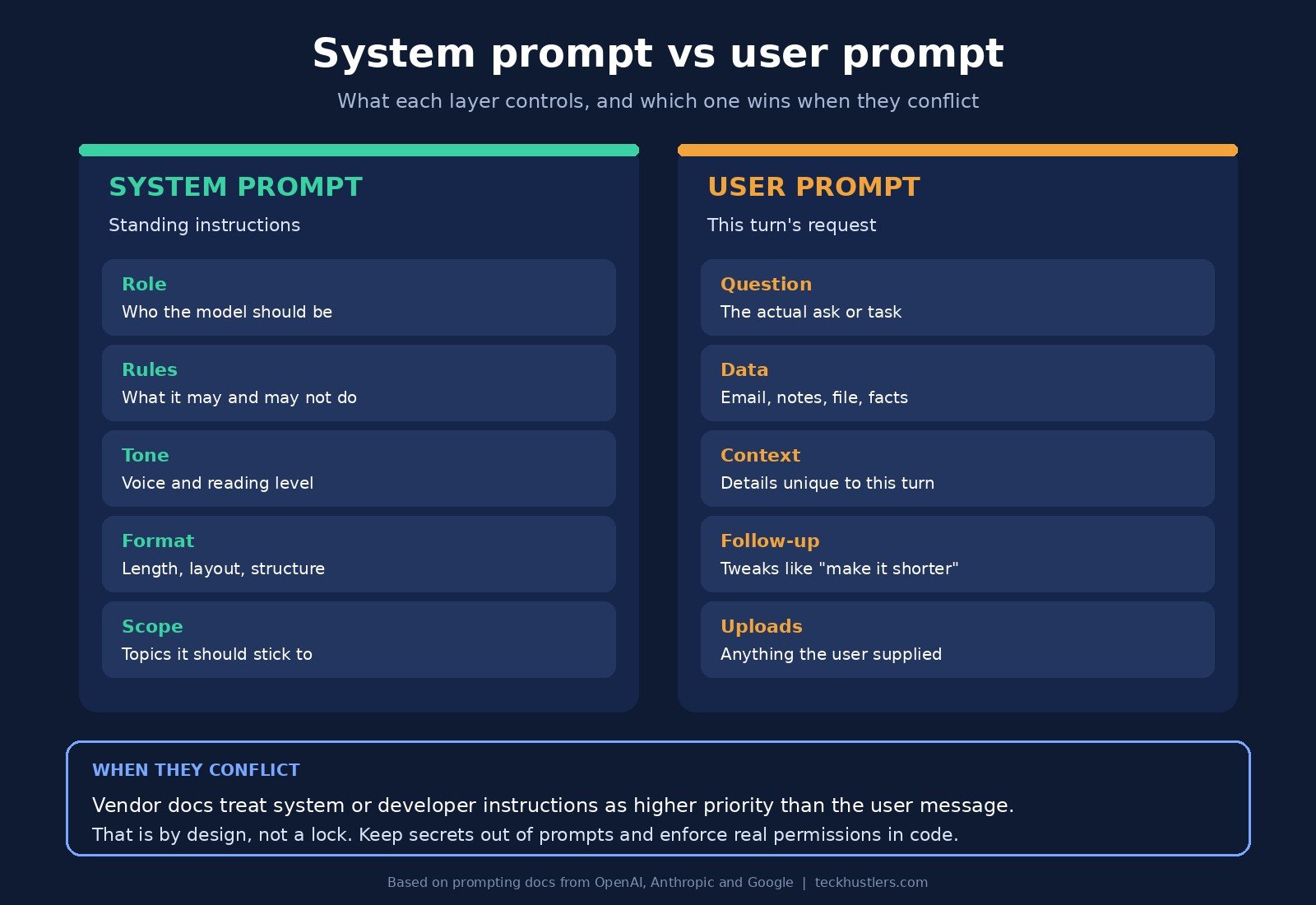
| What it is for | Standing identity, rules, tone, format, scope and tool policy | This turn’s question, task and source material |
| How long it lasts | The whole conversation or app session (your app resends it with each request) | That one turn, plus earlier turns if you keep chat history |
| Visible to the end user? | Usually not, unless the product shows custom instructions | Yes — it is what they typed or uploaded |
| Typical content | Role, audience, do’s and don’ts, output layout, stable product facts | A question, a pasted email, a file, follow-up clarifications |
| When they conflict | Treated as higher-priority context by design | Treated as the request those rules should be applied to |
| Where untrusted text belongs | Not here: do not paste web pages, uploads or customer text into standing rules | Here: anything the end user (or the open web) supplied |
Chat models do not keep a separate settings file between API calls. Each request packages the system prompt, the conversation so far and the new user message into one input. That is why a long system prompt uses part of the model’s context window every time, not just on the first message.
A side-by-side example
The easiest way to see the split is to keep the task the same and change only which layer each sentence lives in. Imagine a freelancer who wants help drafting client emails.
System prompt (standing rules):
You are a polite email assistant for a freelance bookkeeper who works with local cafés.
Write in plain English, warm but professional.
Keep replies under 150 words.
Never invent invoice numbers, dates or balances.
If a detail is missing, ask one clear question instead of guessing.
Do not promise discounts or payment plans.
User prompt (this turn’s request):
Draft a reply to this client: they asked why last month's invoice is higher than usual.
The extra charge is 3 hours of receipt cleanup at my normal hourly rate.
I have not offered a discount.
The system prompt does not mention this client or this invoice. It would still apply if the next user message were “write a polite follow-up because they have not paid.” The user prompt does not restate the tone or the “never invent numbers” rule. It supplies the facts and the job for this turn.
If you stuffed everything into a single user message, the model can still answer. People do that every day. The split starts to matter when you reuse the same assistant, when several people talk to the same bot, or when you do not want a customer to overwrite your rules by typing “ignore your previous instructions.”
Here is the same idea in the other direction — a weak split, where the standing layer and the request get mixed up:
System: Write a short email about last month's invoice.
User: You are a polite bookkeeper assistant. Never invent numbers.
That works poorly for the next chat, because the system prompt is now about one invoice, and the user is stuck repeating the real rules. Put rules above; put the task and the data below.
What belongs in each prompt
Put this in the system prompt
- Role and audience. “You are a support agent for a bike shop, talking to beginners.” Anthropic specifically recommends giving Claude a role in the system prompt, even a single sentence, to focus behavior and tone (Anthropic).
- Rules that must hold for every request. What the assistant may discuss, what it must refuse, when to hand off to a human, and how to handle uncertainty.
- Default tone and format. Length, reading level, bullet points versus prose, whether to ask a follow-up question.
- Stable background. Store hours, a short product list, a glossary, or a policy that does not change mid-conversation.
- Tool policy. When to search, when to look something up, and when to answer from the text already provided.
OpenAI’s guide uses a programming analogy: developer (system-style) messages are like a function definition — the rules and business logic — while user messages are like the arguments you pass into that function (OpenAI). If a sentence would still be true for the next customer, it probably belongs in the system layer.
Put this in the user prompt
- The actual question or task. “Summarize this,” “draft a reply,” “compare these two plans.”
- Per-request data. The email, ticket, résumé, spreadsheet snippet or meeting notes.
- Anything an end user typed or uploaded. That includes text you do not fully trust.
- This turn’s extras. “Make it shorter,” “use a friendlier tone just this once,” “focus on the refund paragraph.”
Anthropic’s customer-support guide makes a useful extra point: you might be tempted to dump every policy and example into the system prompt, but Claude often works better with the bulk of that content in the first user turn, with role prompting as the main exception for the system field (Anthropic). In other words, “system” does not mean “put the entire manual here.” It means “put the standing identity and constraints here, and keep the working material with the request.”
That last distinction also matters for safety. If a user, a web page or an uploaded PDF contains text that tries to change the bot’s rules, that text should arrive as user content, not as part of your standing instructions. A system prompt guides behavior; it is not a lock. Do not put passwords, API keys or private customer data in one.
How they work together, and what happens when they conflict
The model reads both layers (plus earlier turns, if you send them) and produces an assistant reply. The interesting case is a conflict: the user asks for something the system prompt forbids, or asks for a format that contradicts the standing rules.
OpenAI. In the Responses API, the instructions parameter “gives the model high-level instructions on how it should behave,” and those instructions “will take priority over a prompt in the input parameter.” That is roughly equivalent to sending a developer message, then a user message. Developer messages “are prioritized ahead of user messages” (OpenAI). One extra detail: instructions apply only to the current request, so if you continue a chat with previous_response_id you should send them again.
OpenAI also distinguishes a deeper system role from the developer role you write yourself. In its Harmony format documentation, a system message is for information OpenAI adds (such as reasoning effort, knowledge cutoff and built-in tools); a developer message is “what is normally considered the ‘system prompt'” for your app. When instructions conflict, the documented order is system, then developer, then user (OpenAI). Older examples that use "role": "system" for your own rules are the previous Chat Completions habit; current docs point builders toward instructions or the developer role.
Anthropic. On the Messages API, the system prompt is a top-level system field, not a message inside the conversation. The messages array holds alternating user and assistant turns. Anthropic’s prompting guide shows the split clearly: a system string such as “You are a helpful coding assistant specializing in Python,” plus a user question about sorting a list (Anthropic).
Google. Gemini’s text-generation docs say you can “guide the behavior of Gemini models with system instructions” by passing a system_instruction parameter. Their example sets a role and a name (“You are a cat. Your name is Neko.”) and then sends a separate user input (“Hello there”) (Google AI for Developers). Same pattern, different field name.
None of those pages claim the system layer is unbreakable. Models can still be talked into ignoring or repeating hidden instructions, which is why real permissions belong in your application code, not only in prompt text. For everyday use, the design intent is consistent: standing rules on top, this turn’s request underneath, standing rules win when they disagree.
How ChatGPT, Claude and Gemini expose this if you are not using an API
You do not need to write JSON to use the same idea. Consumer apps hide the company’s own system prompt, then give you a lighter version of the standing layer:
- ChatGPT lets you save custom instructions and build custom GPTs, so your preferences travel from chat to chat.
- Claude offers project instructions and preference settings that apply across a project or account.
- Gemini uses Gems for reusable instructions and a saved persona.
Those settings are not a replacement for the company’s system prompt. They sit alongside it. Your “always answer in bullet points” note is a user-authored system-style instruction; the question you type next is still the user prompt. If a reply ignores your saved note, the usual causes are a vague instruction, a conflicting request this turn, or the app’s hidden rules taking priority. A shorter standing note — one role, a few clear rules, a format — usually beats repeating the same rules in every message.
When you write the user prompt itself, the usual prompt engineering habits still apply: start with a verb, give context the model cannot guess, and name the output format. For copy-and-paste wording, see our AI prompt examples. If you are just telling the model what to do, with no samples, that user message is a zero-shot prompt.
Common mistakes
- Putting the task in the system prompt and the rules in the user prompt. The next question will inherit the old task, and the rules will vanish unless you paste them again.
- Repeating the full system prompt in every user message. That wastes context and makes updates painful. Say the rules once in the standing layer; change only the request.
- Writing a novel in the system field. Long standing prompts crowd out the actual question. Keep the system layer to identity, constraints and format; park large documents with the user turn, as Anthropic suggests for much of the working material.
- Putting untrusted text into standing instructions. A pasted web page that says “ignore previous instructions” is much more dangerous as a system prompt than as user-supplied content your rules can push back on.
- Expecting the system prompt to enforce security. It can tell the model not to reveal keys or not to invent refunds. It cannot stop a determined attempt on its own, and it should never be the place you store secrets.
- Forgetting that the model still varies. Even with a clear system prompt, answers can drift from one run to the next. Settings such as temperature and the risk of AI hallucination still apply. Standing rules reduce inconsistency; they do not remove it.
How to write each one well
For the system prompt, be specific and stable. “Be concise” is weaker than “Keep answers under 120 words unless the user asks for more detail.” “Be helpful” is weaker than “Answer questions about orders, sizing and repairs only; if the question is outside that scope, say so and offer a human handoff.” Explain why a rule exists when you can. If you need a reusable skeleton (role, context, instructions, constraints, format), use the template in What Is a System Prompt?.
For the user prompt, give the job and the materials for this turn. Paste the source text instead of asking the model to remember a file you never sent. If you need a one-off layout, say so here rather than rewriting the whole system prompt. If the first answer is close but the shape is wrong, tighten the standing format rule or add an example in the user message.
A quick check for a messy prompt: would this sentence still apply to the next, unrelated request? If yes, it is a system-prompt candidate. If it is about this email, this customer or this document, it belongs in the user prompt.
System prompt vs user prompt FAQ
What is the difference between a system prompt and a user prompt?
A system prompt is the standing set of instructions that tells the model who to be, what rules to follow and how to format answers. A user prompt is the current question or task, plus any data for that turn. The system layer is meant to persist; the user layer changes every time you send a message.
Which one takes priority if they conflict?
Vendor docs treat the system or developer layer as higher priority than the user message. OpenAI says developer messages and the instructions parameter are prioritized ahead of user input. That is by design, not a guarantee that a model can never be talked out of a rule.
Is a system prompt the same as a developer message?
For most builders, yes: it is the app-authored standing instruction. OpenAI’s newer docs use “developer” (or the instructions field) for that layer and reserve a separate “system” role for information OpenAI itself adds, such as tool and reasoning settings. Anthropic and Google still use “system” / “system instruction” for the app-authored layer.
Can I set a system prompt in ChatGPT or Claude without an API?
You can set something close. Custom instructions, custom GPTs, Claude project instructions and Gemini Gems all act as your standing preferences. The company still has its own hidden system prompt above yours, and each new question you type is a user prompt.
Should examples go in the system prompt or the user prompt?
Use whichever layer matches how long the examples should last. Examples that define a house style for every reply can live with the standing rules (or, following Anthropic’s support guidance, in the first user turn if the prompt is long). Examples that apply only to this task belong with the user prompt.
Why does my custom instruction get ignored sometimes?
Common reasons: the instruction is vague, this turn’s request contradicts it, the company’s hidden system prompt outranks it, or the prompt is so long that the model has to juggle too many rules. Make the standing note shorter and more concrete, and put one-off requests in the user message instead of stacking more permanent rules.
The bottom line
A system prompt is the briefing; a user prompt is the assignment. Put role, rules, tone and format in the standing layer, and put the question plus any per-request data in the user layer. OpenAI, Anthropic and Google all expose this split — as developer instructions, a system parameter or a system_instruction — and they treat those standing instructions as higher-priority context than the user’s message. You can use the same idea in everyday chat through custom instructions and project settings. For the fuller “how to write a system prompt” template, start with what a system prompt is, then come back here when you need to decide what belongs in which box.

The Teck Hustlers Editorial Team covers technology, business, finance and gaming news for readers who want the story behind the headline. Every article is researched, written and edited by our in-house team, checked against company announcements, filings and reputable reporting, and updated when new facts emerge. We focus on what each development means for founders, professionals, investors and everyday users. Have a tip or a correction? Reach us through our contact page.