If you have ever typed “Summarize this email in three bullet points” into ChatGPT and got a useful answer, you have already used zero-shot prompting. It is the most common way people talk to AI, yet most never hear the name. This guide explains what zero-shot prompting is, why it works, where it falls short, and exactly when to add examples instead.
What is zero-shot prompting?
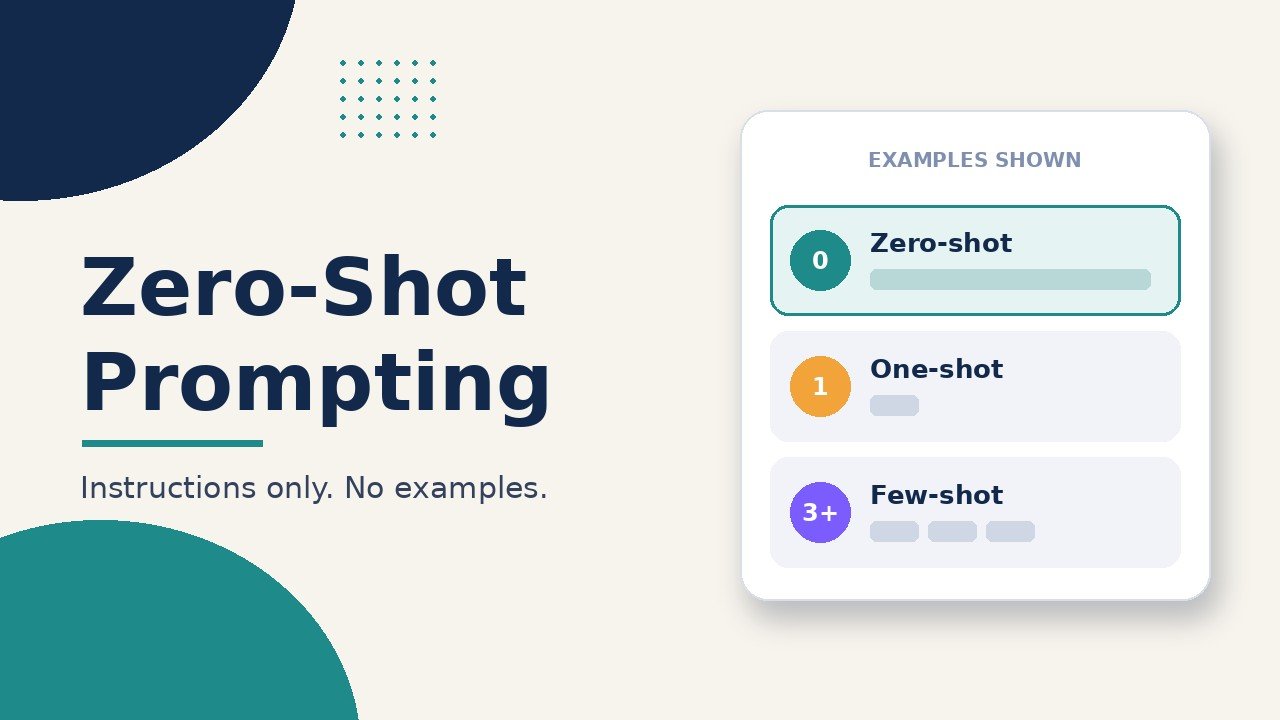
Zero-shot prompting means asking an AI model to do a task using only instructions, with no worked examples of the answer you want. The model relies on what it learned during training to work out what you mean. “Shot” simply means example: zero-shot is no examples, one-shot is one example, and few-shot is a handful.
The terms come from the 2020 GPT-3 paper, “Language Models are Few-Shot Learners”. Its authors describe zero-shot as the setting where “no demonstrations are allowed, and the model is only given a natural language instruction describing the task.” They called it the setting with “maximum convenience” but also “the most challenging setting,” because the model has to guess the format and level of detail on its own.
If you are new to how chatbots work under the hood, our guide to what a large language model is covers the basics.
A simple zero-shot prompt example
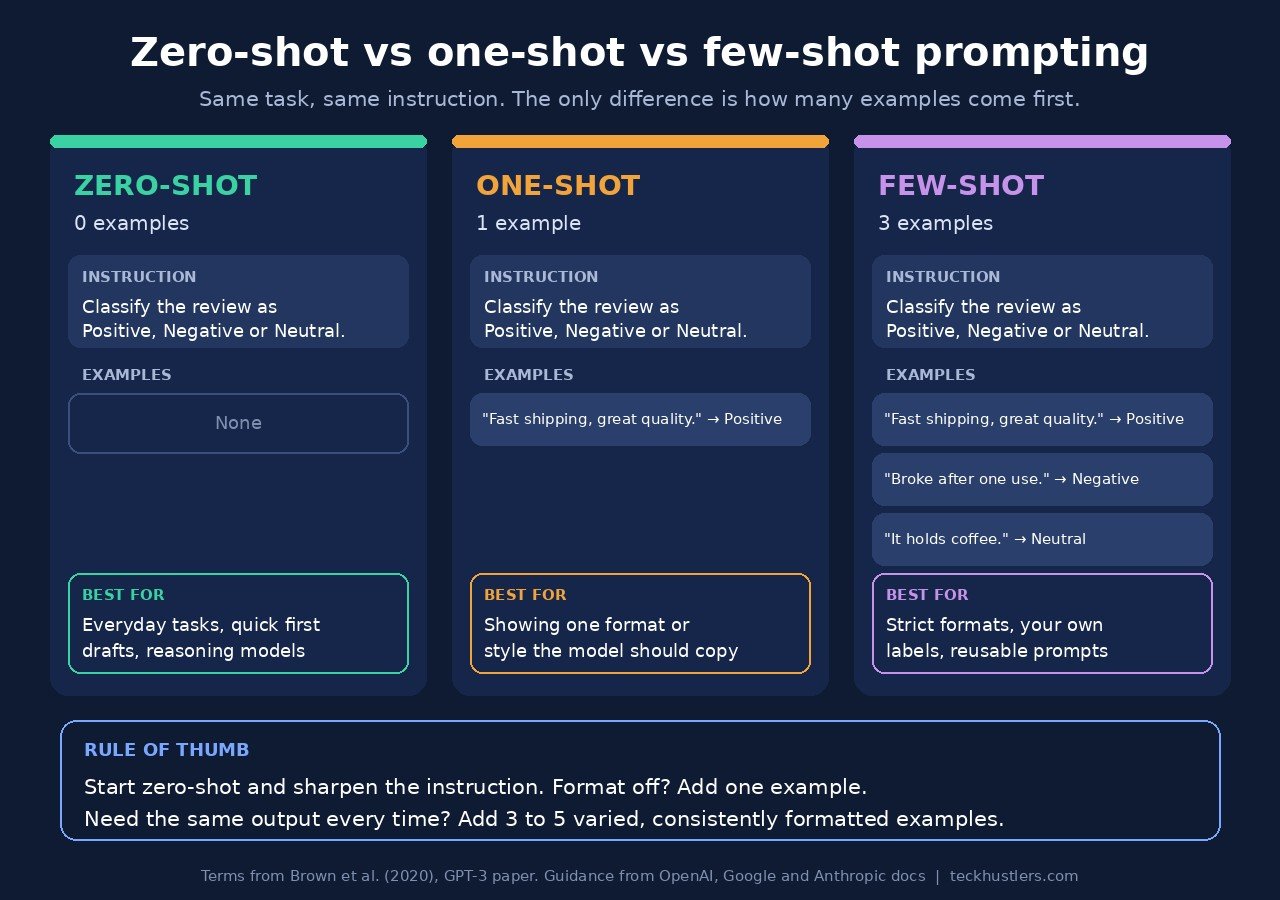
Here is a classic zero-shot task: sorting customer reviews by sentiment. The prompt explains the task and the allowed labels, but never shows a labelled example.
Classify the sentiment of this customer review as Positive, Negative or Neutral. Reply with one word only.

Review: "The order arrived two days late, but the mug itself is lovely."
A modern chatbot will usually handle this without help, because it has seen countless examples of sentiment and reviews during training. The model was never told what a “Neutral” review looks like in your shop. It infers it.
Compare that with a few-shot version of the same task, where you show the pattern first:
Review: "Fast shipping and great quality." → Positive
Review: "Broke after one use." → Negative
Review: "It's a mug. It holds coffee." → Neutral
Review: "The order arrived two days late, but the mug itself is lovely." →
Both can work. The few-shot version takes longer to write but shows the model exactly how you draw the line between labels and what the output should look like.
Why zero-shot prompting works
Large language models are trained on huge amounts of text, so they have already seen most everyday tasks described in words: summaries, translations, emails, lists, explanations. When you ask for one of those tasks, the model recognizes it from training rather than learning it from your prompt.
Two later training steps made zero-shot prompting far more reliable:
- Instruction tuning. Google researchers fine-tuned a 137-billion-parameter model on more than 60 datasets phrased as plain-language instructions. The resulting model, FLAN, beat zero-shot GPT-3 (175 billion parameters) on 20 of 25 datasets they tested (Wei et al., “Finetuned Language Models Are Zero-Shot Learners”). In short: training a model to follow instructions makes it better at following instructions it has never seen. Read more about this step in our explainer on fine-tuning in AI.
- Human feedback. Chat assistants are further trained on human ratings of their answers, which pushes them toward responses people find helpful. We cover that in what RLHF is.
That is why a plain request works so much better in today’s chatbots than it did with the raw GPT-3 model in 2020.
Zero-shot vs one-shot vs few-shot vs chain-of-thought
These techniques differ in one thing: how much you show the model before it answers. Here is how they compare.
| Technique | What you give the model | Best for | Trade-off |
|---|---|---|---|
| Zero-shot | Instructions only | Common tasks: summaries, rewrites, simple Q&A, brainstorming | Fastest to write; output format and style can drift |
| One-shot | Instructions plus one example | Showing a specific format or style once | The model may copy that single example too closely |
| Few-shot | Instructions plus several examples | Strict formats, custom labels, a house style, unusual tasks | More work and a longer prompt; poor examples teach the wrong pattern |
| Zero-shot chain-of-thought | Instructions plus a nudge to reason step by step | Multi-step maths, logic and planning on standard chat models | Longer answers; often unnecessary on reasoning models |
| Few-shot chain-of-thought | Examples that include worked reasoning | Hard reasoning tasks where you can show a solved example | Most effort to write; examples must match the task type |
How much do examples help? It depends on the task. In the GPT-3 paper, the largest model scored 64.3% on the TriviaQA quiz benchmark zero-shot, 68.0% one-shot and 71.2% few-shot (Brown et al.). That is a real gain, but zero-shot was already doing most of the work. Note the few-shot setting in that paper typically used 10 to 100 examples, far more than you would type into a chat window.
Chain-of-thought can matter more than examples on reasoning tasks. In the paper that introduced zero-shot chain-of-thought, adding “Let’s think step by step” raised an InstructGPT model’s accuracy on the MultiArith maths benchmark from 17.7% to 78.7%, and on GSM8K from 10.4% to 40.7%, with no examples at all (Kojima et al., “Large Language Models are Zero-Shot Reasoners”). Those results come from 2022-era models; today’s reasoning models do this kind of step-by-step thinking on their own.
Zero-shot prompting examples you can copy
Each of these is zero-shot: no examples, just a clear task, context and format. Replace the [brackets] with your details.
Summarize
Summarize the meeting notes below in 5 bullet points for a busy manager. Put decisions first, then action items with owners.

[paste notes]
Classify
Sort each support email below into one category: Billing, Shipping, Product question or Complaint. Return a two-column table: email number, category.

[paste emails]
Extract
From the invoice text below, extract the supplier name, invoice date, due date and total amount. Return them as a list. If a field is missing, write "not found".

[paste invoice text]
Rewrite
Rewrite this product description for a 15-second TikTok voiceover. Keep it under 40 words, casual and upbeat, and end with a call to action.

[paste description]
Translate
Translate this message into Spanish for a customer in Mexico. Keep it polite and friendly, and keep product names in English.

[paste message]
Explain
Explain what an EIN is to someone starting their first side hustle. Use plain English, under 120 words, and include one example of when they would need it.Want more? Our list of 30 copy-ready AI prompt examples uses the same structure for work, study and small business tasks.
When zero-shot prompting works well
- Everyday tasks the model has seen many times: summarizing, rewriting, translating, drafting emails, explaining concepts.
- Quick experiments: you want a first answer now and will refine with follow-up messages.
- No good examples exist yet: you are doing the task for the first time and cannot show what “good” looks like.
- Reasoning models: OpenAI’s guidance for its reasoning models is to “try zero shot first, then few shot if needed,” because these models “often don’t need few-shot examples to produce good results” (OpenAI).
When zero-shot prompting falls short
- Strict output formats. If a spreadsheet, app or script needs the answer in an exact layout, instructions alone may not be enough. The wording or separators can change from one run to the next (see temperature in AI for why answers vary).
- Your own labels or house style. The model cannot guess what “on brand” means for your shop, or where you draw the line between “Urgent” and “Normal” tickets.
- Specialist or unusual tasks. The less a task resembles common text on the web, the more the model benefits from seeing an example.
- Facts the model does not have. Zero-shot answers come from training data, which can be out of date or wrong. For facts about your business, paste the source material or use a tool with retrieval (what RAG is), and watch for AI hallucinations.
How to write better zero-shot prompts
Before you reach for examples, try making the instruction itself clearer. Most weak zero-shot prompts fail because they are vague, not because they lack examples.
- Start with a verb. “Summarize”, “classify”, “draft”, “compare”. One clear action per prompt.
- Give the context the model cannot guess. Who the audience is, what the goal is, and any facts it needs.
- Name the output format. Length, bullets or table, tone, and what to put first.
- List the allowed options. For classification, spell out every label and say “use only these.”
- Give it an out. Tell it what to write when the answer is missing, such as “not found”, so it does not invent one.
For multi-step problems on a standard chat model, you can also add a line such as “Work through this step by step, then give the final answer on its own line.” On a reasoning model, skip it. OpenAI says prompting reasoning models to “think step by step” or “explain your reasoning” is unnecessary (OpenAI). For the wider skill, see our guide to prompt engineering.
When to switch from zero-shot to few-shot
The AI companies do not all give the same default advice. OpenAI suggests starting zero-shot with its reasoning models. Google’s Gemini guide goes the other way: “We recommend to always include few-shot examples in your prompts,” and adds that prompts without them “are likely to be less effective” (Google AI for Developers). Anthropic calls examples “one of the most reliable ways to steer Claude’s output format, tone, and structure” and suggests 3 to 5 of them (Anthropic).
A practical way to reconcile them:
- Start zero-shot for one-off, everyday tasks. Improve the instruction first.
- Add one example when the content is fine but the format or tone is off.
- Add three to five varied examples when you will reuse the prompt many times, need consistent output, or use your own categories.
- Keep examples consistent. Google warns that examples with mismatched formatting lead to mismatched answers, and that too many examples can make the model overfit to them (Google).
Examples also take up room in the prompt. For very long inputs, keep them short so they do not crowd out your actual material (our context window guide explains the limit).
Zero-shot prompting FAQ
What is zero-shot prompting in simple terms?
Zero-shot prompting is asking an AI to do something without showing it any examples first. You describe the task in words, such as “Translate this into French” or “Summarize this in three bullets,” and the model uses what it learned in training to respond.
What is an example of a zero-shot prompt?
“Classify this review as Positive, Negative or Neutral: ‘The order arrived late, but the mug is lovely.'” It names the task and the allowed answers but gives no labelled examples, so the model must infer how to judge the review on its own.
What is the difference between zero-shot and few-shot prompting?
Zero-shot prompting gives the model instructions only. Few-shot prompting adds several worked examples of input and desired output before the real task. Few-shot takes more effort but gives tighter control over format, tone and labels; zero-shot is faster and works well for common tasks.
What is one-shot prompting?
One-shot prompting gives the model exactly one example of the task before your real request. It is useful when you want to show a format or style once, such as a sample product title, without writing a long prompt.
Is zero-shot prompting the same as zero-shot learning?
They are related. Zero-shot learning is the broader machine learning idea of handling a task without task-specific training examples. Zero-shot prompting is how you apply that idea with a language model: you give an instruction, and the model’s weights are not changed.
Is zero-shot chain-of-thought the same as zero-shot prompting?
It is a type of zero-shot prompting. You still give no examples, but you add a phrase like “Let’s think step by step” so the model writes out its reasoning before answering. It helps standard models on multi-step problems and is usually unnecessary with reasoning models.
The bottom line
Zero-shot prompting is simply asking an AI to do a task with clear instructions and no examples. It is the right starting point for most everyday work, and modern models handle it well because they were trained to follow instructions. When the answer is right but the shape is wrong, add one example. When you need the same output again and again, add a few. And before you add anything, make the instruction clearer: a specific verb, the context, the format and an “out” fix most weak prompts. For ready-made prompts to try, start with our AI prompt examples.

The Teck Hustlers Editorial Team covers technology, business, finance and gaming news for readers who want the story behind the headline. Every article is researched, written and edited by our in-house team, checked against company announcements, filings and reputable reporting, and updated when new facts emerge. We focus on what each development means for founders, professionals, investors and everyday users. Have a tip or a correction? Reach us through our contact page.