
The short answer: sending money to another Venmo user from your Venmo balance, a linked bank account or a linked debit card is free. You pay a fee when you use a credit card (3%), when you want your money out of Venmo immediately (1.75%, minimum $0.25 and maximum $25), or when a payment is tagged as goods and services (2.99% on a personal profile, 1.9% plus $0.10 on a business profile). Everything else in Venmo’s fee schedule is below.
TL;DR
- Free: sending from your Venmo balance, a linked bank account or a linked debit card, and the standard one to three business day transfer out to your bank.
- 3% to send using a linked credit card.
- 1.75% for Instant Transfer, with a $0.25 minimum and a $25 maximum. The cap means the effective rate falls once you move more than about $1,429 at a time.
- 2.99% if you receive a goods and services payment on a personal profile, against 1.9% plus $0.10 on a business profile. Sellers using a personal profile are paying the higher rate.
- Limits are rolling weekly. Before identity verification you get $299.99 a week. After verification Venmo states it is possible to send up to $60,000 a week.
- For tax year 2026 the Form 1099-K threshold reverted to more than $20,000 and more than 200 transactions, after the One Big Beautiful Bill retroactively restored the pre-2021 rule.
Every Venmo fee in one table
These figures come from Venmo’s own published US fee schedule. Venmo changes them from time to time, so the date matters: this reflects the schedule as published in October 2026.
| What you are doing | Fee |
| Sending from your Venmo balance, linked bank account or linked debit card | Free |
| Sending with a linked credit card | 3.00% |
| Standard transfer from Venmo to your bank, one to three business days | $0.00 |
| Instant Transfer to a linked bank or debit card | 1.75%, minimum $0.25, maximum $25 |
| Receiving a goods and services payment on a personal profile | 2.99% |
| Receiving on a business profile | 1.9% + $0.10 |
| Business profile, Tap to Pay | 2.29% + $0.09 |
| Charity profile | 1.9% + $0.10 |
| Sending to a non-US PayPal account from balance, debit or bank | 5.00%, minimum $0.99, maximum $4.99 |
| Sending to a non-US PayPal account by credit card | 5.00% (min $0.99, max $4.99) plus 3.00% |
| Cashing a payroll or government check in the app | 2.00%, minimum $6 |
| Cashing any other check in the app | 5.00%, minimum $6 |
| Out of network ATM withdrawal, Venmo Debit Card | $2.50 |
| International ATM withdrawal | $2.50 |
| Venmo Debit Card international transaction, purchases or withdrawals outside the US (from November 4, 2026) | 2.50% |
| Over the counter withdrawal at a bank teller | $3.00 |
| Adding cash to your balance at a participating store | $3.74 |
| Sending where the recipient receives a different currency (currency conversion spread) | 4.00% |
| Buying or selling crypto, $1 to $74.99 | 2.20% |
| Buying or selling crypto, $75 to $200 | 2.00% |
| Buying or selling crypto, $200.01 to $1,000 | 1.80% |
| Buying or selling crypto, over $1,000 | 1.50% |
| Buying or selling PYUSD (PayPal USD) | Free |
There is no monthly account fee, no fee to open an account, and no fee to keep money sitting in your balance. In-network ATMs are the MoneyPass network in the US, where withdrawals are free.
Two notes on the rows above: crypto trades also carry an exchange-rate spread on top of the tiered transaction fee, so the true cost of a buy or sell is slightly higher than the percentage in the table. And PYUSD is the one crypto Venmo explicitly exempts from the tiered fee entirely.
The fee most people get backwards
If you sell anything through Venmo, this is the paragraph that matters. Receiving a goods and services payment on a personal profile costs 2.99%. Receiving the same payment on a business profile costs 1.9% plus $0.10.
Most people assume the business option is the expensive one, because business accounts usually cost more. Here it is the other way round for almost every transaction size.
| Payment received | Personal profile at 2.99% | Business profile at 1.9% + $0.10 | You save with a business profile |
| $20 | $0.60 | $0.48 | $0.12 |
| $50 | $1.50 | $1.05 | $0.45 |
| $150 | $4.49 | $2.95 | $1.54 |
| $500 | $14.95 | $9.60 | $5.35 |
| $2,000 | $59.80 | $38.10 | $21.70 |
A side business taking $2,000 a month in Venmo payments on a personal profile is handing over roughly $260 a year more than it needs to. The business profile also keeps your business activity separate from your personal payment history, which makes bookkeeping considerably less painful.
One discrepancy worth knowing: Venmo’s fee schedule lists the business-profile Tap to Pay rate at 2.29% plus $0.09, while Venmo’s own business page FAQ quotes it at 2.9% plus $0.09. The fee schedule is the more authoritative of the two, but check the rate shown in your own account before relying on it.
One caution: a business profile changes how your activity is reported and how buyer protection applies. Read Venmo’s own terms for both profile types before switching, particularly if you are anywhere near the tax thresholds discussed later on this page.
What Instant Transfer actually costs
Instant Transfer is Venmo’s charge for skipping the one to three business day wait. The rate is 1.75% with a $0.25 minimum and a $25 maximum, and both ends of that range change the real cost. Note that a single instant transfer is capped at $5,000, so larger amounts have to move in multiple transfers, each incurring its own fee.
| Amount transferred | Fee | Effective rate |
| $10 | $0.25, the minimum applies | 2.50% |
| $25 | $0.44 | 1.75% |
| $100 | $1.75 | 1.75% |
| $500 | $8.75 | 1.75% |
| $1,429 | $25, the cap begins to apply | 1.75% |
| $3,000 | $25, capped | 0.83% |
| $5,000, the maximum single instant transfer | $25, capped | 0.50% |
Two practical points fall out of this. Small instant transfers are the worst value, because the $0.25 floor makes a $10 transfer cost 2.5%. And if you are going to pay for an instant transfer at all, doing it once for a large sum is far cheaper than doing it five times for small ones, since the $25 cap kicks in above roughly $1,429. Batch it.
How to use Venmo and pay nothing
It is entirely possible to use Venmo for years without paying a cent. The checklist is short.
- Pay from your Venmo balance, a linked bank account, or a linked debit card. Never a credit card, which adds 3%.
- Use the standard transfer to get money out. It is free and normally arrives within one to three business days.
- Keep personal payments tagged as personal. Only tag a payment as goods and services when it genuinely is a sale, and understand that doing so triggers the seller fee.
- Use in-network ATMs with the Venmo Debit Card. Out of network costs $2.50 a time.
- Do not add cash at a store unless you have no alternative. That is $3.74 for the privilege.
- Avoid cashing checks in the app if you have a bank. The other-checks rate is 5% with a $6 floor, which on a $120 check is $6.
Venmo limits in 2026
Venmo’s limits are rolling weekly rather than calendar weekly. A transaction counts against your limit for exactly one week from the moment it was authorized, so the cap frees up gradually rather than resetting every Monday.
| Situation | Weekly limit |
| Before you complete identity verification | $299.99 total, covering person to person payments and payments to authorized merchants |
| After identity verification | Venmo states it is possible to send up to $60,000 per week |
| Venmo Teen Account (ages 13 to 17, parent-managed) | Send $299.99 per week, receive $999.99 per week; teen debit card caps of $500 per day on purchases and $200 per day at ATMs |
The teen account has no monthly fee, and the parent manages it from their own verified Venmo account with full visibility of transactions and the ability to freeze the teen debit card. Out-of-network ATM withdrawals on the teen card cost $2.50, like the standard card.
If a payment is being declined and you cannot see why, an unverified account hitting $299.99 is the single most common explanation. Completing verification requires your legal name, address, date of birth and the last four digits of your Social Security number.
How to send money on Venmo
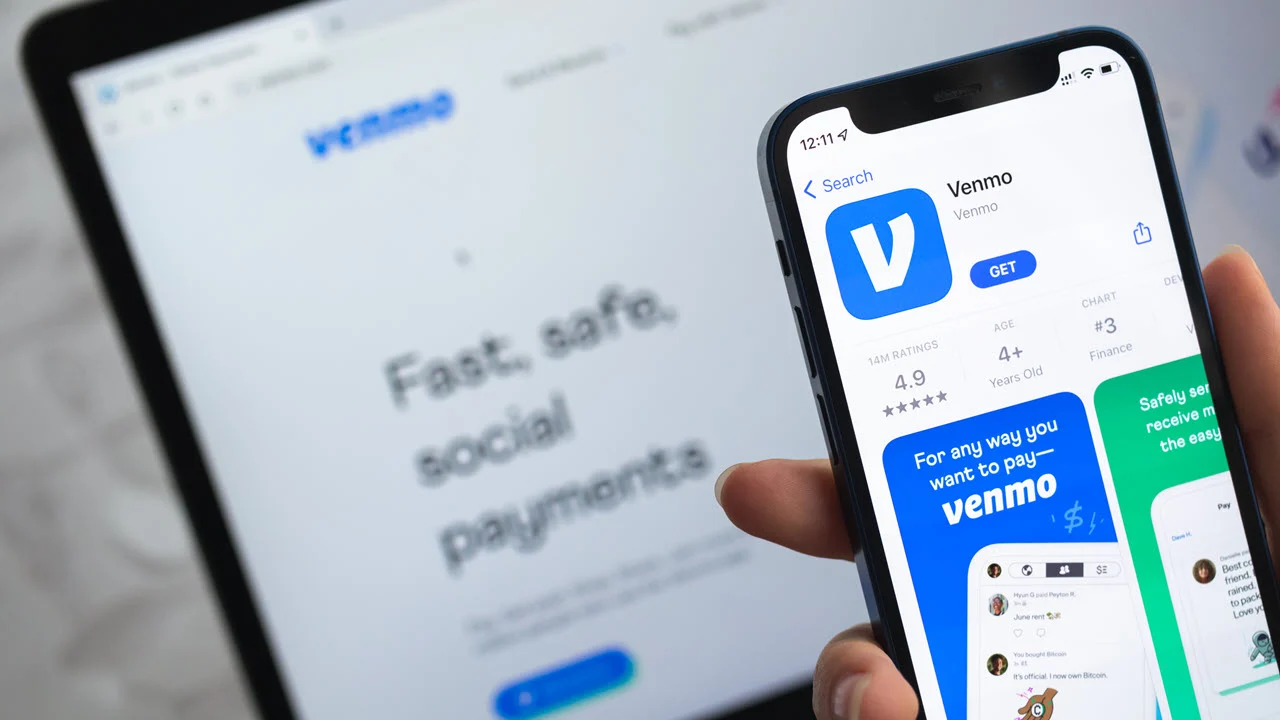
- Open the Venmo app and sign in. Venmo is app first, so most sending happens on a phone.
- Tap the Pay or Request button, usually shown as a pen or pencil icon.
- Search for the recipient by Venmo username, phone number or email address. Check the profile photo and the last four digits of their phone number before continuing, because usernames are easy to confuse and a payment to the wrong person is not automatically reversible.
- Enter the amount and a note. The note is required.
- Choose the funding source. Balance, bank or debit card is free. A credit card adds 3%.
- Decide whether the payment is for goods and services. If it is a purchase from someone you do not know personally, tagging it correctly is what gives you Purchase Protection. If it is splitting a restaurant bill with a friend, it is not.
- Set the privacy of the transaction if you care who can see it, then tap Pay.
Venmo is designed for payments between people who know each other. For a purchase from a stranger, the goods and services tag and Purchase Protection are the only protection you get. Paying a stranger as a personal payment to dodge the fee leaves you with no recourse at all if nothing arrives.
How to request money on Venmo
- Open the app and tap Pay or Request.
- Select the person, or enter their username, phone number or email.
- Enter the amount and a note explaining what it is for.
- Tap Request. The other person gets a notification and can approve or decline it.
- If they approve, the money comes from their balance or their linked funding source and lands in yours.
A request is not a charge. Nothing moves until the other person accepts, and they can ignore it indefinitely.
Adding money, and getting it out without a bank account
To add money: open the app, find Add Money or Manage Balance, enter the amount, pick the source and confirm. A debit card transfer is usually instant. A bank transfer can take one to three business days.
If you have no bank account linked, you have three real options and one that people often mention but which does not exist.
- The Venmo Debit Card. It draws directly on your Venmo balance, works anywhere Mastercard is accepted, and lets you withdraw cash at ATMs. In network withdrawals are free, out of network cost $2.50, and an over the counter withdrawal at a teller costs $3.00.
- Spend the balance directly. Pay other Venmo users or merchants that accept Venmo straight from your balance. No transfer needed.
- Link a debit card instead of a bank account. A standard transfer to a linked debit card is free, and an instant one costs 1.75%.
- What does not work: Venmo does not mail you a check for your balance. Articles that suggest requesting a paper check from Venmo are wrong. The Venmo Debit Card is the intended route for anyone without a linked bank account.
Venmo and taxes: what changed for 2026
This has moved three times in four years, which is why so much of what is written about it is out of date. The current position: the One Big Beautiful Bill retroactively reinstated the pre-2021 reporting threshold, and the IRS has confirmed that third party settlement organizations are not required to file Form 1099-K unless the gross amount of reportable payment transactions exceeds $20,000 and the number of transactions exceeds 200.
Two things that are commonly misunderstood about this:
- The threshold governs the form, not the tax. Income from selling goods or services is taxable whether or not a 1099-K is issued. Not receiving the form is not the same as not owing tax.
- Personal payments are not the target. Form 1099-K covers payments for goods and services. Splitting rent or paying a friend back is not business income, which is a further reason to tag payments accurately.
Tax treatment depends on your own circumstances, so speak to an accountant rather than relying on a general guide, including this one.
Key terms in one line each
- Venmo balance: money held inside Venmo, spendable without touching your bank.
- Standard transfer: the free way to move your Venmo balance to a linked bank account, taking one to three business days.
- Instant Transfer: the paid option that moves money in minutes for 1.75%, minimum $0.25 and maximum $25.
- Goods and services payment: a payment tagged as a purchase, which carries a seller fee and enables Purchase Protection.
- Personal payment: a payment between people who know each other, free to send and receive, with no Purchase Protection.
- Business profile: a separate Venmo profile for sellers, charged 1.9% plus $0.10 on payments received.
- Purchase Protection: Venmo’s cover for eligible goods and services payments, which does not apply to personal payments.
- Venmo Debit Card: a Mastercard debit card that spends your Venmo balance directly.
- Rolling weekly limit: a cap measured over the trailing seven days from each transaction, rather than resetting on a fixed day.
- Identity verification: confirming your legal name, address, date of birth and last four Social Security digits, which lifts your limits.
- Form 1099-K: the IRS information return payment platforms file for qualifying goods and services payments.
- Peer to peer payment: a direct transfer between two individuals, which is the core of what Venmo does.
Frequently asked questions
Does Venmo charge a fee to send money?
Not if you pay from your Venmo balance, a linked bank account or a linked debit card. A linked credit card costs 3%.
How much is Venmo’s instant transfer fee?
1.75% of the amount, with a minimum of $0.25 and a maximum of $25. On $100 that is $1.75. On $3,000 it is $25, because of the cap.
How do I avoid Venmo fees entirely?
Fund payments from your balance, bank or debit card, use the free standard transfer instead of Instant Transfer, keep personal payments tagged as personal, and use in-network ATMs with the Venmo Debit Card.
What is the fee for receiving money on Venmo?
Nothing for a personal payment. A goods and services payment costs 2.99% on a personal profile, or 1.9% plus $0.10 on a business profile.
Is a Venmo business profile cheaper than a personal one for selling?
Yes, for almost every transaction size. 1.9% plus $0.10 beats 2.99% above roughly $9, and the gap widens as the payment gets larger.
Do I need a Venmo account to send money?
Yes. Venmo works only through an account, and sending, receiving, transaction history and the social features all require one. Signing up is free.
How much can I send on Venmo per week?
$299.99 before you complete identity verification. After verification, Venmo states it is possible to send up to $60,000 per week. Limits are rolling, measured over the seven days from each transaction.
Can I get money out of Venmo without a bank account?
Yes. Order the Venmo Debit Card and withdraw at an ATM, or spend the balance directly with other users and merchants that accept Venmo. Venmo does not send paper checks for your balance.
Will I get a 1099-K from Venmo?
Only if your goods and services payments exceed $20,000 and more than 200 transactions, which is the threshold the IRS has confirmed for the current rules. Personal payments do not count, and income remains taxable whether a form is issued or not.
The bottom line
Venmo is genuinely free for what most people use it for: paying friends from a balance, a bank account or a debit card, and waiting a couple of days for a standard transfer out. Every fee in the schedule attaches to a shortcut, a credit card or a sale.
The two decisions that cost people real money are paying for small instant transfers instead of batching them, and running a side business on a personal profile at 2.99% when a business profile charges 1.9% plus $0.10. Fix those two and the rest of the fee schedule will rarely trouble you.
Sources
- Venmo, published US fee schedule, for every fee figure in this article.
- Venmo Help Center, Personal Profile Payment Limits, for the $299.99 and $60,000 weekly figures and the rolling limit explanation.
- Venmo Help Center, Sending and Requesting Money.
- Internal Revenue Service, FAQs on the Form 1099-K threshold under the One Big Beautiful Bill.
Fee and limit figures were checked against Venmo’s own published schedule and help documentation in October 2026. Venmo revises both from time to time, so confirm the current figures in the app before making a decision that depends on them. This article is general information, not financial or tax advice.

The Teck Hustlers editor oversees publishing, fact-checking and corrections across Teck Hustlers, making sure every story on technology, business, finance and gaming meets our editorial standards before it goes live.