TL;DR: The difference in serif vs sans serif fonts comes down to small strokes. Serif typefaces, such as Times New Roman and Georgia, have little “feet” or flicks at the ends of their letter strokes; sans serif typefaces, such as Arial, Helvetica and Inter, don’t (“sans” is French for “without”). Neither is automatically more readable. Research finds little practical difference, so choose based on context: serifs often suit long-form print and traditional or editorial brands, while sans serifs often suit interfaces, signage, small screen text and modern brands.
Picking between serif vs sans serif is one of the first type decisions in any design project, whether it’s a logo, a website or a résumé. The choice changes how a design feels before anyone reads a word. This guide explains the difference, the main families in each group, what the research says about readability and how to choose (or pair) them.
What is a serif font?
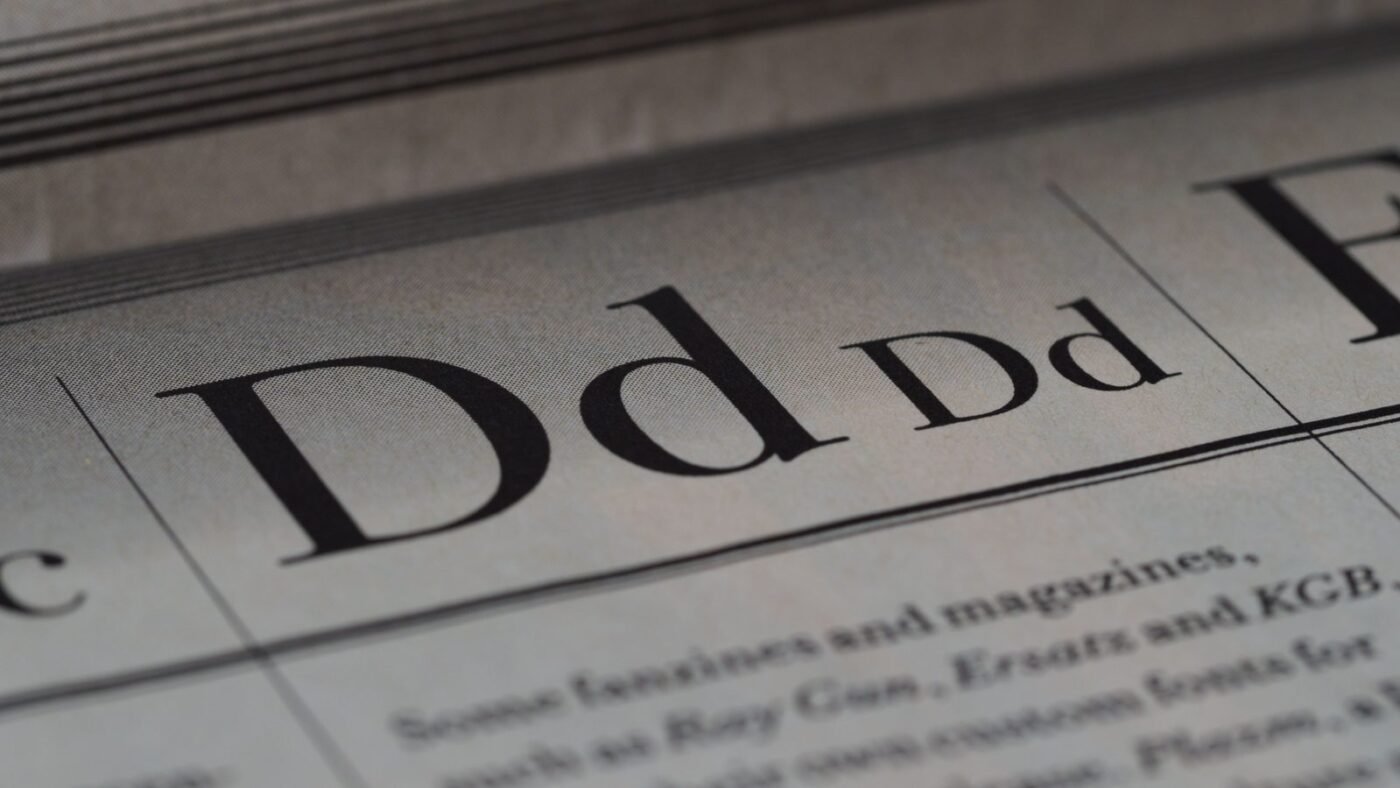
A serif is the small stroke or projection at the end of a letter’s main strokes. Look at a capital “T” in Times New Roman and you’ll see little horizontal feet at the base and tips of the crossbar. The Government of Canada’s Language Portal defines serif fonts as those with these small strokes at the end of letters, and sans serif fonts as those without them.
Serif type traces back to letters carved in stone and to early printing, so it tends to feel traditional, literary and established. Common examples include Times New Roman, Georgia, Garamond, Baskerville and Merriweather.
What is a sans serif font?
A sans serif font has clean stroke endings with no extra flourishes. Sans serif type became widespread in the 19th and 20th centuries for advertising, signage and later modernist design. It tends to feel clean, neutral and contemporary. Common examples include Arial, Helvetica, Verdana, Futura, Roboto, Open Sans and Inter.
Serif vs sans serif at a glance
| Serif | Sans serif | |
|---|---|---|
| Defining feature | Small strokes at the ends of letters | No strokes at the ends of letters |
| Typical feel | Traditional, literary, trustworthy, formal | Modern, clean, neutral, friendly |
| Common uses | Books, newspapers, long articles, editorial and luxury brands | Apps, websites, UI labels, signage, tech brands |
| Small sizes and low resolution | Fine details can break down on low-res screens | Usually holds up well |
| Examples | Times New Roman, Georgia, Garamond, Merriweather | Arial, Helvetica, Roboto, Inter, Futura |
The main families in each group
Serif styles
- Old style: gentle contrast between thick and thin strokes and angled stress, such as Garamond.
- Transitional: sharper and more vertical, such as Baskerville and Times New Roman.
- Didone (modern): extreme thick-thin contrast and hairline serifs, such as Bodoni and Didot, popular with fashion magazines.
- Slab serif: thick, block-like serifs, such as Rockwell and Courier, which feel sturdy and bold.
Sans serif styles
- Grotesque and neo-grotesque: plain and neutral, such as Helvetica and Arial.
- Geometric: built from circles and straight lines, such as Futura and Avenir.
- Humanist: based on handwriting proportions, such as Gill Sans, Frutiger and Open Sans, often praised for clarity.

Which is more readable?
You’ll often hear that serifs “guide the eye” in print and sans serifs are better on screens. The evidence is weaker than the rule of thumb suggests. A study titled “Serifs and font legibility”, available on PubMed Central, found that serifs had no effect on reading speed and, at most, a tiny legibility benefit for very small or distant text, which the researchers linked to the extra letter spacing serifs add. A 2026 paper in Behaviour & Information Technology examined serif and sans serif fonts for text comprehension on screens and paper, adding to a body of research that hasn’t found a consistent winner.
What does make a measurable difference is everything around the typeface:
- Size: body text that’s too small hurts reading more than the serif choice.
- Spacing: comfortable line height and letter spacing (see our guide to kerning vs tracking).
- Contrast: enough contrast between text and background, as covered in our color contrast guide.
- Familiarity: common, well-designed typefaces are easier to read than unusual display fonts.
- Line length: very long lines are tiring whatever the font.
Modern high-resolution screens have also weakened the old “sans serif for screens” rule. Fine serifs that looked blurry on low-resolution monitors render cleanly on today’s displays, which is why many news sites and blogs now use serif body text.
How to choose between serif and sans serif
- Start with the brand personality. Heritage, editorial, legal or luxury brands often lean serif. Tech, startup and consumer app brands often lean sans serif.
- Consider the medium and size. For tiny UI labels, buttons and signage seen from a distance, a clear sans serif is the safer bet.
- Think about text length. Long-form reading works well in either, but many book and magazine designers still prefer serif body text.
- Check the details. Look for clear distinctions between similar characters like capital I, lowercase l and the number 1.
- Test with real content. Set a real paragraph at the actual size on the actual device before deciding.
Pairing serif and sans serif fonts
You don’t have to pick only one. A classic approach is to pair a serif for headings with a sans serif for body text, or the reverse. Good pairings usually share similar proportions (such as x-height) while contrasting in style. Popular combinations include:
- Playfair Display headings with Source Sans body text
- Merriweather body text with Open Sans headings
- Georgia body text with Helvetica or Arial headings
Keep it to two typefaces in most projects, and use weight, size and spacing for hierarchy. Variable fonts make that easier, since one file can supply many weights.
The bottom line
Serif vs sans serif is mostly a question of tone and context, not a readability contest. Serifs bring tradition and warmth, sans serifs bring clarity and modernity, and both work for body text when size, spacing and contrast are right. For more design basics, see our guides to UI vs UX design and RGB vs CMYK.

The Teck Hustlers Editorial Team covers technology, business, finance and gaming news for readers who want the story behind the headline. Every article is researched, written and edited by our in-house team, checked against company announcements, filings and reputable reporting, and updated when new facts emerge. We focus on what each development means for founders, professionals, investors and everyday users. Have a tip or a correction? Reach us through our contact page.