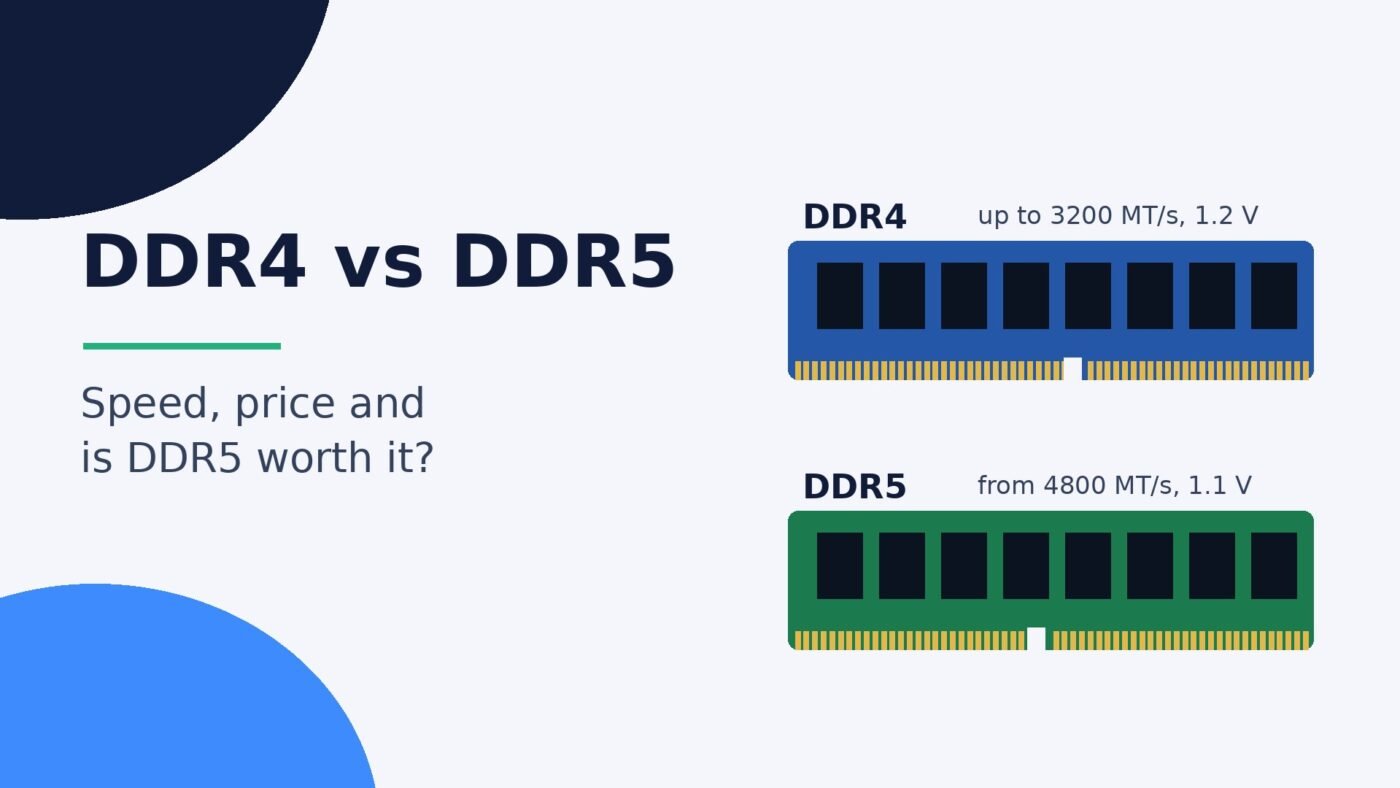
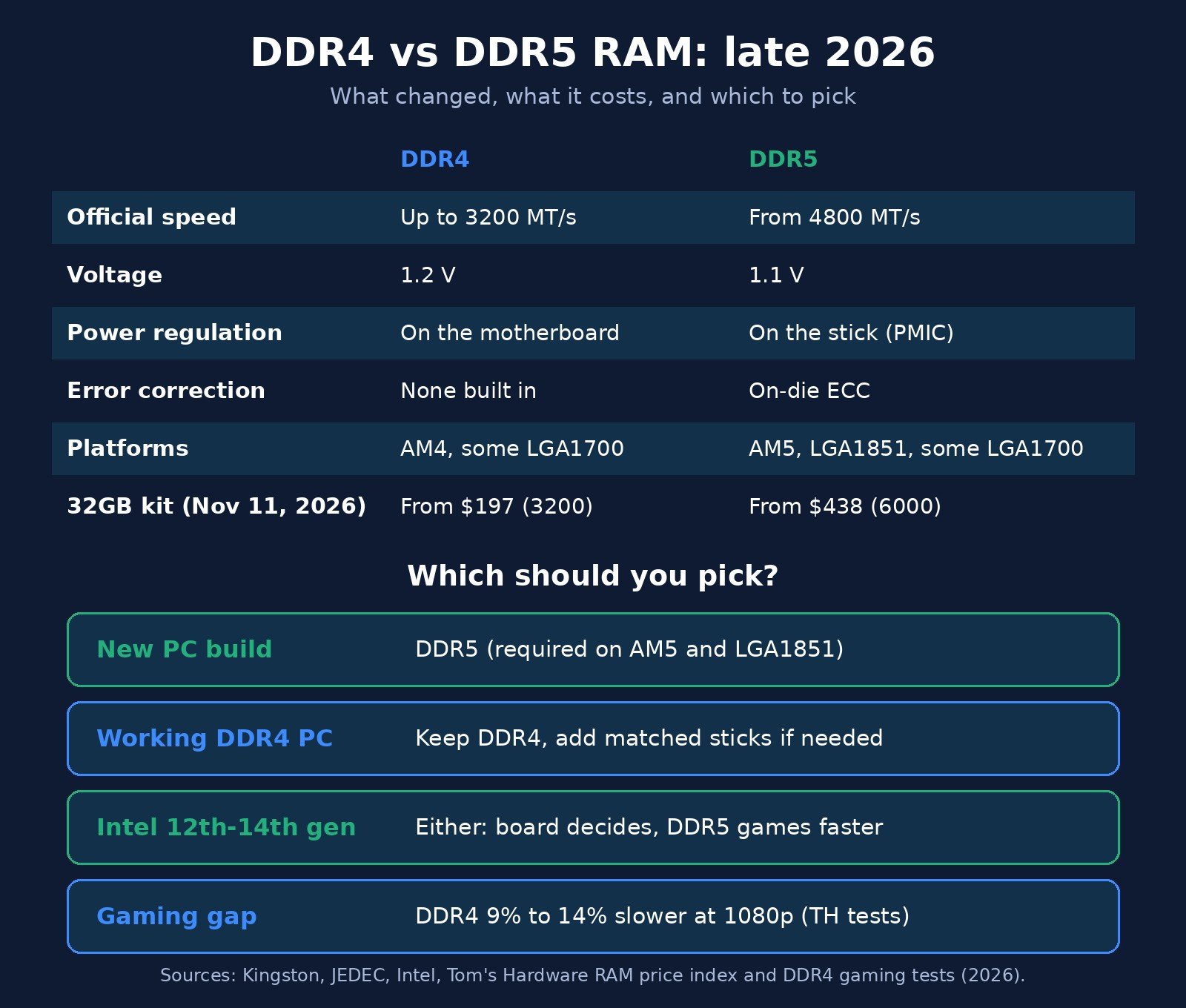
DDR5 is the newer, faster type of RAM: it starts at 4800 MT/s where official DDR4 speeds stop at 3200 MT/s, runs at a lower 1.1 volts, and adds on-die error correction. But DDR4 and DDR5 are not interchangeable, so your motherboard decides which one you can use. For a new build in late 2026, DDR5 is the only option on current AMD and Intel platforms. If you already own a working DDR4 PC, keeping it is usually the smarter move while DDR5 kits cost more than twice as much.
The DDR4 vs DDR5 question looks like a simple “newer is better” call, but it isn’t, mainly because of price and compatibility. This guide explains what actually changed between the two memory generations, how much faster DDR5 is in real games, what each costs right now, and which one makes sense for your PC. It covers desktop memory sticks (DIMMs); if you want the basics of what RAM does first, start with our guide to RAM vs VRAM.
Prices below come from Tom’s Hardware’s RAM price index, last updated November 11, 2026. Memory prices are moving fast this year, so check current listings before you buy.
DDR4 vs DDR5 at a glance
Here are the headline differences. Each row is explained in the sections below.
| Feature | DDR4 | DDR5 |
|---|---|---|
| Official (JEDEC) speeds | Up to 3200 MT/s | Starts at 4800 MT/s, planned up to 8800 MT/s |
| Standard voltage | 1.2 V | 1.1 V |
| Power regulation | On the motherboard | On the memory stick (PMIC) |
| Channels per stick | One 64-bit channel | Two independent sub-channels |
| On-die ECC | No | Yes (inside each chip only) |
| Pins (desktop DIMM) | 288 | 288, with the notch in a different spot |
| Current platforms | AMD AM4, Intel LGA1700 (DDR4 boards) | AMD AM5, Intel LGA1851, Intel LGA1700 (DDR5 boards) |
| 32GB kit price (Nov 2026) | From $197 (DDR4-3200) | From $438 (DDR5-6000) |
Spec sources: Kingston’s DDR5 overview and JEDEC’s DDR5 announcement. JEDEC is the industry group that writes the memory standards.
The key differences, explained simply
Speed and bandwidth
RAM speed is measured in megatransfers per second (MT/s), often written loosely as “MHz” on product boxes. According to Kingston, DDR5 starts at 4800 MT/s while DDR4 tops out at 3200 MT/s under the official standard, a 50% jump at the entry level. The DDR5 standard has planned speeds up to 8800 MT/s, and enthusiast kits rated at 6000 MT/s and above are common.
Speed translates directly into bandwidth, the amount of data the memory can move each second. A standard 64-bit memory stick moves 8 bytes per transfer, so peak bandwidth per stick works out to:
- DDR4-3200: 3,200 × 8 = 25.6 GB/s
- DDR5-4800: 4,800 × 8 = 38.4 GB/s
- DDR5-6000: 6,000 × 8 = 48 GB/s
Most desktops run two sticks in dual-channel mode, which doubles those figures. DDR5 also splits each stick into two independent sub-channels and doubles the burst length, changes JEDEC says help it use that bandwidth more efficiently.
Latency: why DDR5 isn’t twice as fast
Latency is the delay before the memory starts answering a request. It’s listed as CAS latency (CL), counted in clock cycles, and DDR5 has much higher CL numbers. Kingston’s standard ValueRAM specs list DDR4-3200 at CL22 and DDR5-5600 at CL46.
Because DDR5 cycles faster, the real-world delay in nanoseconds is closer than those numbers suggest. You can work it out as CL ÷ (speed ÷ 2) × 1,000:
- DDR4-3200 CL22: 22 ÷ 1,600 × 1,000 = about 13.8 ns
- DDR5-5600 CL46: 46 ÷ 2,800 × 1,000 = about 16.4 ns
So at standard settings DDR5 trades a slightly longer first response for far more bandwidth. Faster enthusiast kits with tighter timings narrow the latency gap, which is part of why DDR5 kits rated around 6000 MT/s with low CL numbers became the common pick for gaming builds.
Power and the on-stick PMIC
DDR5 runs at 1.1 V instead of DDR4’s 1.2 V, and Kingston says that cuts power use by about 20% compared with equivalent DDR4 components. DDR5 also moves power regulation off the motherboard and onto the stick itself, using a small power management chip (PMIC). That gives cleaner power at high speeds, though it also adds a little cost to every module.
On-die ECC is not “ECC memory”
Every DDR5 chip includes on-die error correction (ECC), which fixes bit errors inside the memory chip. It’s a reliability feature that helps manufacturers build denser chips. But as Kingston points out, it cannot correct errors outside the chip or on the path between the stick and the processor. Full error correction, the kind servers and workstations use, still needs dedicated ECC modules and a platform that supports them.
Capacity
DDR5 supports denser memory chips, which is why odd sizes like 24GB and 48GB sticks now exist. On the Intel side, Intel’s memory support table lists a 128 GB maximum for 12th-gen desktop chips and 192 GB for 13th and 14th gen, while Core Ultra Series 2 desktop chips support up to 256 GB of DDR5. For gaming and everyday use, capacity matters far more than generation: 16GB is the floor and 32GB is comfortable for most people.
Can you put DDR5 in a DDR4 slot?
No. Both use 288-pin sticks on desktops, but Corsair explains that the pin layout differs and the key notch sits in a different place, so a DDR5 stick won’t go into a DDR4 slot or the other way round. Don’t force it; you can break the stick or the slot.
That means the real DDR4 vs DDR5 decision is a platform decision. Here’s what each current desktop platform takes:
| Platform | Processors | Memory |
|---|---|---|
| AMD AM4 | Ryzen 1000 to 5000 | DDR4 only |
| AMD AM5 | Ryzen 7000, 8000G, 9000 | DDR5 only |
| Intel LGA1700 | 12th, 13th, 14th Gen Core | DDR4 or DDR5, depending on the motherboard |
| Intel LGA1851 | Core Ultra 200S | DDR5 only |
Sources: AM5 socket guide, LGA1851 socket guide and Intel’s LGA1700 compatibility notes, which list official support of DDR4-3200 and DDR5-4800 for 12th gen and up to DDR5-5600 for 13th and 14th gen.
The LGA1700 row is the tricky one. Intel’s 12th to 14th gen chips can use either type, but each motherboard is built for one or the other. Check the board’s spec page before you buy RAM. If you’re not sure which processor your PC has, our Intel vs AMD guide explains the current sockets, and you can find your memory type in Windows Task Manager under Performance, then Memory.
Faster sticks do work in slower systems within the same generation. Kingston notes that a DDR5-5600 stick in a system that only supports DDR5-4800 simply runs at 4800.
DDR4 vs DDR5 for gaming: how big is the gap?
It depends on the processor, and it’s larger with newer, faster chips. The cleanest recent test comes from Tom’s Hardware (July 2026), which ran eight Intel LGA1700 processors through 15 games at 1080p with an RTX 5090, once with DDR4-3200 and once with DDR5-7200. Here’s how much slower each chip was on DDR4:
| Processor | Average gaming drop with DDR4 |
|---|---|
| Core i9-14900K | -14% |
| Core i7-14700K | -13.2% |
| Core i5-14600K | -13.1% |
| Core i7-13700K | -13.5% |
| Core i5-13600K | -11.4% |
| Core i9-13900K | -11.3% |
| Core i5-12600K | -9.5% |
| Core i7-12700K | -9.3% |
Some games swing much further. In Marvel Rivals, the Core i7-14700K lost 25.3% of its frame rate on DDR4. Keep in mind this test paired basic DDR4-3200 with a fast DDR5-7200 kit, so it shows close to the largest gap you’d expect; faster DDR4 or slower DDR5 would narrow it.
TechSpot’s testing found a similar pattern on a budget chip: the Core i5-12400F averaged about 20% higher frame rates with DDR5 than with DDR4 across 12 games.
Two things shrink the gap in real life. First, these tests run at 1080p with the fastest graphics card available to make the CPU and memory the bottleneck. At 1440p or 4K, or with a mid-range graphics card, the GPU usually limits frame rates and memory matters less. (Not sure what you have? Here’s how to check your GPU.) Second, having enough RAM, running in dual channel, matters more than its generation. A PC with one stick of DDR5 can easily feel worse than one with two matched sticks of DDR4.
DDR4 vs DDR5 price in late 2026
Price is the biggest change this year. Large memory orders from AI data centers have squeezed supply, and consumer RAM prices have jumped; we covered the knock-on effect when CyberPowerPC announced PC price increases. Tom’s Hardware notes that a standard 32GB DDR5 kit sold for around $100 to $200 in October 2025. Here are the best US prices it tracked as of November 11, 2026:
| Memory kit | Best US price (Nov 11, 2026) | Lowest-ever US price |
|---|---|---|
| DDR4-3200 16GB | $99 | $94 |
| DDR4-3200 32GB | $197 | $193 |
| DDR5-5600 16GB | $249 | $199 |
| DDR5-6000 32GB | $438 | $72 |
| DDR5-5600 32GB | $507 | $72 |
| DDR5-6000 64GB | $949 | $159 |
On a per-gigabyte basis, the rams.live price report for November 13, 2026 put the median desktop DDR5 price at $18.69 per GB versus $8.26 per GB for DDR4. In other words, DDR5 costs a little over twice as much for the same capacity right now.
Is DDR5 worth it? Four common situations
You’re building a new PC
Go DDR5. Every current platform from AMD (AM5) and Intel (LGA1851) requires it, and it’s the type future processors will use. Budget for it up front: in this market, RAM can cost as much as a mid-range processor. A 32GB kit around 6000 MT/s is the usual sweet spot for gaming; if that’s out of reach, 2x8GB (16GB) is workable for lighter games and can be replaced later.
You have a working DDR4 PC
Keep it. You can’t add DDR5 without a new motherboard and, on AMD, a new processor too, so “upgrading to DDR5” really means rebuilding the PC. If your system feels short on memory, adding DDR4 or moving from one stick to two matched sticks is the cheapest fix. Tom’s Hardware reached the same conclusion: dollar for dollar, DDR4 still makes sense when you already own it.
You’re buying an Intel 12th to 14th gen system
This is the one case where you choose. If you already have a good DDR4 kit, a DDR4 motherboard lets you reuse it and accept roughly 10% to 14% lower gaming performance in CPU-bound games. If you’re buying everything new, a DDR5 board gives you more speed and lets you carry the memory to a future build.
You mostly browse, stream and use office apps
You won’t feel the difference between DDR4 and DDR5 in everyday tasks. Capacity matters more: 16GB is plenty for most light use. Mac buyers don’t pick a memory type at all, since Apple Silicon uses built-in memory; our explainer on unified memory vs RAM covers how that works.
Buying tips for either type
- Match the board first. Look up your motherboard’s supported memory type and speed list before you buy.
- Buy matched kits. Two sticks bought together (2x16GB, not 1x32GB) give you dual-channel performance and fewer compatibility headaches.
- Turn on the speed profile. RAM often runs at a slower default speed until you enable XMP (Intel) or EXPO (AMD) in the BIOS.
- Expect a slow first boot on DDR5. New AM5 systems spend extra time “training” memory on the first start, and a blank screen for a minute or more is normal.
- Update drivers and BIOS. Memory stability fixes often ship in BIOS updates, and graphics driver updates matter just as much for frame rates; see how to update graphics drivers.
DDR4 vs DDR5: frequently asked questions
Is DDR5 faster than DDR4?
Yes. Official DDR5 speeds start at 4800 MT/s, while official DDR4 speeds top out at 3200 MT/s, so DDR5 moves at least 50% more data per second. Its latency in nanoseconds is similar or slightly higher at standard settings, so real-world gains are smaller than the bandwidth jump.
Can I use DDR5 RAM in a DDR4 motherboard?
No. DDR4 and DDR5 desktop sticks both have 288 pins, but the notch is in a different position and the pin layout differs, so neither fits the other’s slot. To use DDR5 you need a DDR5 motherboard.
How much faster is DDR5 for gaming?
In Tom’s Hardware’s July 2026 tests with Intel 12th to 14th gen chips, DDR4-3200 was 9% to 14% slower on average than DDR5-7200 at 1080p, and up to 25% slower in some games. At 1440p and 4K the gap is usually smaller because the graphics card becomes the limit.
Is DDR5 worth it in 2026?
DDR5 is worth it for a new build, because current AMD AM5 and Intel LGA1851 platforms require it. It isn’t worth rebuilding a working DDR4 PC just for DDR5, since 32GB of DDR5 costs more than twice as much as 32GB of DDR4 in late 2026.
Why is DDR5 so expensive right now?
Memory makers are selling more of their output to AI data centers, which has tightened supply for consumer RAM. Tom’s Hardware reports that a 32GB DDR5 kit that cost about $100 to $200 in October 2025 started at $438 for DDR5-6000 in November 2026.
Does DDR5 have ECC?
DDR5 has on-die ECC, which corrects errors inside each memory chip. It is not the same as full ECC memory, because it can’t fix errors on the path between the stick and the processor. Workstations that need full error correction still use dedicated ECC modules.
The bottom line
DDR5 is the better memory: more bandwidth, lower voltage and room to grow, and it’s the only choice for a new AMD AM5 or Intel Core Ultra build. DDR4 is still the better value if you already own it, especially with DDR5 prices more than double DDR4’s in late 2026. Decide by your motherboard first, buy matched two-stick kits, and put capacity ahead of chasing the highest speed.

The Teck Hustlers Editorial Team covers technology, business, finance and gaming news for readers who want the story behind the headline. Every article is researched, written and edited by our in-house team, checked against company announcements, filings and reputable reporting, and updated when new facts emerge. We focus on what each development means for founders, professionals, investors and everyday users. Have a tip or a correction? Reach us through our contact page.