TL;DR: Few-shot prompting means putting a small number of worked examples, usually two to five input-and-output pairs, into your prompt so an AI model can copy the pattern. It sits between zero-shot prompting (no examples) and fine-tuning (retraining the model). It works best when you need a specific format, tone or labeling scheme. Pick varied, realistic examples, wrap them in clear tags, and watch out for examples that are all alike, because the model will copy their quirks too.
What is few-shot prompting? It is the simplest way to get a large language model to do exactly what you want: show it instead of only telling it. You add a handful of examples to the prompt, and the model infers the rule from them. This guide explains how few-shot prompting works, how it compares with zero-shot and fine-tuning, and how to write a reusable template, with examples.

What is few-shot prompting?
Few-shot prompting is a prompt engineering technique where the prompt includes a few demonstrations of the task before the real input. A demonstration is an example input paired with the output you want. The model has no new training. It simply uses the examples as context, which researchers call in-context learning.
The term became popular with OpenAI’s 2020 GPT-3 paper, “Language Models are Few-Shot Learners”. The authors tested the model “zero-shot,” “one-shot” and “few-shot.” They reported that giving examples in the prompt, with no gradient updates, greatly improved results on many tasks, and that larger models made better use of them.
A quick example
Say you want product reviews tagged with a sentiment label in a fixed format. A few-shot prompt might look like this:
Classify each review as Positive, Negative or Mixed.

Review: "Battery lasts two days and it charges fast."
Label: Positive

Review: "Great screen, but the speakers crackle."
Label: Mixed

Review: "Stopped working after a week."
Label: Negative

Review: "Comfortable to wear, though the app keeps logging me out."
Label:
The model sees the pattern (one review, then Label: and a single word) and is very likely to reply “Mixed” with nothing extra. Without the examples it might write a paragraph explaining its reasoning.
Zero-shot vs one-shot vs few-shot vs fine-tuning
| Approach | Examples given | Best for | Trade-off |
|---|---|---|---|
| Zero-shot | None, only instructions | Common tasks the model already does well | Less control over format and style |
| One-shot | One | Showing a single output format | The model may copy that one example too closely |
| Few-shot | Usually 2 to 5 (sometimes more) | Custom labels, strict formats, house style, edge cases | Longer prompts use more tokens |
| Fine-tuning | Hundreds to thousands, used for training | High-volume, stable tasks | Costs time and money, and the model needs retraining when needs change |
A good rule: start zero-shot, move to few-shot when outputs are inconsistent, and think about fine-tuning only when a long few-shot prompt is still not reliable or gets too expensive at scale.
Why few-shot prompting works
Instructions describe a task in words. Examples pin down the details words leave fuzzy, such as length, tone, punctuation, how to handle borderline cases and what not to include. Major AI developers recommend the technique:
- Google’s Gemini prompting guide recommends including few-shot examples in prompts. It says examples help the model work out what to focus on and that prompts without them are often less effective.
- Anthropic’s documentation, suggests including three to five diverse, relevant examples and wrapping them in tags so Claude can tell them apart from instructions.
- OpenAI’s prompt engineering guide describes giving examples as a way to steer models toward a desired output pattern.
One surprising research result: in a 2022 study, “Rethinking the Role of Demonstrations”, Min and colleagues found that the format of the examples and the kind of inputs they showed mattered a lot, while having perfectly correct labels in the examples mattered less than expected on the tasks they tested. Correct examples are still the safer choice, but format clearly carries much of the effect.
How to write a good few-shot prompt
- Start with a clear instruction. Say what the task is before the examples. Examples should support the instruction, not replace it.
- Use realistic inputs. Take examples from the kind of data the model will really see, including messy ones.
- Vary your examples. Cover different lengths, topics and every label. If all your examples are short and positive, the model leans toward short, positive answers.
- Keep the format identical. Use the same field names, separators and order in every example, and end the prompt with the same pattern, leaving the output blank.
- Separate examples clearly. Tags such as
<example>or a consistent delimiter stop the model from mixing examples with the real input. - Include a tricky case. One borderline example (like the “Mixed” review above) teaches more than three obvious ones.
- Test and trim. Try the prompt on new inputs. If two examples work as well as five, use two to save tokens.
A reusable few-shot template
You are helping with: [task in one sentence].
Follow the format shown in the examples exactly.

<example>
Input: [example input 1]
Output: [ideal output 1]
</example>

<example>
Input: [example input 2, different in style or length]
Output: [ideal output 2]
</example>

<example>
Input: [a borderline or tricky case]
Output: [ideal output 3]
</example>

Input: [your real input]
Output:
In chat apps you can paste the whole thing as one message. In API apps, many developers put the instruction in the system prompt and the examples in the user turn, or as earlier user and assistant messages.
Few-shot chain-of-thought
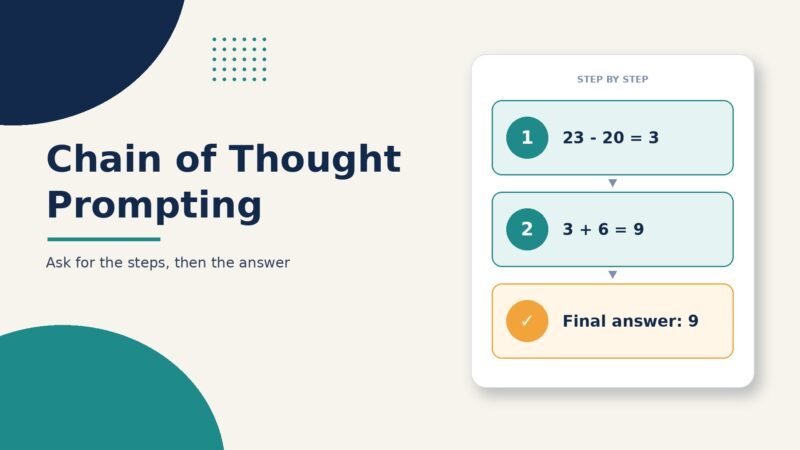
Few-shot examples can show reasoning as well as answers. In the 2022 paper “Chain-of-Thought Prompting Elicits Reasoning in Large Language Models”, Google researchers gave models examples that included step-by-step working. They reported large gains on math and logic benchmarks for sufficiently large models. Many newer “reasoning” models already think step by step on their own, so check whether worked-reasoning examples still help with the model you use.
Common mistakes and limits
- Copying surface details: models can repeat names, phrases or lengths from your examples. Vary them.
- Label imbalance: if four of five examples share one label, outputs may lean toward it.
- Order effects: the last example can have extra influence, so shuffle examples when testing.
- Token cost: every example takes up part of the context window and adds cost on each call.
- Not a fact source: examples teach format and style, not new knowledge. For facts, use retrieval or supply the source text.
Bottom line
Few-shot prompting is the quickest upgrade for most prompts. Two to five well-chosen examples can fix format drift, enforce a style and settle edge cases, all without training anything. Start with a clear instruction, add varied examples in a consistent format, and test. For more techniques, see our guide to prompt engineering and our 30 copy-ready AI prompt examples.
Sources
- Brown et al. (2020): Language Models are Few-Shot Learners
- Min et al. (2022): Rethinking the Role of Demonstrations
- Wei et al. (2022): Chain-of-Thought Prompting Elicits Reasoning in Large Language Models
- Google AI for Developers: Prompt design strategies
- Anthropic: Claude prompting best practices (use examples effectively)
- OpenAI: Prompt engineering guide

The Teck Hustlers Editorial Team covers technology, business, finance and gaming news for readers who want the story behind the headline. Every article is researched, written and edited by our in-house team, checked against company announcements, filings and reputable reporting, and updated when new facts emerge. We focus on what each development means for founders, professionals, investors and everyday users. Have a tip or a correction? Reach us through our contact page.