TL;DR: The best AI tools for teachers in 2026 depend on the job. US K-12 teachers can get ChatGPT for Teachers free, Google schools already have Gemini in Classroom, MagicSchool offers the biggest free toolkit, Brisk works inside Google Docs for feedback, Diffit levels reading passages, and Khanmigo and Canva for Education are free for many teachers. Free tiers have limits, so match each tool to one task and never paste identifying student data into any of them.
Choosing the best AI tools for teachers is less about finding one perfect app and more about building a small kit. A tool that is brilliant for leveled readings can be clumsy for parent emails, and the free plan that looks generous may cap you halfway through the month. This guide sorts the most widely used options by what they do best, with prices and limits taken from recent published comparisons and vendor pages.
Quick picks: best AI tools for teachers by task
| Tool | Best for | Free option | Paid plan for one teacher |
|---|---|---|---|
| ChatGPT for Teachers | Open-ended help, emails, brainstorming | Free for verified US K-12 staff (see dates below) | None needed while free |
| Gemini in Classroom | Google Workspace schools | Included with Workspace for Education; some features need Education Plus or an add-on | Through your district |
| MagicSchool | A broad toolkit of 80+ teacher tools | Free plan | Plus: $12.99/month or $99.96/year |
| Brisk Teaching | Feedback inside Google Docs and Slides | 20+ tools with a usage limit | Educator Pro (price not published) |
| Diffit | Leveled reading passages | Basic plan | $14.99/month or $149.99/year |
| Eduaide | Templates for worksheets, rubrics and tests | 24 credits a month | Pro: $5.99/month or $49.99/year |
| Khanmigo for Teachers | Pedagogy-focused lesson planning | Free for US educators | Student tutor is a district purchase |
| Canva for Education | Slides, posters and visual materials | Free for verified K-12 teachers | Not needed once verified |
Most of the pricing above comes from Eduaide’s comparison, which says it checked each vendor’s pages on October 15, 2026. Eduaide makes one of the tools on the list, so we cross-checked with AI Tools Bakery’s free-tier tests from July 2026. Prices change often, so confirm on the vendor’s site before paying.
1. ChatGPT for Teachers: best all-purpose assistant
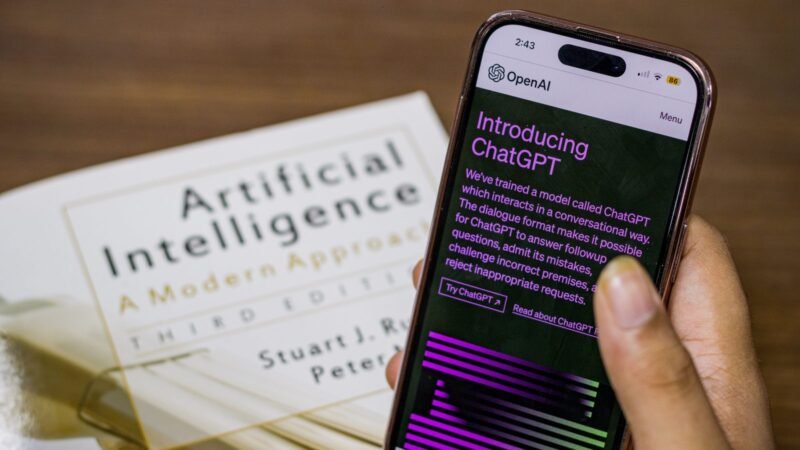
OpenAI launched ChatGPT for Teachers on November 19, 2025, as a plan for verified US K-12 educators and staff. You verify with a school or district email. OpenAI says the plan has FERPA-aligned protections, a student data privacy agreement and no training on your content by default. It connects to Canva, Google Drive and Microsoft 365, so it can work from materials you already have.
Watch out for: it is not for students, not available outside the US, and the free window has been reported inconsistently. Eduaide says OpenAI’s Help Center lists June 2028, while one OpenAI pricing FAQ still said June 2027. Check your own account. If you’re weighing ChatGPT against Google’s assistant in general, see our ChatGPT vs Gemini comparison.
2. Gemini in Classroom: best for Google schools
Google made Gemini in Classroom available across every Google Workspace for Education edition in June 2025, with tools for planning, creating materials and feedback inside Google Classroom. Your district’s Google admin decides who can use it, and some features, such as feedback on written assignments, need Education Plus or Google’s Teaching and Learning add-on. If your district runs Google, check what’s already switched on before paying for anything that overlaps.
3. MagicSchool: best free toolkit
MagicSchool’s free plan includes 80+ teacher tools, from lesson plans and rubrics to text leveling, plus its Raina chatbot. Plus costs $12.99 a month or $99.96 a year and adds unlimited generations, output history and 50+ student tools. MagicSchool reports a 95% Common Sense Privacy rating.
Tip: AI Tools Bakery found the free plan kept only the last few generations, so copy anything useful into a document right away.

4. Brisk Teaching: best for feedback in Docs
Brisk is a Chrome and Edge extension that works inside Google Docs, Slides, YouTube, PDFs and learning platforms such as Canvas, Schoology and Google Classroom. You can highlight an article, level it, turn it into a quiz or draft feedback without leaving the page. The free plan includes 20+ tools with a usage limit; Brisk’s help center describes roughly a 30-minute wait once you hit it. The extension does not run on mobile devices.
5. Diffit: best for leveled readings
Diffit does one job well: it turns a topic, text or standard into student-ready material adjusted by reading level, language and scaffolds. The free Basic plan includes PDF download, printing and sharing, but only lets you open content from the last 90 days. The individual plan costs $14.99 a month or $149.99 a year. Diffit says it collects no student data.
6. Eduaide: best for templates without prompting
Eduaide offers 120+ templates for lesson plans, worksheets, organizers, games and rubrics, plus an assessment builder. Instead of writing prompts, you pick a template and get an editable document. The free plan gives 24 credits a month, which Eduaide says is enough for up to eight lesson plans or other resources, and Pro costs $5.99 a month.
7. Khanmigo for Teachers: best for pedagogy
Khan Academy’s Khanmigo gives US teachers free lesson-planning helpers, rubric support and leveled explanations, thanks to Microsoft’s backing, according to AI Tools Bakery. Its testers found it the most pedagogically careful of the tools they tried. The student-facing tutor is the part districts pay for.
8. Canva for Education: best for visual materials
Verified K-12 teachers get Canva’s premium features free, including AI tools like Magic Write and Magic Design. It won’t plan your lessons, but it turns a plan into readable slides, posters and vocabulary cards fast. Verification can take a few days if your school’s domain isn’t recognized automatically.
How to choose the right AI tools for your classroom
- Start with what your district already provides. Gemini in Classroom or an approved tool may already be paid for.
- Pick one tool per job. A general assistant for writing, one specialist for differentiation and one for visuals usually covers a week.
- Spend capped credits deliberately. Use tools with monthly limits only for what they do best.
- Protect student privacy. Don’t paste student names, IEP details or other identifying information into any AI tool, and check your district’s approved list.
- Review every output. AI drafts can be wrong or off-level, so read everything before it reaches students.
If grading is your biggest time sink, our look at Rubric AI and how its essay grader works covers a more specialized option. For general safety habits, read is ChatGPT safe?
Final verdict
For most US K-12 teachers, the strongest free starting kit is ChatGPT for Teachers for writing and planning, Diffit or Brisk for differentiation and feedback, and Canva for Education for materials. Teachers in Google districts should try Gemini in Classroom first, and anyone who wants a single education-specific platform should start with MagicSchool’s free plan. Add a paid plan only when a free cap starts costing you real time.

The Teck Hustlers Editorial Team covers technology, business, finance and gaming news for readers who want the story behind the headline. Every article is researched, written and edited by our in-house team, checked against company announcements, filings and reputable reporting, and updated when new facts emerge. We focus on what each development means for founders, professionals, investors and everyday users. Have a tip or a correction? Reach us through our contact page.