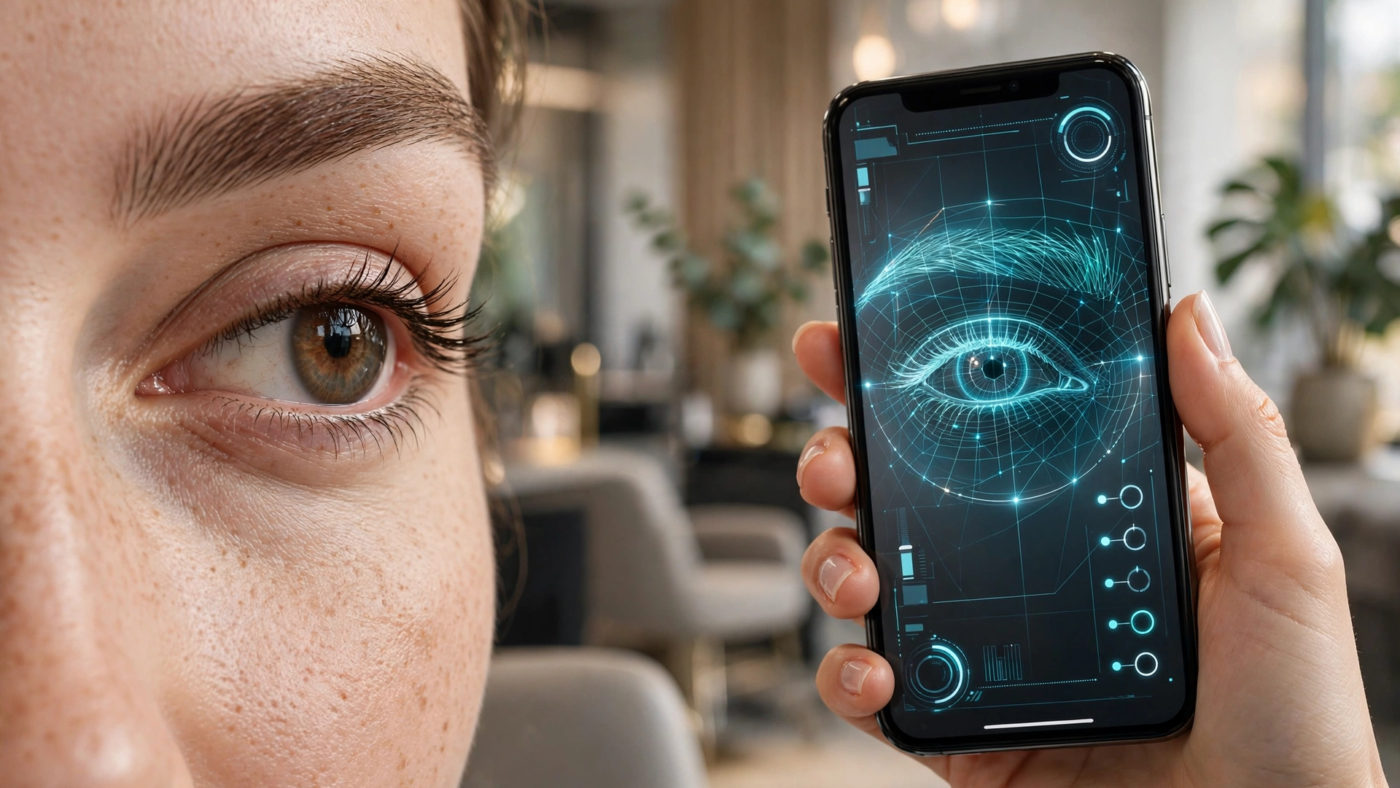
The decision in front of you is not which app to open. It is whether to hand your face to a technician for a shape you have only imagined. Microblading deposits pigment into the skin and stays for months; lamination is a chemical treatment that restructures how the hairs lie for weeks. Neither is a haircut you can grow out by Friday. A simulator exists to shrink the gap between what you are picturing and what you are asking for — and only if you know which part of the decision it can help with.
What a brow shape is actually made of
Get the vocabulary right first, because the tools use it and so does the person holding the blade. A brow shape is four decisions, not one. Arch height is where the peak sits along the length. Tail length is how far the brow runs past the outer corner of the eye, and at what angle it drops. Front spacing is the gap between the two heads, which controls how close-set the whole face reads. Thickness is depth through the body, and it changes what every other measurement looks like.
Change one and the others shift visually. A higher arch on a short tail reads as surprise. A thick brow with wide front spacing reads flat. This is why “I want them a bit more arched” is not an instruction anyone can execute.
The measurements that make up a brow shape, each one adjustable independently in the simulators covered below.
If you want to see a shape you have never worn
Preset libraries are the fastest way to find out that the fox brow you have been saving does not suit your eye spacing. The Eyebrow Filter from Overchat AI runs four steps — upload a clear photo, pick a shape, pick a color or keep your own, then try it on and download in HD with no watermark. It carries 15 shapes — natural, arched, straight, laminated, bold, thin, rounded, angled, feathered, fox brow and bushy among them — plus 25 color options from soft black and taupe through lilac and neon, chosen separately from the shape. Its page states the edit is limited to the brow area, leaving eyes, skin and hair untouched, with results back in seconds. Weakness: the page does not publish accepted file formats or a size cap, so a large HEIC straight off a phone is an experiment.
A brow try-on is an odd thing to find next to a video generator, but that is the shelf it sits on: Overchat AI keeps 150+ purpose-built tools for image, video, audio and text under one account, with GPT, Claude, Gemini, Grok, Kimi and Qwen supplying the models, on web, iOS and Android, for 350,000+ users. The brow tool costs nothing on its page; reaching the rest of the catalog means Pro, at $14.99 billed by the month.
Media.io takes the same job through a text prompt instead of a menu: open its image-to-image editor, upload a selfie, describe the brows you want, generate. Its page lists straight, arched, rounded, soft angled, thick and thin as the styles it handles, promises HD saves without watermarks for free users, and says new accounts get free credits. It also states the edit touches only the brushed area. Weakness: describing an arch in words is less precise than picking one, and neither formats nor size limits are published.
If you want to know whether your brows are even
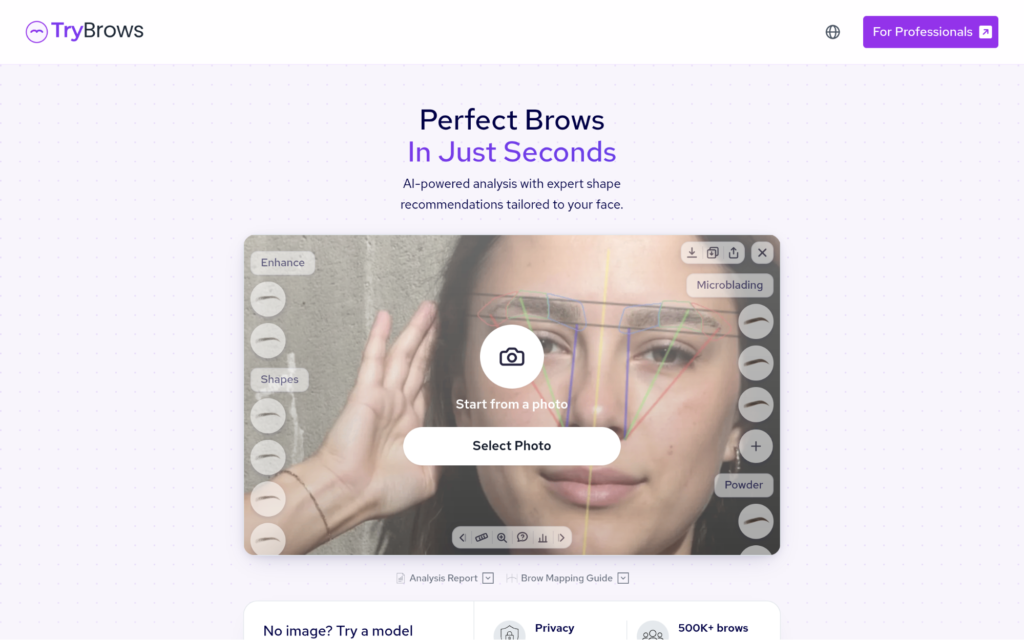
Symmetry is a different question from shape, and a preset try-on does not answer it. TryBrows is built for exactly this: select a photo, let it analyze, then read a symmetry report. It works from named points — brow tail points, head points, arch points, the middle brow line, and top and bottom boundaries — and produces before-and-after comparisons you can save. No sign-up or download, and model photos are offered if you would rather not upload your own. Weakness: asymmetry in a photo can come from head tilt rather than from your face.
The MakeupAR eyebrow showcase from Perfect Corp goes further into parameters. It runs live camera or photo upload, offers 14 shapes including rounded, straight, soft arch, high arch, S-shaped, flat and arrow, six shades in matte or shimmer, and — the useful part — six adjustable parameters covering arch height, thickness, intensity, definition, horizontal spacing and vertical positioning. Weakness: it is a business demo aimed at brands and clinics, not a consumer product, and it lists minimum requirements of iOS 11 or Android 9.0 with recent Chrome or Safari.
If you need something to hand your technician
The strongest reason to run a simulator at all is to stop describing and start showing. BrowGuide AI, an Android app, is the only tool here built around that handoff: alongside AR try-on and symmetry checks it has a Salon Mode that generates notes for a brow artist with your preferred specifications, plus saved history. Weakness: it is Android only, it contains ads with a premium upgrade for full access to the AI analysis and AR filters, and its listing states that collected data cannot be deleted once collected.
Somake AI is the alternative if you want to bring a shape rather than a description: upload a portrait with the eyes visible, pick a preset — arched, straight, thick, thin, feathered or natural — or upload a custom shape of your own, then generate. It caps at two images and 10 MB each, and it suggests running its glare removal first if you wear glasses. Weakness: it requires a sign-in and charges 10 credits per generation, with no free tier described on the page.
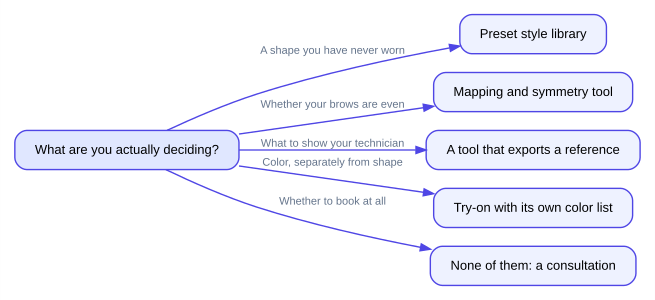
Which kind of tool answers which question, for the five things people are usually deciding.
If you are editing photos rather than planning a face
Evoto sits in a different category: a retoucher with an eyebrow adjustment tool inside it. Upload a portrait, select the tool, adjust shape and preview styles — thin, thick, bleached, straight, arched, rounded, angular — with sliders for intensity, thickness, spacing, angle and position, then export. It reads JPG, PNG, TIFF and RAW among others, supports batch editing, and runs on Windows, macOS and iPadOS. Its own page says results vary with image quality, lighting, pose, file format and settings. Weakness: it is aimed at photographers processing many portraits, which makes it heavy for one decision about your own face.
The decision, laid out
| What you are deciding | Reach for | Why that one | What it will not tell you |
| Does this shape suit me at all | Overchat AI Eyebrow Filter or Media.io | Preset shapes, instant swap | Whether hair grows where the shape needs it |
| Are my brows uneven | TryBrows | Named landmarks, symmetry report | Whether the unevenness is fixable |
| Exactly how high an arch | MakeupAR showcase | Six numeric parameters | How your technician will interpret it |
| What to bring to the appointment | BrowGuide AI | Salon Mode notes and saved history | Whether the plan suits your skin |
| Color after a tint | Overchat AI Eyebrow Filter | 25 colors, chosen apart from shape | How pigment behaves on you |
Where the preview stops and the technician starts
A simulator draws pixels over a photograph. It has no information about the treatment you are considering, and the two in the title work differently enough that this matters.
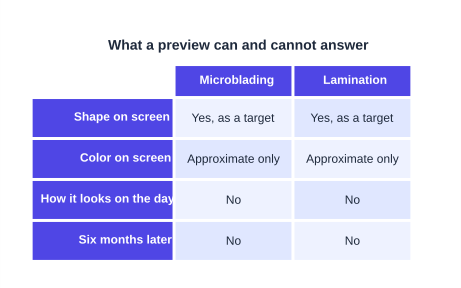
The two columns readers most often conflate: a preview answers the shape question for both treatments and the outcome question for neither.
Microblading is semi-permanent: pigment placed in skin, settling over weeks. Lamination is a chemical process applied to the hairs you already have, and it can only redirect hair that exists. A preview showing a full, even tail cannot tell you whether there is hair there to lift, and it cannot show how pigment will look once it has settled in your skin.
So the final call belongs with the technician doing the work, in person, looking at your hair growth and your skin. Bring the preview as a reference for shape and be ready to be told it is not achievable. That conversation is the point, and a good technician will have it before anything touches your face.

The Teck Hustlers Editorial Team covers technology, business, finance and gaming news for readers who want the story behind the headline. Every article is researched, written and edited by our in-house team, checked against company announcements, filings and reputable reporting, and updated when new facts emerge. We focus on what each development means for founders, professionals, investors and everyday users. Have a tip or a correction? Reach us through our contact page.