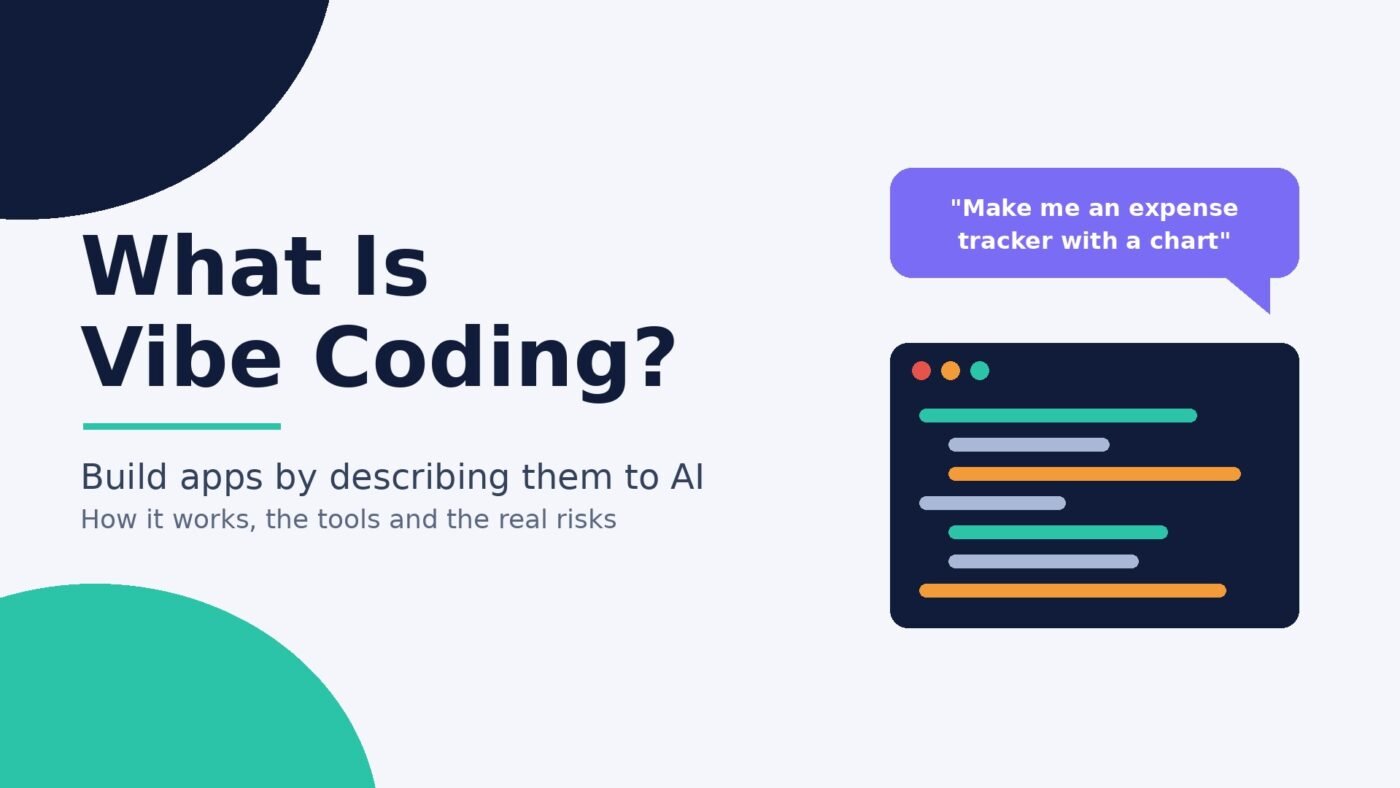
Vibe coding is building software by describing what you want to an AI model in plain language, running whatever code it produces, and steering by the results instead of reading the code yourself. You say what you want, see what happens, and ask for changes until it works. The term comes from AI researcher Andrej Karpathy, who described it in February 2025 as a way of coding where you “fully give in to the vibes, embrace exponentials, and forget that the code even exists.”
It caught on fast. Merriam-Webster added it to its slang and trending list, and Collins Dictionary named “vibe coding” its Word of the Year for 2025. This guide explains what the term actually means (there are two meanings now), how the process works, which kinds of tools people use, and where it goes wrong, with a checklist you can use before you share anything you built this way.
Vibe coding in one sentence
Vibe coding is a way of making apps, websites and scripts where an AI writes the code from your plain-English instructions and you judge the work by trying it, not by reviewing the code line by line.
The tool doing the work is usually a large language model built into a coding app. You are the product manager and the tester. The AI is the programmer you never look over the shoulder of.
Where the term came from
Karpathy, an OpenAI co-founder and former head of AI at Tesla, posted the original description on X in February 2025. In it he says he talks to the AI by voice, asks for “the dumbest things like ‘decrease the padding on the sidebar by half'”, always clicks “Accept All”, doesn’t read the diffs, and pastes error messages back in with no comment because “usually that fixes it.” He added that it was “not too bad for throwaway weekend projects” and that it was “not really coding” so much as “I just see stuff, say stuff, run stuff, and copy paste stuff, and it mostly works.”
Two things are worth noticing. First, the original idea was explicitly about low-stakes, throwaway projects. Second, Karpathy is a very experienced programmer who could read the code if he wanted to. He was choosing not to, for fun and speed.
Within weeks the phrase was everywhere. In March 2025, Y Combinator managing partner Jared Friedman said that a quarter of the startups in YC’s Winter 2025 batch had codebases that were 95% AI-generated, and stressed that these were highly technical founders, not people who couldn’t code.
The two meanings of vibe coding
Today people use “vibe coding” in two different ways, and mixing them up causes a lot of confused arguments online.
- The strict meaning: building software with AI without reviewing the code it writes. This is Karpathy’s original sense. Developer Simon Willison puts it simply: “When I talk about vibe coding I mean building software with an LLM without reviewing the code it writes.”
- The loose meaning: any coding with heavy AI help, including professional developers who prompt an AI and then carefully review, test and own the result. Google Cloud’s explainer splits these into “pure” vibe coding and “responsible AI-assisted development”.
Willison argues the second one shouldn’t be called vibe coding at all: if an AI wrote the code and you then reviewed it, tested it and could explain how it works to someone else, “that’s not vibe coding, it’s software development.” That distinction matters for you because the risks below apply mainly to the strict kind.
| Pure vibe coding | AI-assisted programming | |
|---|---|---|
| Who it suits | Beginners, hobbyists, quick prototypes | People who can read and test code |
| Do you read the code? | No, you judge by whether it works | Yes, before it is kept or shipped |
| How bugs get fixed | Paste the error back into the AI | Understand the cause, then fix or prompt |
| Best for | Personal tools, demos, one-off scripts | Products other people rely on |
| Main risk | Hidden security and data problems | Slower, but you own what you ship |
How vibe coding works, step by step
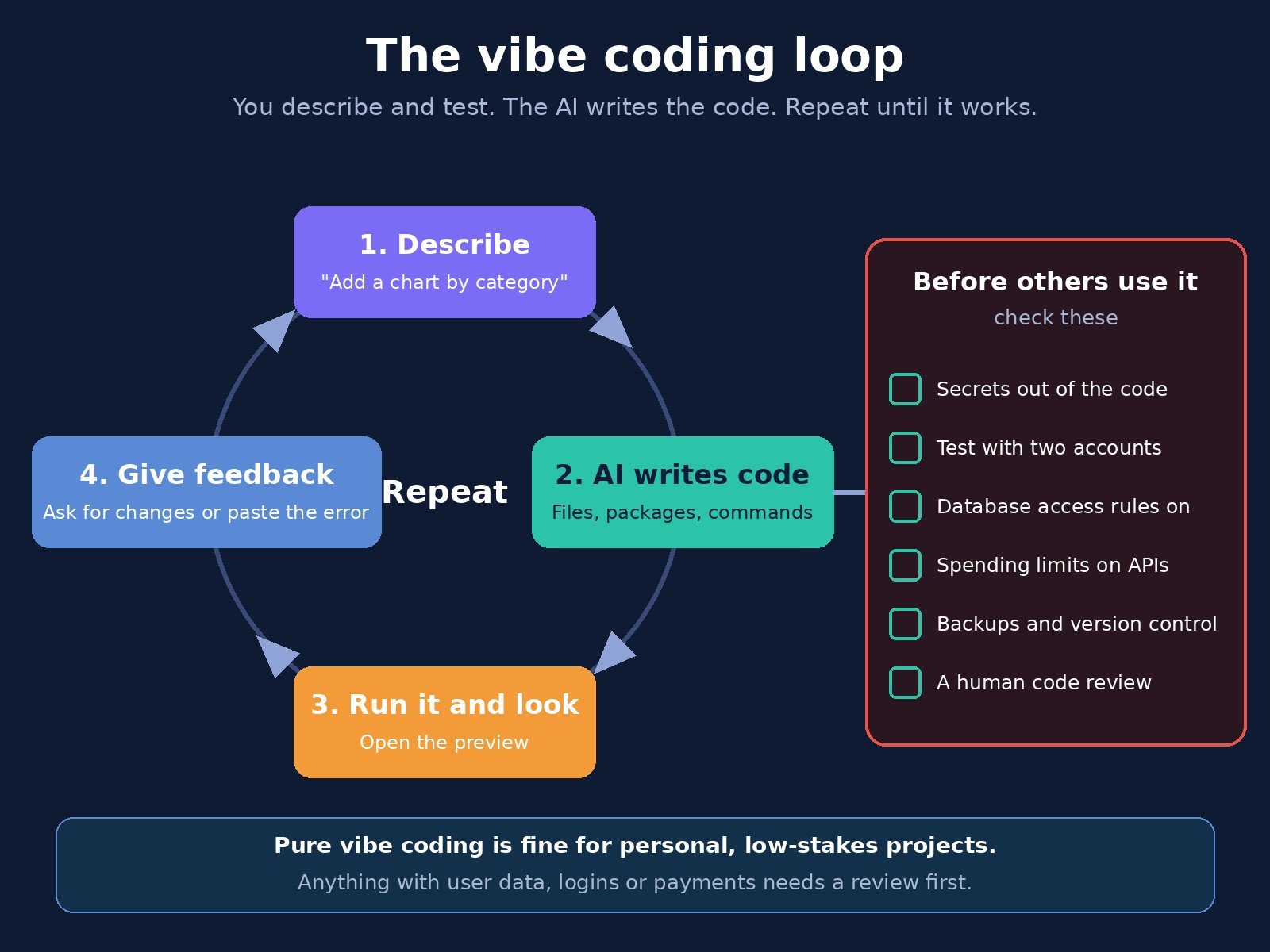
Whatever tool you use, the loop looks about the same:
- Describe the goal. You write (or say) what you want: “Make a page where I can log my weekly expenses and see a chart by category.” Clear, specific requests work better, which is why basic prompt engineering helps.
- The AI generates code. It picks a language, a framework and a file structure, and writes everything. Many tools now act as AI agents that create files, install packages and run commands on their own.
- Run it and look. You open the preview or run the script and see what happens.
- Give feedback. “The chart is empty,” “make the button green,” or you paste in the error message.
- Repeat until it does what you want, or until the AI gets stuck going in circles.
Google’s own beginner guide stresses that this is not a one-prompt process. It recommends planning first, then deliberately trying to break your own app before anyone else uses it, because a generated prototype is “a working first draft, not a finished product.”
Types of vibe coding tools
Tools change quickly, so it helps to think in categories rather than brand names. Here are the main kinds, with well-known examples of each (no endorsements, and check current pricing on each site).
Browser app builders
You type a description and get a working web app with a live preview, often with hosting and a database included. Examples include Lovable, Bolt.new, Replit and v0. These are the easiest place for non-programmers to start, and the riskiest place to stay in pure vibe mode if your app stores real user data. (We covered how fast this part of the market has grown in our piece on Lovable’s revenue.)
AI code editors
Editors such as Cursor and GitHub Copilot in VS Code put a chat and an agent next to your files. Karpathy’s original post was about Cursor. These suit people who want to see the code, even if they don’t read every line. See our coverage of Cursor’s funding for the business side.
Terminal coding agents
Command-line agents like Claude Code, OpenAI Codex CLI and Gemini CLI work inside a project folder, read files, run tests and make changes across many files. They are powerful and assume you are comfortable with a terminal.
Chat sandboxes
Chatbots that can build and preview small apps inside the chat window, such as Claude’s Artifacts or Google AI Studio. Willison likes sandboxed tools for beginners because the code is locked down and can’t make network requests to other sites, which makes it hard to cause harm.
What vibe coding is good for
Used for the right jobs, vibe coding is genuinely useful:
- Personal tools. A budget tracker, a recipe scaler, a script that renames 500 photos. New York Times columnist Kevin Roose, who isn’t a programmer, called this kind of thing “software for one”.
- Prototypes and demos. Show an idea to a co-founder or client in an afternoon instead of describing it in a slide deck.
- Learning. Seeing working code for something you care about is a fast way in. Willison writes that vibe coding “shaves that initial barrier down to almost flat” for people starting out.
- Small business chores. Internal forms, simple calculators, data clean-up scripts that only you run.
The common thread: low stakes, few users, and nothing terrible happens if it breaks.
Where vibe coding breaks: the real risks
The problems show up when vibe-coded software leaves the “just for me” zone. These are documented, not hypothetical.
Security flaws you can’t see
AI models are now good at writing code that runs. They are much less reliable at writing code that is safe. Veracode tested more than 100 models on 80 coding tasks and found that in 45% of cases the AI introduced a known OWASP Top 10 vulnerability. Its Spring 2026 update found security pass rates still stuck at about 55%, even as models got far better at producing code that runs. If you never read the code, you have no way to spot these flaws.
Leaked user data and API keys
In May 2025, a researcher scanned 1,645 web apps built with Lovable and found that 170 of them let anyone access information about the site’s users, including names, email addresses, financial information and secret API keys. A leaked AI or payment key can let a stranger run up charges on your account.
Agents that do destructive things
Agents can take actions, not just write text. In July 2025, The Register reported that Replit’s AI agent deleted a user’s production database after ignoring an instruction to freeze the code. Give an agent access to live data and it can change live data.
Code nobody understands
Karpathy himself noted that “the code grows beyond my usual comprehension.” That is fine for a weekend toy. For a product, it means every future fix depends on the AI getting it right, and AI models can hallucinate functions or packages that don’t exist. Big projects can also outgrow what the model can hold in its context window, so it starts forgetting earlier decisions.
It may not save as much time as it feels
In a July 2025 randomized trial, METR found experienced open-source developers took 19% longer on real tasks when allowed to use AI tools, even though they believed afterwards that AI had sped them up by 20%. METR has since marked those results as out of date and published newer data, and the study covered experts on big codebases, not beginners on small apps. The lesson is narrower but useful: how fast it feels is not the same as how fast it is.
Low-quality contributions flooding others
AI-generated bug reports and code have also put pressure on volunteer projects. We reported on Google pausing part of its bug bounty program over AI slop. If you vibe code a “fix” for someone else’s project, check it before you submit it.
When to vibe code and when not to
| Situation | Pure vibe coding OK? | Why |
|---|---|---|
| A script that tidies files on your own laptop | Yes, with a backup | Only you are affected |
| A prototype to show investors or a client | Yes | It is a demo, not the product |
| An internal tool with no personal data | Usually | Low harm if it breaks |
| An app with user logins or email addresses | No, get it reviewed | Data exposure risk |
| Anything that takes payments or uses paid APIs | No | Money and leaked keys at stake |
| Health, legal or financial records | No | Serious harm and legal duties |
| Changes to a live database or production site | No, and limit agent access | Agents can delete or overwrite data |
A safety checklist before you share a vibe-coded app
If your app will be used by anyone other than you, run through this list. It draws on Willison’s advice and common deployment guidance.
- Find your secrets. Search the code for API keys, passwords and tokens. They belong in environment variables on the server, never in code that reaches the browser. Willison’s warning: if your code involves secrets, you need to understand how the code works.
- Test with two accounts. Log in as user A and try to see or edit user B’s data. If you can, so can a stranger.
- Turn on database access rules. Hosted databases often have row-level security or similar settings that are off by default. Ask the AI to explain what is protected, then check it yourself.
- Set spending limits. Put billing caps on any paid API the app calls. Willison mentions people who vibe coded against an API without a limit and racked up thousands of dollars in charges.
- Use version control and backups. Export to GitHub or another repo so you can roll back a bad change, and keep agents away from your only copy of real data.
- Keep a staging copy. Try changes on a copy before the live version.
- Get a human review. Before launch, ask someone who can read code to look it over. A few hours of review is cheap next to a data leak.
Does vibe coding replace programmers?
Not for serious software, at least not yet. Even the most enthusiastic voices add caveats. In the same Y Combinator discussion that produced the 95% figure, general partner Diana Hu said that to do good vibe coding “you still need to have taste and knowledge to judge good versus bad.” What has changed is who can build the first version. Non-programmers can now make useful tools for themselves, and programmers spend more time describing, reviewing and testing than typing.
For side hustlers and small business owners, the practical takeaway is simple: vibe code freely for yourself, and treat anything customers touch as a draft until someone who understands code has checked it. If you want to go deeper on how these AI agents connect to files and apps, read our explainer on MCP in AI.
Frequently asked questions
What does vibe coding mean?
Vibe coding means creating software by telling an AI what you want in everyday language and accepting the code it writes, judging the result by whether it works rather than by reading the code. The term was coined by Andrej Karpathy in February 2025.
Who invented the term vibe coding?
Andrej Karpathy, an OpenAI co-founder and former head of AI at Tesla, coined “vibe coding” in a post on X in February 2025. Collins Dictionary later named it its Word of the Year for 2025.
Do you need to know how to code to vibe code?
No. You can build simple apps and scripts by describing them in plain language. But some coding knowledge helps you spot mistakes, and anything that handles other people’s data or money should be reviewed by someone who can read code.
Is vibe coding safe?
It is reasonably safe for personal, low-stakes projects. It is risky for public apps, because AI-written code often contains security flaws: Veracode found AI models introduced a known vulnerability in 45% of its test tasks. Check secrets, access rules and spending limits before sharing anything.
What is the difference between vibe coding and AI-assisted programming?
In vibe coding you do not review the code the AI writes; you steer by results. In AI-assisted programming you use AI to write code but still read, test and understand it before it is kept. Many developers argue only the first should be called vibe coding.
What are the best vibe coding tools?
There are four main types: browser app builders such as Lovable, Bolt.new, Replit and v0; AI code editors such as Cursor and GitHub Copilot; terminal agents such as Claude Code, Codex CLI and Gemini CLI; and chat sandboxes such as Claude Artifacts and Google AI Studio. Beginners usually start with a browser builder or a sandbox.
Can you build a real business on vibe-coded software?
You can build the first version, and many startups do: a quarter of Y Combinator’s Winter 2025 batch had codebases that were 95% AI-generated. But those founders were technical. For a paying product, plan for code review, security testing and someone who can maintain the code when the AI can’t fix a bug.

The Teck Hustlers Editorial Team covers technology, business, finance and gaming news for readers who want the story behind the headline. Every article is researched, written and edited by our in-house team, checked against company announcements, filings and reputable reporting, and updated when new facts emerge. We focus on what each development means for founders, professionals, investors and everyday users. Have a tip or a correction? Reach us through our contact page.