TL;DR
Pinterest SEO is the work of making your pins show up when people search Pinterest. It runs on four ranking signals — domain quality, pin quality, pinner quality, and relevance plus engagement — and it rewards keywords placed in seven spots, fresh vertical pins (1000×1500, 2:3), and steady posting of 5–15 fresh pins a week. Give it 60–90 days. A pin that ranks keeps sending traffic for months or years, long after a social post has died.
What Is Pinterest SEO?
Pinterest SEO is search engine optimization for Pinterest. It sounds like a contradiction — Pinterest is a social platform, not Google — but Pinterest itself describes its product as a visual search engine, and its users behave like searchers, not scrollers. They type a query, browse results, save what fits their plan, and click through when they are ready to act.
That makes Pinterest SEO closer to Google SEO than to Instagram marketing. The goal is not to go viral for a day. The goal is to rank for a query people type every week, so your pin sits in the results and sends a steady stream of clicks to your site.
The difference that matters most: on Pinterest, the image is the result. Your pin’s design, title, and description are the listing, and the algorithm decides where that listing ranks. Do the SEO well and a small account can outrank a big one, because around 96% of Pinterest searches are unbranded — people search for ideas, not brand names.
Why Pinterest SEO Matters in 2026
Pinterest reported an all-time high of 661 million monthly active users in Q3 2026, up 10% year over year. The audience is still growing, and it is spread across the world: 107 million users in the US and Canada, 161 million in Europe, and 394 million in the rest of the world.
Three numbers explain why that audience is worth more than its size suggests:
- 85% of weekly pinners have bought something based on a pin they saw. Pinterest traffic arrives with buying intent, not idle scrolling.
- 80% of weekly users have discovered a new brand or product through Pinterest search. You do not need to be famous to be found.
- More than 85% of weekly users use Pinterest to plan a new project. People arrive with a task in mind — a recipe, a renovation, a trip, a business idea — and they save the pins that help them do it.
A ranked pin also outlives every other kind of social content: Pinterest says a pin can keep driving impressions for more than three months after posting, and top pins keep generating clicks for years.
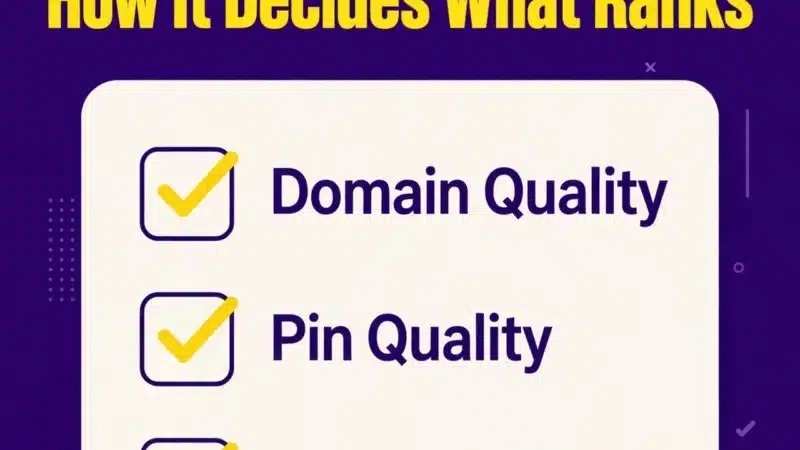
How Pinterest Ranks Pins: The 4 Signals
Pinterest ranks pins on four signals. None of them works alone, and no single trick flips your account overnight.
- Domain quality — how trusted your linked website is. Pins that point to a fast, relevant site that people save and click raise the score of every pin you publish after them. A slow site or a link that does not match the pin’s promise drags it down.
- Pin quality — the image itself plus a complete title, description, and working link. A sharp vertical image with a clear title and a description that matches the search beats a pretty picture with no words attached.
- Pinner quality — how active and consistent your account is. An account posting 10 fresh pins a week signals reliability far more than one dumping 50 pins once a month and going silent.
- Relevance + engagement — how well your pin’s text matches the search, and how people react. Saves are the strongest signal: when someone saves your pin, Pinterest reads it as a vote that the pin belongs in that search. Long clicks matter too — someone spending 35+ seconds on your page after clicking tells Pinterest the destination was worth the trip.
Everything in this guide feeds one or more of those four signals. Keyword work feeds relevance. Fresh pins and steady posting feed pinner quality. A claimed site and good pages feed domain quality. Design and honest descriptions feed pin quality and engagement.
Pinterest Keyword Research: Find the Words People Type
Pinterest SEO starts with keywords, and the keywords come from Pinterest itself — not from guessing.
- Pinterest Trends (free, in the business dashboard): shows how a term has trended over the past year, plus related terms and seasonal timing. Check your seed keyword there first. Seasonal queries spike 30–60 days before their peak, so Trends also tells you when to publish.
- Search-bar autocomplete: type your seed keyword and write down every suggested completion. Those are real queries people typed, and the colored topic bubbles under the results are more keywords.
- Guided search bubbles: click a result and read the bubbles under the search bar. Each one is a narrower query you can target with its own pin.
- Google cross-check: pinners often type the same long-tail queries into Google first, so a Google search volume above 1,000/month is a reliable sign the keyword has weight on Pinterest too.
Build your list as one primary keyword per pin or article, with 3–5 long-tail variations around it. Long-tail wins on Pinterest: a short keyword like Pinterest SEO has everyone competing for it, while a longer phrase like Pinterest SEO for bloggers has fewer searches but far less competition — and a much higher chance to rank. For this guide the primary is Pinterest SEO; the secondaries are Pinterest SEO tips, Pinterest keyword research, Pinterest board SEO, Pinterest profile optimization, and Pinterest SEO checklist.
The 7 Places to Put Keywords
Pinterest reads text from seven surfaces. Miss one and you cap your ranking ceiling.
- Profile display name — add your primary keyword after your brand name, for example Teck Hustlers | Pinterest SEO.
- Profile bio — two sentences, three to five keywords, one call to action with a link.
- Board names — use the exact phrase people search (Pinterest SEO Tips, not My Stuff).
- Board descriptions — 300–500 characters with natural keyword variants.
- Pin titles — up to 100 characters; the first 40 are the most-read, so lead with the keyword.
- Pin descriptions — up to 500 characters. Aim for 200–400 characters: open with the search query restated naturally, add 2–3 sentences with related keywords, close with the outcome the pin delivers. Put the primary keyword in the first 50 characters — that is what Pinterest weighs most.
- Image file names + alt text — name the file with the keyword (pinterest-seo-guide-2026.png) and write alt text up to 500 characters describing the image.
Hashtags no longer help discovery on Pinterest, and stuffing several into a description can dilute the keyword signal. Skip them.
Pinterest Profile Optimization
Your profile is the first of the seven keyword places, and the easiest to get right. Pinterest profile optimization takes ten minutes and pays off on every pin you publish.
- Switch to a business account. It is free and it unlocks Pinterest Trends, Analytics, and Rich Pins. A personal account hides all three.
- Display name: your brand name plus your primary keyword. This is the single most-weighted text on your profile.
- Bio: two sentences that say what you publish and who it is for, with three to five keywords worked in naturally. End with one call to action and your site link.
- Profile picture and cover: a clear logo or face, and a cover image that shows your best work. Keep them consistent with your site so a clicker recognizes you.
- Claim your website. Connect your domain in Pinterest settings. A claimed site feeds the domain-quality signal, shows your profile picture on every pin that links to you, and unlocks Rich Pins.
- Turn on Rich Pins. Article Rich Pins pull your page title and meta description directly into the pin, which improves click-through and keeps the information consistent when other people save your content. They can take up to 24 hours to activate after you claim your site.
A profile with no keywords, no claimed site, and no Rich Pins can still rank a pin — but it starts every pin at a disadvantage.
Pinterest Board SEO: Structure Your Account Like a Library
Treat your account like a library, not a junk drawer. One board per core keyword cluster, named exactly how people search, with a keyword-rich description. Topical concentration is itself a ranking signal: a board full of Pinterest SEO pins tells Pinterest your account is an authority on that topic.
Start with 5–8 boards around your main topics, and pin every new pin to its most relevant board first. Saving your own pin to a second board later is fine; the first board is the one that counts most.
Board SEO checklist for each board:
- Name: the exact search phrase, for example Pinterest SEO Tips or Pinterest Marketing for Bloggers.
- Description: 300–500 characters, written for a human, with 2–3 natural keyword variants.
- Cover: your strongest pin from that board, so the board looks like its topic at a glance.
- Sections: use them to split a big board into subtopics, for example a Pinterest SEO board with sections for keyword research, pin design, and analytics.
- Fresh pins first: add new pins to the board regularly. A board that has not been touched in a year looks abandoned to the algorithm.
Do not rename a big established board to chase a keyword — the board’s history and followers are worth more than the name. Add new keyword boards alongside it instead.
Pin Design That Gets Clicks
A pin that does not get clicked does not rank, no matter how good the keywords are. Design for the grid, not for the full screen.
- Size: 1000×1500 pixels, 2:3 vertical. Square and horizontal pins take less space in the grid and show up less in search. Oversized pins beyond 2:3 have been progressively capped since 2023.
- Text overlay that reads at grid size. Keep it to 4–7 words, big and high-contrast. If the title is unreadable at 236 pixels wide, it will not get clicked. Put your primary keyword in the on-image headline: Pinterest’s OCR reads the text on your image and treats it as a ranking signal.
- One idea per pin. A pin that tries to say everything says nothing in the feed.
- Fresh images, not repins. The 2026 algorithm prioritizes new, original images over re-saves of the same image — even when the destination URL is the same. Make 3–5 fresh pin designs per article and spread them over 2–3 months, not 10 copies of one.
- Real images over low-effort AI stock. Pinterest now detects AI-generated images and gives users the option to limit GenAI content in their feeds. Original photos and genuinely designed graphics rank better.
Short vertical video (6–15 seconds) also earns higher engagement than static pins — use it for tutorials and before/after content.
How Many Pins to Post
5–15 fresh pins per week. Consistency beats volume: 2 pins a day, every day, outperforms 30 pins in one sitting. Fresh pins get a temporary visibility boost, so a steady cadence keeps new pins in circulation while older ones compound.
Expect 60–90 days before you see a real shift. Pinterest traffic is evergreen and slow to start — the pins you publish in month one are the ones paying off in month three. Watch the 48-hour save rate on each new pin: saves in the first two days are the single highest-weighted early signal.
Pinterest SEO Checklist
Use this checklist on every article before you pin it. A pin that passes all ten is ready to rank.
- Business account active, website claimed, Rich Pins on.
- Profile display name carries the primary keyword.
- One primary keyword chosen, with 3–5 long-tail variations.
- Keyword in the first 50 characters of the pin description.
- Pin title under 100 characters, keyword in the first 40.
- Image 1000×1500, 2:3 vertical, keyword in the on-image headline.
- File name uses the keyword (pinterest-seo-guide-2026.png).
- Alt text written, up to 500 characters, describing the image.
- Pinned to the most relevant keyword board first.
- Link tagged with UTM parameters (?utm_source=pinterest&utm_medium=social&utm_campaign=pin-name) so Google Analytics 4 shows exactly which pins send sessions.
Measure What Matters
In Pinterest Analytics, watch saves and outbound clicks per pin — not impressions. Impressions tell you Pinterest showed the pin; saves and clicks tell you it earned its ranking. Check the first 48 hours: save rate in that window is the single highest-weighted early signal. Double down on whatever format and topic earns saves, and remake your best pins as fresh designs every few months. Tag every pin link with UTM parameters so Google Analytics 4 shows exactly which pins send sessions — Pinterest’s own numbers undercount clicks.
Mistakes That Kill Your Rankings
- Keyword-stuffed descriptions that read like tag dumps.
- Square or horizontal pins.
- Repinning the same image over and over instead of fresh designs.
- Linking to slow or irrelevant pages (Pinterest tracks long clicks — a bounce hurts).
- Treating Pinterest like Instagram: pretty pictures with no keywords rank nowhere.
- Posting 30 pins in one day and then nothing for a month.
- Judging the strategy after two weeks, when ranking movement takes 60–90 days.
FAQ
What is Pinterest SEO?
Pinterest SEO is optimizing your profile, boards, and pins so they rank in Pinterest search. It covers keyword research, the seven keyword placements, pin design, posting cadence, and Rich Pins.
How long does Pinterest SEO take to work?
60–90 days for a real shift on a new account. Pins keep ranking for months or years after that.
Do hashtags help on Pinterest?
No. Pinterest has said hashtags no longer boost reach or ranking.
How many pins should I post per day?
1–2 fresh pins a day (5–15 a week) is the sweet spot for most accounts.
Do I need a business account for Pinterest SEO?
Yes — it unlocks Pinterest Trends, Analytics, and Rich Pins, all free. A personal account hides all three.
Can small accounts rank on Pinterest?
Yes. Around 96% of searches are unbranded, so relevance and saves beat follower counts.
What size should Pinterest pins be?
1000×1500 pixels, a 2:3 vertical ratio. That is the format Pinterest itself recommends.
Does Pinterest read the text on my pin image?
Yes. Pinterest’s OCR reads on-image text and treats it as a ranking signal, so put your primary keyword in the headline.
Bottom Line
Pinterest SEO is not a trick. It is treating Pinterest like the search engine it is: research the keyword, put it in all seven places, optimize the profile and the boards, publish fresh vertical pins consistently, and link to pages worth a 35-second visit. Do that for a month and the pins start compounding — that is the whole game.
Sources: Pinterest Q3 2026 results (661M MAU, +10% YoY, all-time high, SEC filing Oct 29, 2026); Pinterest Business data via Sprout Social (96% unbranded searches); Pinterest distribution and pin-performance guidance; Pinterest Trends and Pinterest Predicts 2026.

The Teck Hustlers Editorial Team covers technology, business, finance and gaming news for readers who want the story behind the headline. Every article is researched, written and edited by our in-house team, checked against company announcements, filings and reputable reporting, and updated when new facts emerge. We focus on what each development means for founders, professionals, investors and everyday users. Have a tip or a correction? Reach us through our contact page.