Written by Admin Alex · Fact-Checked by M.Ali · Info Verified October 2026
We review and update this article regularly as new information becomes available.
The best free AI resume builders in 2026 are Teal and Rezi for AI writing help, FlowCV for unlimited free PDF downloads, and ChatGPT plus Google Docs if you want zero limits at no cost.
TL;DR: Many “free” resume builders only let you build for free and charge you to download. Before you write a single line, check three things: how many downloads you get, which file formats are free, and whether a trial auto-renews. Teal’s free plan gives unlimited resumes and 10 AI bullet credits. Rezi’s free plan gives 1 resume, 3 PDF downloads and its AI writer. FlowCV gives unlimited watermark-free PDFs but keeps AI for its $5/month Pro plan. Zety’s free plan only exports plain text, and its $2.70 trial renews at $23.95 every 4 weeks. Since 97.4% of Fortune 500 companies use an applicant tracking system, a clean, simple format matters more than a fancy template.
Searching for a free AI resume builder is a little like walking into a store where every price tag says “free” until you reach the till. You spend an hour writing, pick a template, press download, and hit a paywall or a trial that quietly turns into a monthly bill.
This guide tests what each popular tool actually gives you for free in 2026. It compares free limits, paid prices and the catches, then shows a free workflow that gets you an ATS-friendly resume without paying anything.
All plans and prices below were checked on each vendor’s own pricing page in October 2026.
Key Terms in One Line Each
- AI resume builder: a tool that uses AI to write or improve resume content, such as bullet points and summaries.
- Applicant tracking system (ATS): software employers use to collect, sort and search job applications.
- ATS-friendly resume: a resume with a simple layout and standard headings that tracking software can read correctly.
- Keyword matching: comparing your resume against a job description to find skills and terms you are missing.
- Bullet point: a short line under a job that describes an achievement, ideally with a number.
- Professional summary: two or three lines at the top of a resume that sum up your experience.
- Freemium: a pricing model where basic features are free and advanced ones need a paid plan.
- Auto-renewing trial: a cheap trial that turns into a full-price subscription unless you cancel in time.
Free AI Resume Builders Compared
| Tool | What’s free | AI on free plan? | Paid plan | The catch |
|---|---|---|---|---|
| Teal | Unlimited resumes, 10 templates, job tracker | Yes: 10 bullet credits, 2 summaries, 2 cover letters | Teal+ $13/week, $29/30 days or $79/90 days | AI credits run out fast |
| Rezi | 1 resume, 3 PDF downloads, standard template | Yes: AI writer and editor | Pro $29/month or $149 lifetime | No Word export or cover letters on free |
| FlowCV | 1 resume, 1 cover letter, unlimited PDFs, all templates | No | Pro $5/month billed yearly ($60) | AI features are Pro only |
| ChatGPT + Google Docs | Unlimited writing and downloads | Yes, within free chat limits | ChatGPT Plus $20/month (optional) | You handle formatting yourself |
| Zety | Builder, templates, TXT download | Content suggestions | $2.70 for 14 days, then $23.95 every 4 weeks | PDF and Word need the paid plan; trial auto-renews |
Prices and limits from vendor pricing pages, October 2026.
Why Format Matters as Much as Writing
| Statistic | Figure | Year | Source |
|---|---|---|---|
| Fortune 500 companies with a detectable ATS | 97.4% | 2026 | Jobscan ATS Usage Report |
| Fortune 500 companies with a detectable ATS | 97.8% | 2025 | Jobscan ATS Usage Report |
| Most-used ATS among the Fortune 500 | Workday, 39.2% of companies | 2025 | Jobscan ATS Usage Report |
| Second most-used ATS | SAP SuccessFactors, about 13% | 2025 | Jobscan ATS Usage Report |
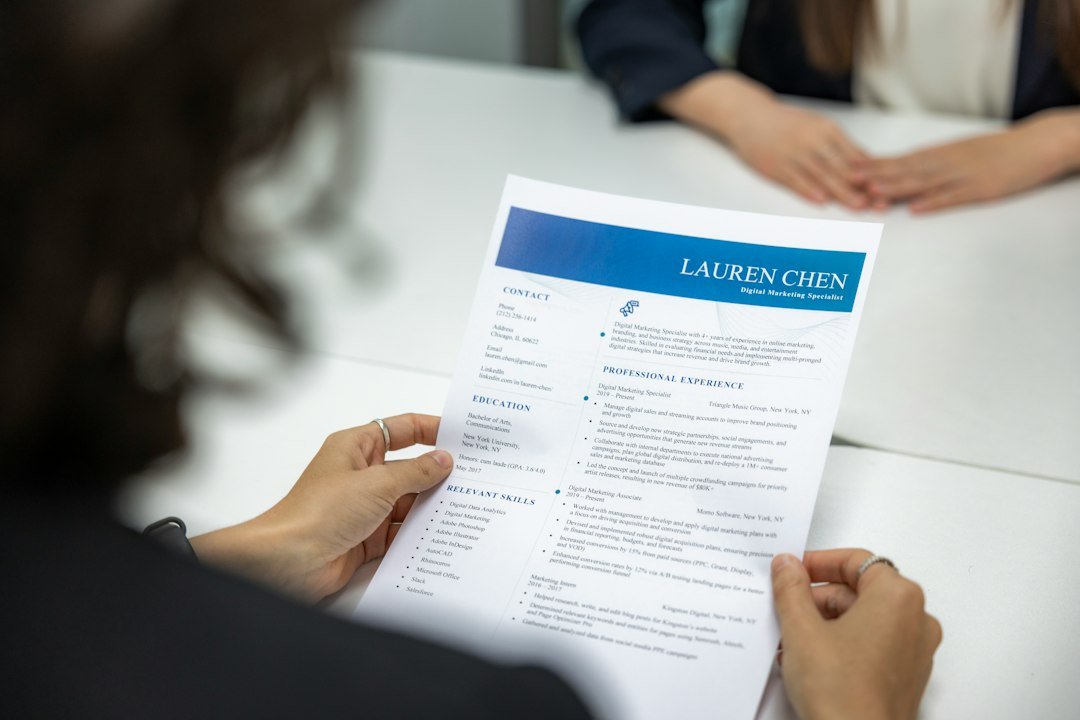
Nearly every large employer runs applications through tracking software. These systems let recruiters search and filter candidates by keywords and job titles. A resume with complex columns, graphics or text inside images can come out jumbled when parsed. That is why the best free resume builders keep templates simple, and why keyword matching is the most useful AI feature you can get.
The Best Free AI Resume Builders, Reviewed
1. Teal: best free AI resume builder overall
Teal combines a resume builder with a job search tracker. The free plan lets you create unlimited resumes, which is rare, so you can keep a tailored version for each job. It includes 10 templates, the top 5 keyword matches from a job description and basic resume analysis.
The free AI allowance is 10 credits for resume bullets, 2 for professional summaries and 2 for cover letters. That is enough to polish one strong resume. Teal+ removes the limits and costs $13 a week, $29 every 30 days or $79 every 90 days.
Best for: active job seekers applying to many roles who want to tailor each resume.
2. Rezi: best for AI writing on a free plan
Rezi is built around beating applicant tracking systems. Its free plan includes the AI resume writer, AI editor and AI summary writer, plus one AI mock interview. You get 1 resume and 3 PDF downloads using its standard ATS-friendly format.
Pro costs $29 a month and adds unlimited resumes, Word export, cover letters and full keyword targeting. Rezi also sells a $149 lifetime plan, which beats a monthly plan if your search runs longer than five months.
Best for: people who want strong AI-written content for one main resume.
3. FlowCV: best truly free resume builder
FlowCV is the most generous free option for design and downloads. The free plan includes all templates, full design customization and unlimited PDF downloads with no watermark. You get one resume and one cover letter.
The trade-off is AI. FlowCV keeps its AI features in Pro, which costs $5 a month billed yearly. Pair the free plan with a free chatbot for writing, and you have a complete, no-cost setup.
Best for: anyone who already has good content and wants a clean, free PDF.
4. ChatGPT plus Google Docs: best zero-cost workflow
You do not need a dedicated resume builder at all. A free AI chatbot such as ChatGPT, Claude or Gemini can rewrite your bullet points, draft a summary and compare your resume with a job description. Google Docs offers free resume templates and unlimited PDF and Word downloads.
The catch is that you handle formatting and keyword checks yourself. The free workflow below shows how.
Best for: confident writers and anyone who wants no limits at all.
5. Zety: free to build, paid to download
Zety is a polished builder with good templates and content suggestions. Its free Basic package lets you build and download, but only in plain text (TXT) format. PDF and Word downloads need the Pro package.
Pro starts with a 14-day trial for $2.70. After 14 days, it auto-renews at $23.95 billed every 4 weeks unless you cancel. An annual plan costs $71.40 upfront. Zety can be worth it if you want its templates, but go in knowing the free plan will not give you a usable PDF.
Best for: people happy to pay for a polished template, who will set a reminder to cancel.
How to Spot a Resume Builder Paywall Before You Start
| Check | Why it matters | Where to look |
|---|---|---|
| Free download formats | A TXT-only download is not a resume you can send | Pricing page feature list |
| Download limits | Some plans cap you at 3 PDFs | Plan comparison table |
| Watermarks | A logo on your resume looks unprofessional | FAQ or plan details |
| Trial renewal terms | A $2 trial can become $24 every 4 weeks | Small print under the trial price |
| AI credit limits | Free AI often stops after a handful of uses | Plan comparison table |
| Cancellation process | Some plans need you to cancel before the period ends | Help center or FAQ |
A simple habit saves money: if a tool needs your card for a trial, set a calendar reminder for two days before it renews.
A Real Example: Building a Resume for $0
Here is a free workflow for a marketing coordinator applying to five jobs.
- Write the content with a free chatbot. Paste your old resume and the job description, then ask: “Rewrite my bullet points to show results with numbers, using keywords from this job description. Do not invent experience.”
- Check the keywords. Ask the chatbot to list the top 15 skills in the job description and mark which ones your resume already includes.
- Design it in FlowCV or Google Docs. Choose a single-column template with standard headings like Experience, Education and Skills.
- Download a PDF. FlowCV and Google Docs both give unlimited free PDFs.
- Tailor for each job. Repeat step 1 for each application and save a copy per role.
A weak bullet like “Responsible for social media” can become “Grew Instagram followers 38% in six months by planning a weekly content calendar.” That example uses an invented number to show the format. Always use your own real results.
For more ways AI can help with work and income, see our guide to using ChatGPT to make money and our tips on writing better AI prompts.
Tips for Using AI on Your Resume
- Never let AI invent experience. Recruiters check, and false claims can cost you an offer.
- Add real numbers. AI writes good structure but cannot know your actual results.
- Edit for your voice. Generic AI phrases like “results-driven professional” make resumes blend together.
- Keep the layout simple. One column, standard fonts and plain section headings read best in tracking software.
- Protect your privacy. Leave your full address and personal ID numbers off anything you paste into a free AI tool.
More AI tool guides: Best AI for Science Research · Best AI Translator in 2026 · AI Side Hustles
Frequently Asked Questions
What is the best free AI resume builder?
Teal is the best all-round free option because it allows unlimited resumes and includes some free AI credits. Rezi has the strongest free AI writer, and FlowCV gives unlimited free PDF downloads.
Is there a completely free AI resume builder?
The closest is combining a free chatbot like ChatGPT with FlowCV or Google Docs. That setup costs nothing and has no download limits. Most dedicated AI builders limit either AI use or downloads on their free plans.
Is Zety really free?
You can build a resume on Zety for free, but the free plan only downloads in plain text format. PDF and Word downloads need the Pro plan, which starts with a $2.70 trial and then renews at $23.95 every 4 weeks.
Can ChatGPT build a resume?
Yes. ChatGPT can write bullet points, summaries and cover letters, and compare your resume with a job description. You will still need a template in Google Docs or a free builder to format the final file.
Do employers know if you used AI on your resume?
They may notice generic phrasing that many AI tools produce. Using AI to structure and polish is common and acceptable, but edit the result so it sounds like you and contains only true, specific achievements.
What makes a resume ATS-friendly?
A single-column layout, standard section headings, common fonts, no text inside images and keywords that match the job description. Jobscan found that 97.4% of Fortune 500 companies use an applicant tracking system in 2026.
Should I use a PDF or Word file?
PDF keeps your formatting intact and is accepted by most systems. Use Word only if the job posting asks for it.
Is a paid resume builder worth it?
It can be if you are applying to many jobs and want unlimited tailoring. Short plans like Teal+’s $13 weekly option or Rezi’s $149 lifetime plan can be cheaper than months of a subscription.
Bottom Line
You can build a strong, ATS-friendly resume in 2026 without paying anything. Start with Teal or Rezi if you want AI help inside the builder, or use a free chatbot with FlowCV for unlimited free downloads. Check download formats and trial terms before you start, keep the layout simple, and make sure every line on the page is true.
Sources
- Teal pricing page, checked October 2026
- Rezi pricing page, checked October 2026
- FlowCV pricing page, checked October 2026
- Zety pricing page, checked October 2026
- Jobscan, Applicant Tracking System Usage Report, 2025 and 2026 data

The Teck Hustlers Editorial Team covers technology, business, finance and gaming news for readers who want the story behind the headline. Every article is researched, written and edited by our in-house team, checked against company announcements, filings and reputable reporting, and updated when new facts emerge. We focus on what each development means for founders, professionals, investors and everyday users. Have a tip or a correction? Reach us through our contact page.